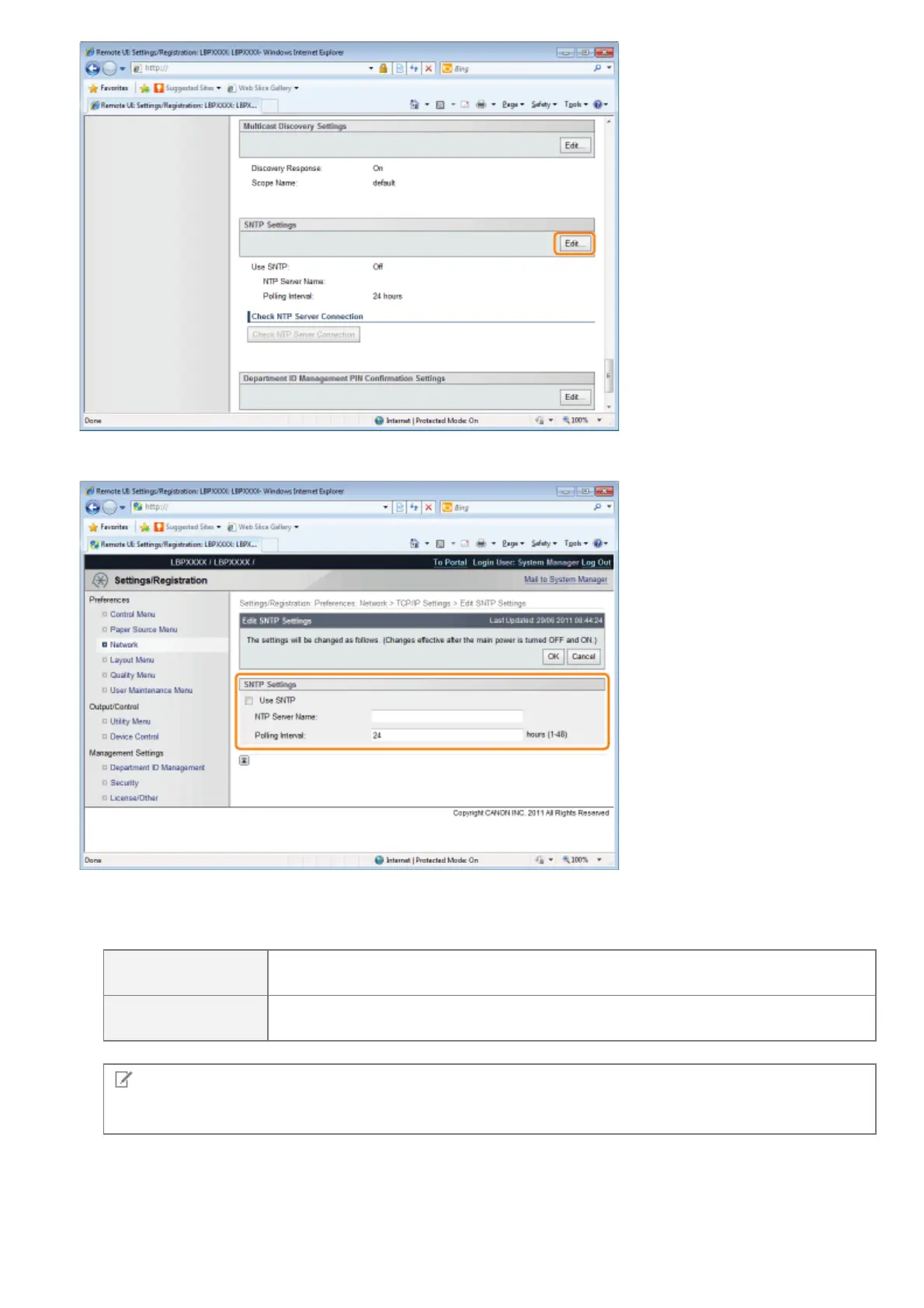
(2) Set SNTP.
When using the SNTP client function to obtain time information from the NTP server
Select the [Use SNTP] check box, and set the following items.
[NTP Server Name]
If DNS is set, enter the server name of the NTP server in [NTP Server Name].
If DNS is not set, enter the IP address of the NTP server in [NTP Server Name].
[Polling Interval]
Set the interval for the printer to poll the NTP server for time information. You can
set intervals of [1] to [48] (hours).
NOTE
NTP Server
It is a public time information server on the Internet.
When not Using the SNTP Client Function
Clear the [Use SNTP] check box.
(3) Click [OK].
㻠㻠㻤㻌㻛㻌㻥㻣㻜



 To Next Page