(Blinking)
Printing cannot be performed because no paper is loaded.
The paper drawer is not installed.
(For the multi-purpose tray, the indicator comes on even when no
paper is loaded.)
"Paper
Loading and
Output"
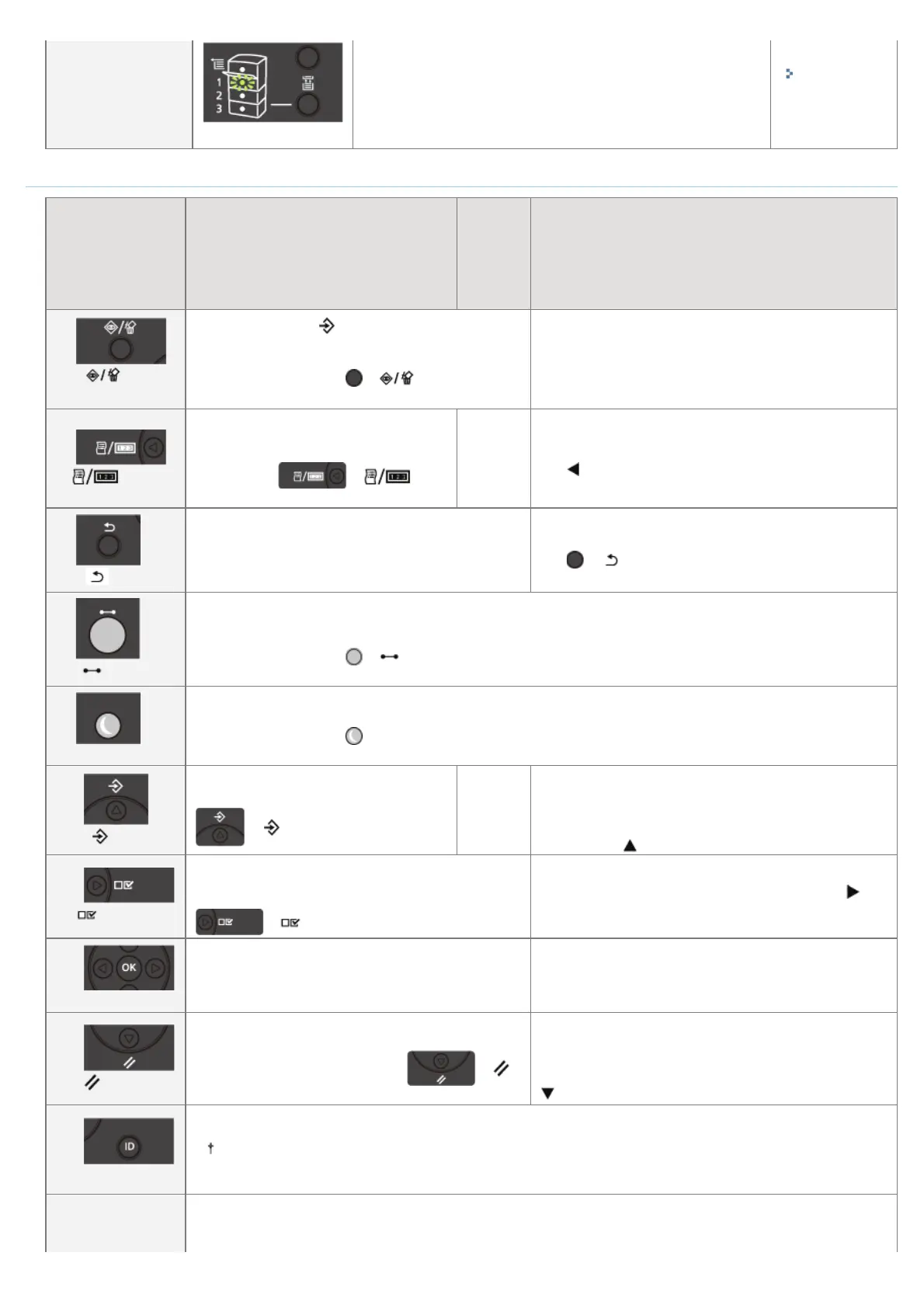
Keys
Name
Function
(When the printer is online)
Function
(When
the
printer
is
offline)
Function
(While the menu is displayed)
(2)
( : Job
Status/Cancel)
If pressed when the
(Job) indicator is on or blinking
(When data is being processed or received), displays
the job list. Select a job from the list to cancel the job.
This key is indicated as [
] ( : Job
Status/Cancel) in this manual.
Does not function.
(3)
( : Utility)
Displays the [Utility Menu] menu. Prints
information about the printer settings
including the current settings. This key is
indicated as [
] ( :
Utility) in this manual.
Does
not
function.
Goes back up the previous hierarchy. This key is indicated
as [
] in this manual.
(4)
( : Back)
Does not function.
Goes back up the previous hierarchy. This key is indicated
as [
] ( : Back) in this manual.
(5)
( : Online)
Switches between online and offline. The printer is online when the indicator under the key is on and is offline when
the indicator is off.
This key is indicated as [
] ( : Online) in this manual.
(9)
(Energy Saver)
If [Sleep Mode] is set to a setting other than [Off], the printer enters Sleep Mode.
This key is indicated as [
] (Energy Saver) in this manual.
(10)
( : Job)
Displays the [Job] menu. You can print
various log lists. This key is indicated as [
] ( : Job) in this manual.
Does
not
function.
Selects the next upper item in the same hierarchy. When
the setting value is numeric, increases the value. If you
keep holding down the key, the speed of the value
increasing is increased depending on the item. This key is
indicated as [
] in this manual.
(11)
( : Settings)
Displays the [Setup] menu. Configure the printing
environment including the layout adjustment and
scaling print output. This key is indicated as [
] ( : Settings) in this manual.
Goes down the hierarchy. This key is indicated as [
] in
this manual.
(12)
(OK)
Does not function.
Executes the selected item. Otherwise, goes down the
hierarchy. This key is indicated as [OK] in this manual.
(13)
( : Reset)
Displays the [Reset] menu. Performs the printer reset
operation, the print data output, and the shutdown
operation. This key is indicated as [
] ( :
Reset) in this manual.
Selects the next lower item in the same hierarchy. When
the setting value is numeric, reduces the value. If you keep
holding down the key, the speed of the value decreasing is
increased depending on the item. This key is indicated as [
] in this manual.
(14)
(Log In/Out)
The log in screen for using MEAP functions is displayed.
If you press this key while logging in, you will log out of the printer.
(15)
,WZLOOWUDQVLWLRQWRWKH0HQX6FUHHQ:KHQHYHUWKHNH\LVSUHVVHGWKH3ULQWLQJ6FUHHQVZLWFKHVWRĺ0($3
$SSOLFDWLRQĺ0($3$SSOLFDWLRQ«0($3$SSOLFDWLRQĺ86%'LUHFW3ULQWĺ3ULQWLQJ6FUHHQĺ0HQX6FUHHQ
This key is indicated as [ ] ( : Application) in this manual.
㻡㻠㻌㻛㻌㻥㻣㻜



 To Next Page