( :
Application)
If department ID management is set and you are not logged in to the printer, the log in screen before the
MEAP application display is displayed.
(17)
( : Feeder
Selection)
Displays the [Select Feeder] menu. Specify which
paper source is used to print between the paper
drawer and multi-purpose tray and the paper size.
This key is indicated as [
] ( : Feeder Selection)
in this manual.
Does not function.
Display
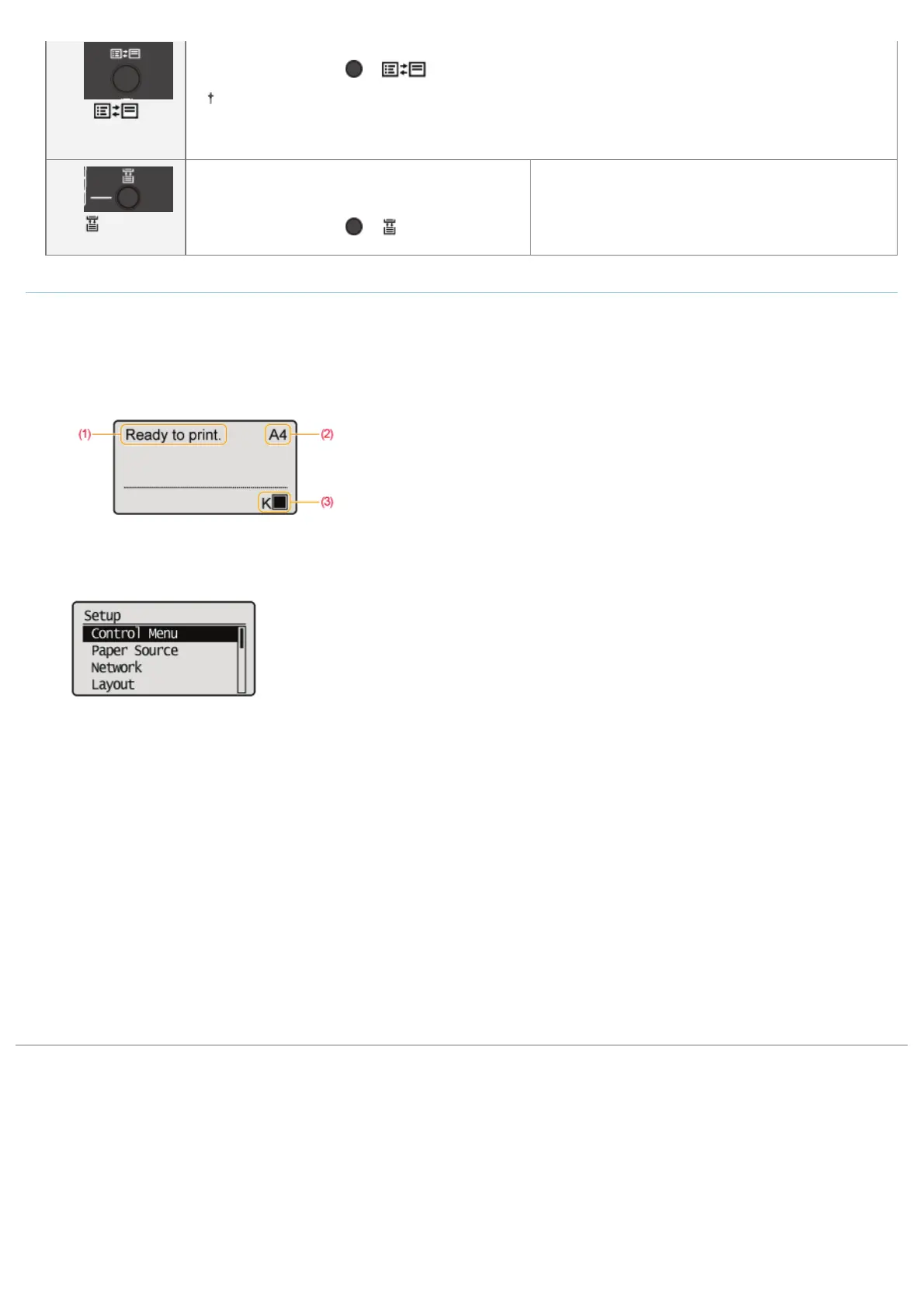
The display on the printer's control panel is as shown in the following. It displays the printer status, messages, items and settings of the menu
functions.
When the printer is ready to print
When operating the printer using the control
panel
(1) Status/Operation Field
Displays the printer status and print mode.
(2) Paper Source/Paper Size Field
Displays the size of paper in the currently
selected paper source using an abbreviation.
The names of the following paper sizes are
indicated by an abbreviation. (Legal: LG,
Letter: LT, Executive: EX, Statement: ST,
Foolscap: FC, 16K: 16K, Envelope DL: DL,
Envelope No.10: CO, Envelope ISO-C5: EC5,
Envelope Monarch: MO, Index Card: IC,
Custom Size: 80 to 99, Custom SizeR: 80R to
99R, Mixed Sizes: FR)
(3) Toner Remaining Field
Displays the amount of toner remaining.
㻡㻡㻌㻛㻌㻥㻣㻜



 To Next Page