You can only change settings when you are logged on in system manager mode.
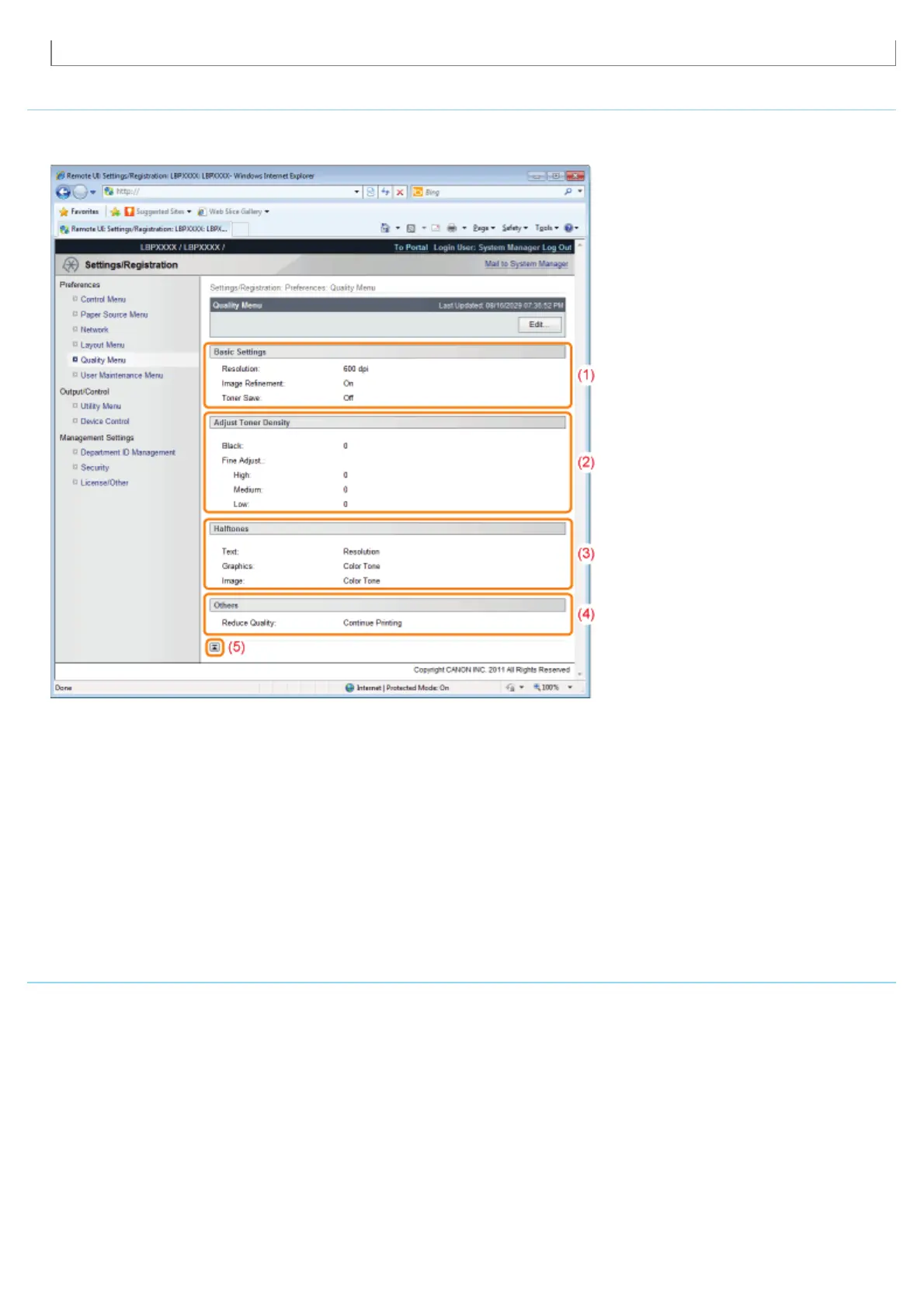
[Quality Menu] Page
It displays the settings related to print quality, such as toner density adjustment.
For details on the settings, see "[Setup] Menu ([Quality] Options)."
(1) [Basic Settings]
It displays the settings related to printing resolution and toner.
(2) [Adjust Toner Density]
Display the fine-tuned toner density.
(3) [Halftones]
It displays the settings related to halftone representation method when printing.
(4) [Others]
The settings related to other print quality are displayed.
(5) [Back to Page Top]
It moves the scroll box up to the top of the page.
[User Maintenance Menu] Page
It displays the settings for printer adjustment from a specified paper source if a problem occurs, such as adjustment of print
position and recovery printing.
For details on the settings, see "[Setup] Menu ([User Maintenance] Options)."
㻡㻠㻟㻌㻛㻌㻥㻣㻜



 To Next Page