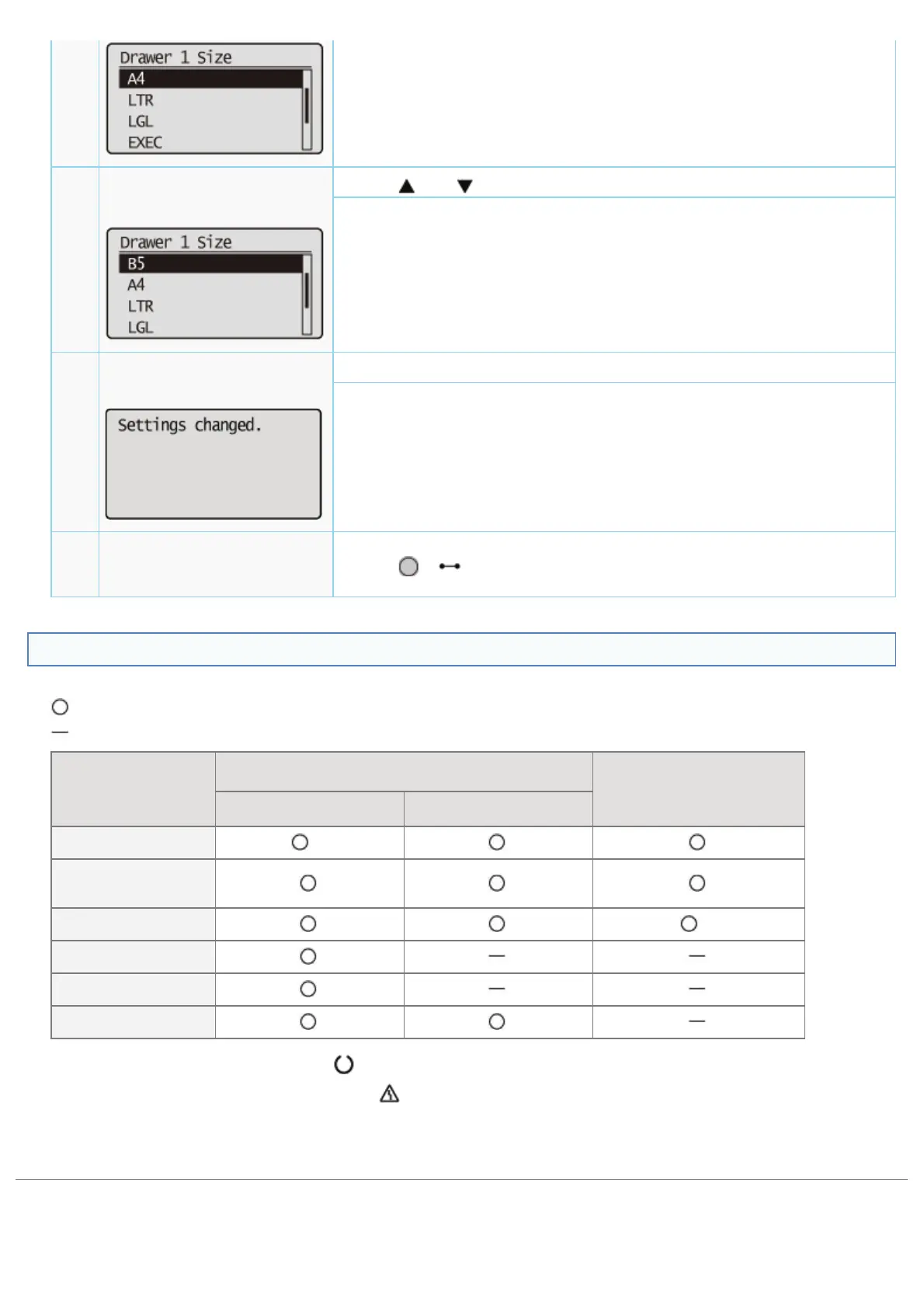
6
The selected setting value is displayed.
7
Select the setting value.
When [B5] is selected
Press [ ] or [ ].
The target setting value is displayed.
8
Determine the selected
setting value.
Press [OK].
The target setting value is specified.
The setting completion screen is displayed for 3 seconds. You can change the
display time for the screen using [Set. Comp. Notify] in the [Setup] menu.
9
Go out of the setting
menu.
Press [
] ( : Online).
Printer Status to Enter the Menu Operation
You can enter each menu when the printer is in the following status.
: You can enter the menu
: You cannot enter the menu
When the printer is ready to print
*1
When an error is occurring
*2
When the printer is online When the printer is offline
[Setup] Menu
*3
[Select Feeder]
Menu
[Reset] Menu
*4
[Job] Menu
[Utility Menu] Menu
Application menu
*1
The printer is ready to print when the (Ready) indicator is on.
*2
An error is occurring in the printer when the (Message) indicator is on.
*3
The [User Maintenance] options cannot be specified.
*4
You cannot perform [Form Feed].
㻡㻢㻝㻌㻛㻌㻥㻣㻜



 To Next Page