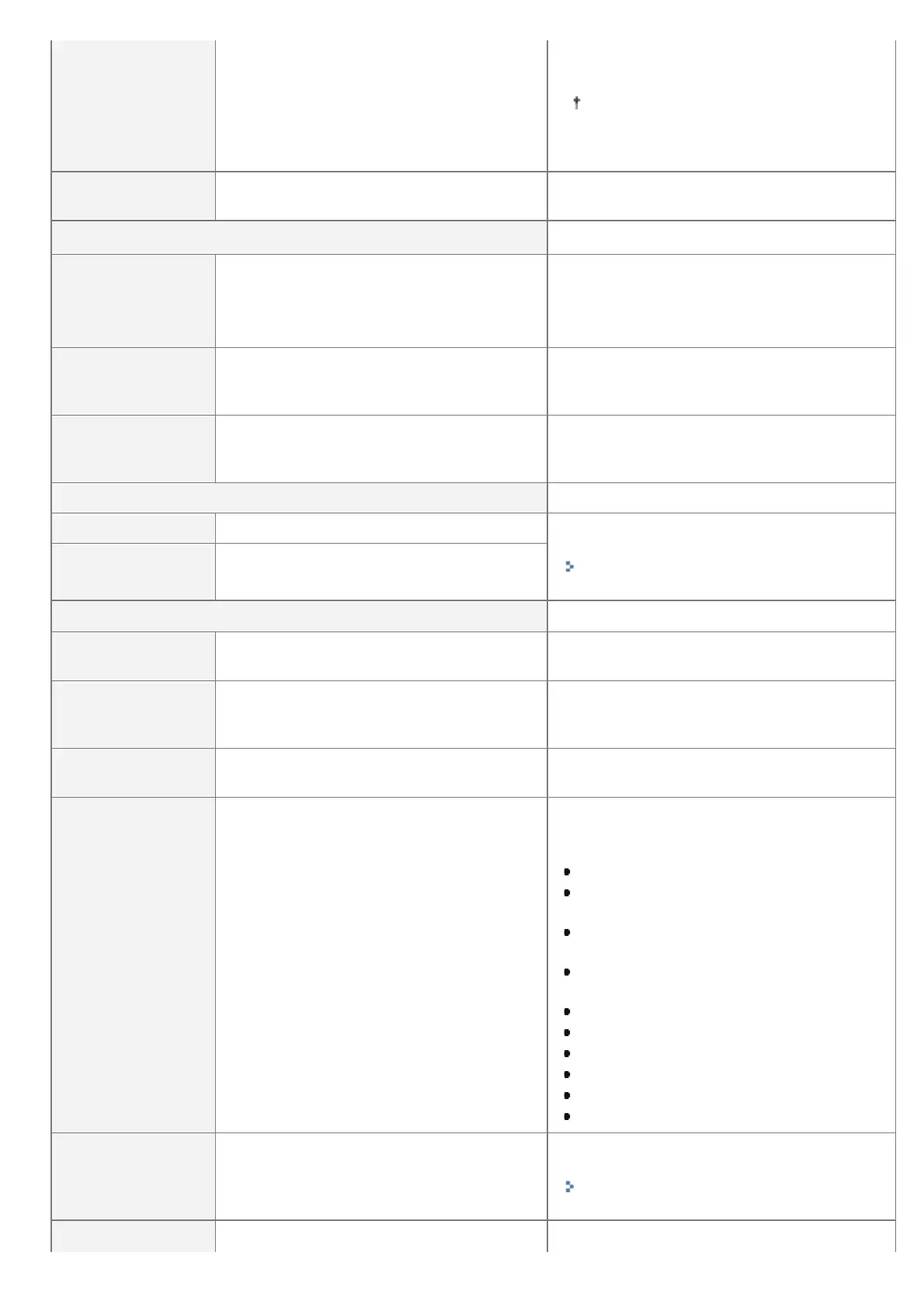
[Panel Language]
>ýHãWLQD@>'DQVN@>'HXWVFK@[English],
[Español], [Français], [Italiano], [Magyar],
[Nederlands], [Norsk], [Polski], [Português],
>Ɋɭɫɫɤɢɣ@>6XRPL@>6YHQVND@>7UNoH@>中
文( 体)], [ ]
Specifies the language to be displayed in the
display.
This setting allows you to change
language displayed in the Remote UI
login screen.
[Alarm] [Off], [On]
Specifies an alarm sound for when an error
occurs.
[Show Warnings]
[Toner Cart.
Warning]
[Off], [On]
Specifies whether the printer should display
<16 Tnr cart. will soon reach end of lifetime.>
when the toner cartridge needs to be replaced
soon.
[Drawer Empty] [Off], [On]
Specifies whether the printer should blink the
Paper Source indicator for the paper drawer
that ran out of paper.
[E-Mail Trans.
Error]
[Off], [On]
Specifies whether the printer should display an
error message when a communication error
occurs in the e-mail printing.
[Date/Time Settings]
[Date] 01/01 2001 to 31/12 2030 Specify date or time when the clock is not
keeping correct date or time.
"Turning the Power On and Specifying a
Language"
[Time (24 hour)] 00:00:00 to 23:59:59
[Daylight Savings]
*1
[DST Settings] [Off], [On]
Specifies whether to set the daylight saving
time.
[Start
Date/Time]/[End
Date/Time]
[Month], [Week], [Day], [Time (24 hour)]
Specifies the time duration of the daylight
saving time.
[Time Zone]
*1
GMT-12:00 to GMT+12:00
Specifies the time zone according to the region
where the printer is being used.
[SD Card]
*1*2
[Off], [On]
Specify whether to use SD cards. When the
optional SD card is installed, you will be able
to use the following functions.
Interrupt print
Changing the order of print data (Priority
print)
Pausing/Resuming print data processing
(Pausing/Resuming printing)
Saving print data on the SD card (boxes)
(Stored job print)
Spooler
SMB print
Importing and Exporting Settings
Stored Job List
Print History List (Stored Job)
Secured print
[Interrupt Print]
*1*2
[Off], [On]
Set whether to allow the job printing to be
interrupted.
"Giving Priority to a Print Job (Interrupt
Printing) "
Set the amount of time before secured print
㻡㻢㻡㻌㻛㻌㻥㻣㻜



 To Next Page