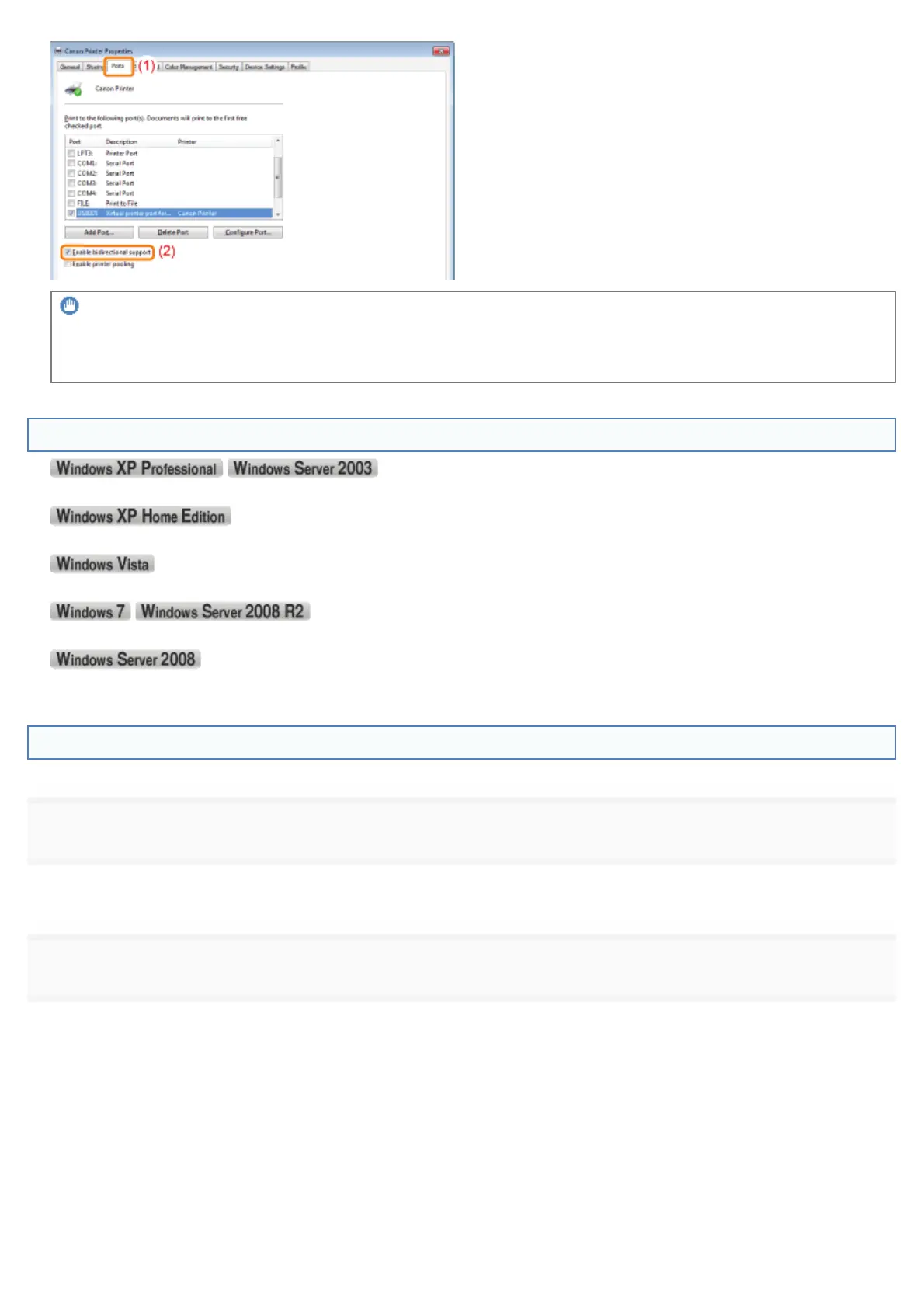
IMPORTANT
Do not clear the [Enable bidirectional support] check box.
If the check box is cleared, you cannot perform printing.
Displaying the Printer Folder
From the [Start] menu, select [Printers and Faxes].
)URPWKH>6WDUW@PHQXVHOHFW>&RQWURO3DQHO@DQGWKHQFOLFN>3ULQWHUVDQG2WKHU+DUGZDUH@ĺ>3ULQWHUVDQG)D[HV@
From the [Start] menu, select [Control Panel], and then click [Printer].
From the [Start] menu, select [Devices and Printers].
From the [Start] menu, select [Control Panel], and then double-click [Printers].
Checking Printers in the Print Server
1
Display [Windows Explorer].
)URPWKH>6WDUW@PHQXVHOHFW>$OO3URJUDPV@RU>3URJUDPV@ĺ>$FFHVVRULHV@ĺ>:LQGRZV([SORUHU@
2
Check printers in the print server.
(1) Select the print server from [Network] or [My Network Places].
(2) Check the icon for this printer is displayed.
㻥㻡㻠㻌㻛㻌㻥㻣㻜



 To Next Page