A53 Z0 9 0020 L En Technical documentation
Variable [E4041] allows you to choose the recording time in seconds. As soon as the SD card is inserted into
the GENSYS 2.0, the recording will start every [E4041] seconds.
Every [E4041] seconds, all the variables entered in the first line of the logger.csv file will be saved to the
file.
Note: If the variable [E4041] is set to 0, the recording stops.
NOTE
Do not remove the SD card from its slot when it is being accessed by GENSYS 2.0 or it may
corrupt your file. To avoid damaging data, make sure to:
Set parameter [E4041] to 0 in order to stop data logging on SD card.
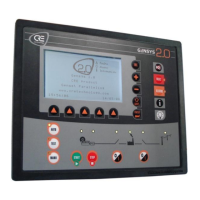
Check that top right LED of the front panel (picture below) is turned off.
You can now safely remove your SD card from its slot.
To view the archive, open the logger.csv file using Excel. Each line of recording is date marked.


 To Next Page
 Loading...