OPERATOR’S MANUAL
CMA-9000 FLIGHT MANAGEMENT SYSTEM
00
3
3
3
0
27
2
4
2
1
18
1
5
1
2
09
0
6
0
3
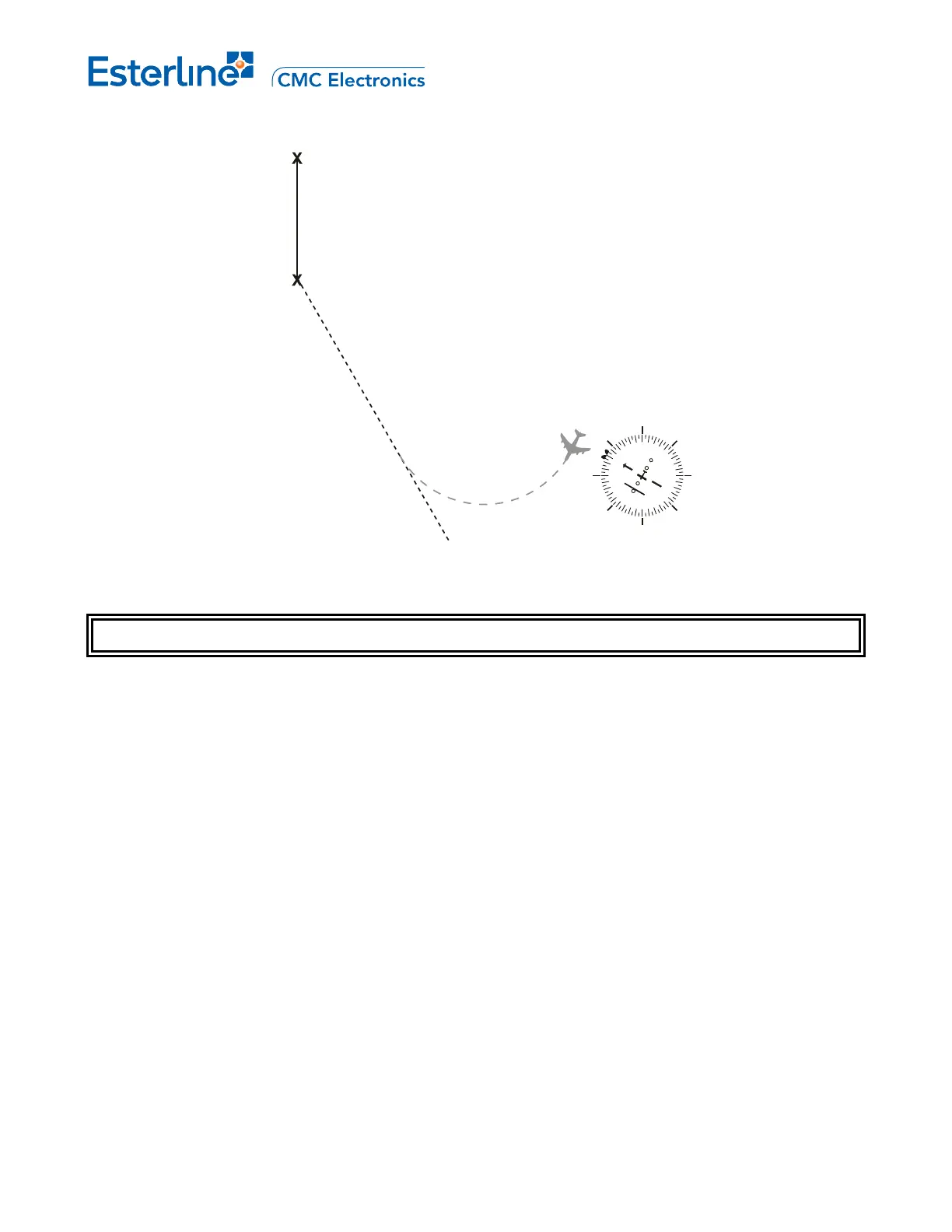
WP2
WP1
PPOS
7
Figure 9-1 “Standard” Direct-To a Waypoint Procedure
DIRECT-TO A WAYPOINT PROCEDURE
A. DIRECT-TO A WAYPOINT IN THE ACTIVE ROUTE
1. Display ACT RTE x LEGS 1/X page by pressing [LEGS].
2. Display the desired waypoint by pressing [NEXT] or [PREV] as required.
3. Key in, or copy the waypoint identifier into the scratchpad by pressing the appropriate LSK.
4. Return to the first ACT RTE x LEGS 1/X page by pressing [LEGS] or [PREV] as required.
5. Move the waypoint identifier to the TO WPT field by pressing LSK 1L.
"ACT" status on the title line is replaced by "MOD". The direct course and distance from aircraft present
position to the TO waypoint is displayed.
6. Verify the inbound course and distance of the leg to the TO WPT.
Information on any other page can be verified prior to making the direct-to leg active.
7. Make the direct-to leg active by pressing [EXEC].
Waypoints between the old TO WPT and new one are deleted from the active route. The "MOD" status in
the title line is replaced by "ACT". Navigation and guidance change to the new leg from present position to
the TO waypoint. If autopilot-coupled, the aircraft will immediately start to turn towards the direct-to
waypoint.
Page 9-2
August 17, 2010



 To Next Page