TOS93 Series User’s Manual 223
Auto Test | Setting Steps
Editing scanner settings
1
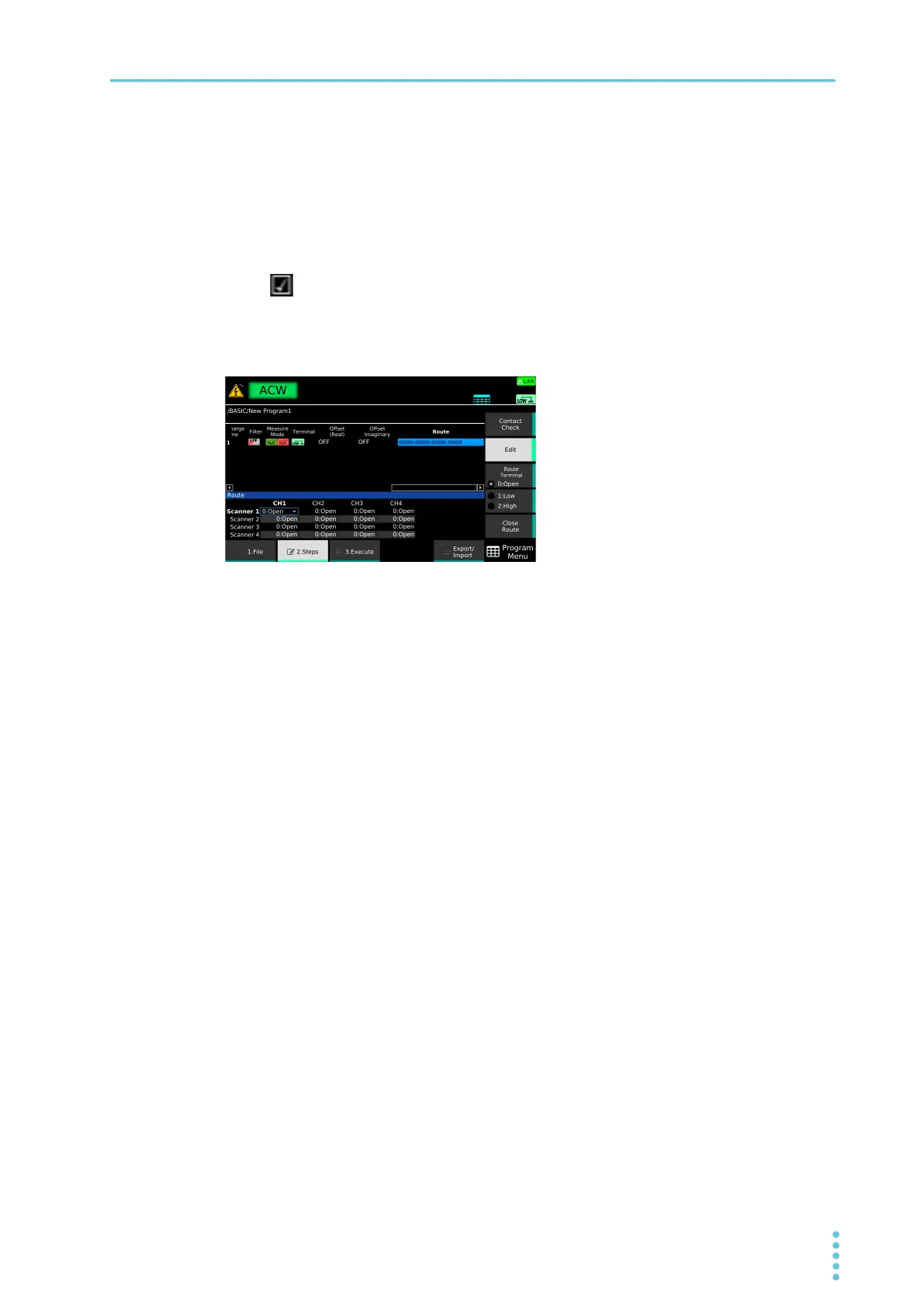
On the Step editing screen, select a cell the Route column and then press Edit.
2
Press Contact Check to switch between ON and OFF.
The value switches between ON and OFF each time you press the key. When Contact Check is set
to ON, appears in the cell being edited.
3
Use the rotary knob and the arrow (←/→) keys to select a scanner and a channel,
and then press Edit.
4
Use the sub-function keys to select a connection, and press ENTER.
The indication of a currently selected cell changes according to the settings.
For example, if you set High to CH1 of Scanner 2, Low to CH3 of Scanner 3, and Open to other
chan
nels, “oooo-Hooo-ooLo-oooo” appears.
5
To continue the settings, repeat Step 3 and Step 4 .
6
After you finish the scanner settings, press CloseRoute.
This completes the setting.



 To Next Page