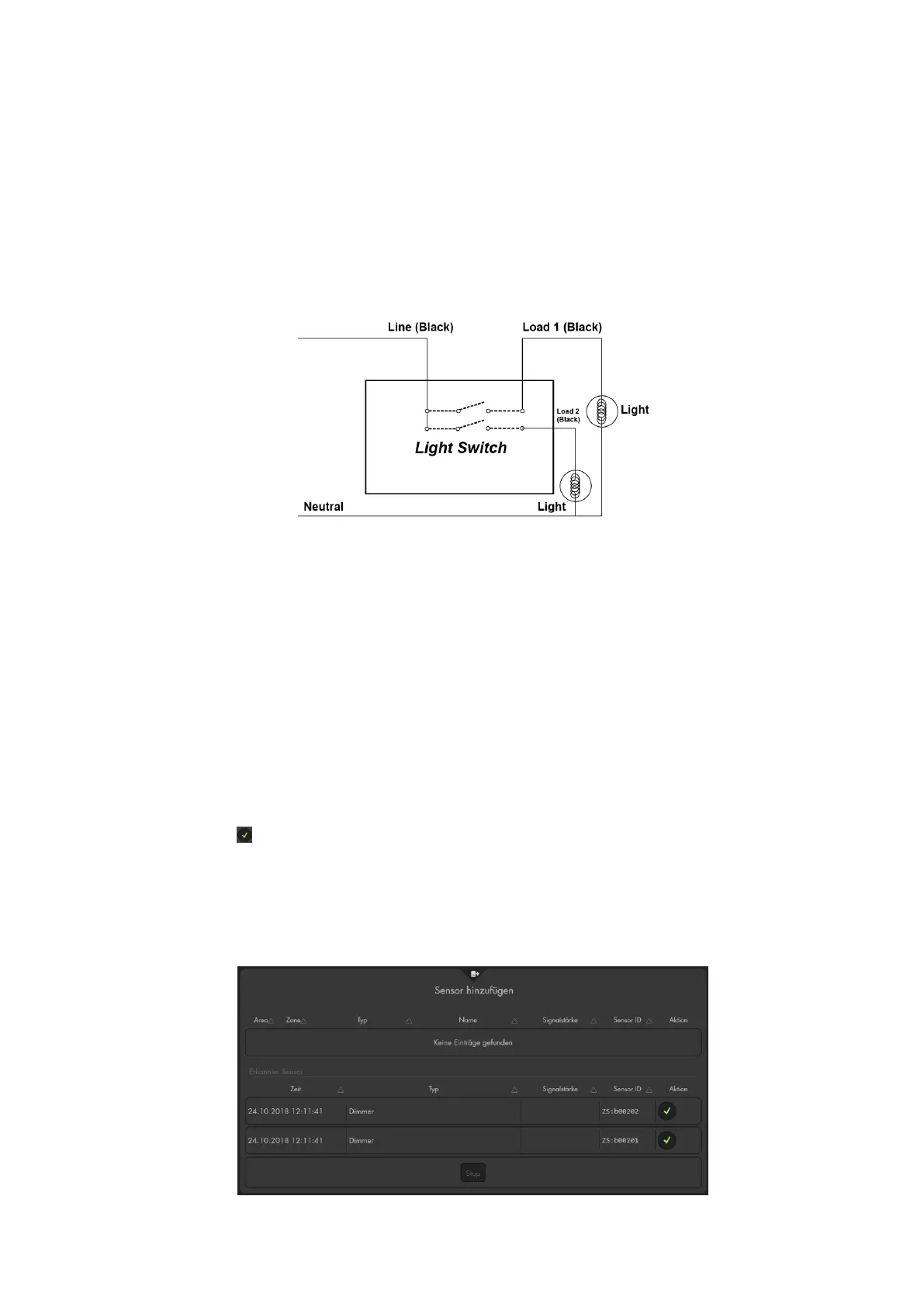
216
Note:
Please observe that the listed colours are only examples.
If you cannot identify the corresponding cables or you have doubts, please consult
an electrician.
To use the light switch V2, you require a line and a neutral conductor.
We advise you to use a lustre terminal to connect the neutral conductors. Do not
attempt to insert all neutral conductor cables into the single connector of the light
switch V2.
Connecting the light switch V2 to the alarm panel
1. The light switch V2 can only be connected to the alarm panel within the first
three minutes after it is connected to the power supply.
2. Open the menu “Sensors” “Add” and press “Start” in the web interface of the
alarm panel.
3. Press the learn button (4) for approx. ten seconds. The LED (2) lights up briefly.
Release the learn button. The connection request is send out and the LED will
flash twice.
4. As soon as the alarm panel has received the connection request, two sensors
will be listed. The two listed dimmers represent the two circuits of the light switch
V2.
5. Click on to add the two dimmers to the alarm panel. Of course, it is also
possible to only add one dimmer if you want to use only one circuit via the alarm
panel.
6. After adding the sensors, press “Stop” in the menu of the alarm panel.
7. You can now “edit” the attributes of the light switch V2 or do it later on via the
menu “Sensors” “List”.



 To Next Page