217
Range test:
16. Open the alarm panel menu “Sensors” “Range” and press “Start.”
17. Press the learn button.
18. The sensor and the signal strength should be indicated. The higher the indicated
number the better the reception (1-9).
Please note:
If the signal strength at the place of installation is below 4, we advise to use a ZigBee
repeater, since it is normal that the signal strength may fluctuate for 2-3 points, thus,
a signal loss is possible.
Assembly
1. Switch off the fuse of the power supply.
2. Remove the existing light switch (if one is already installed).
3. Connect the wires to the light switch (as described above).
4. Add the light switch to the alarm panel (as described above).
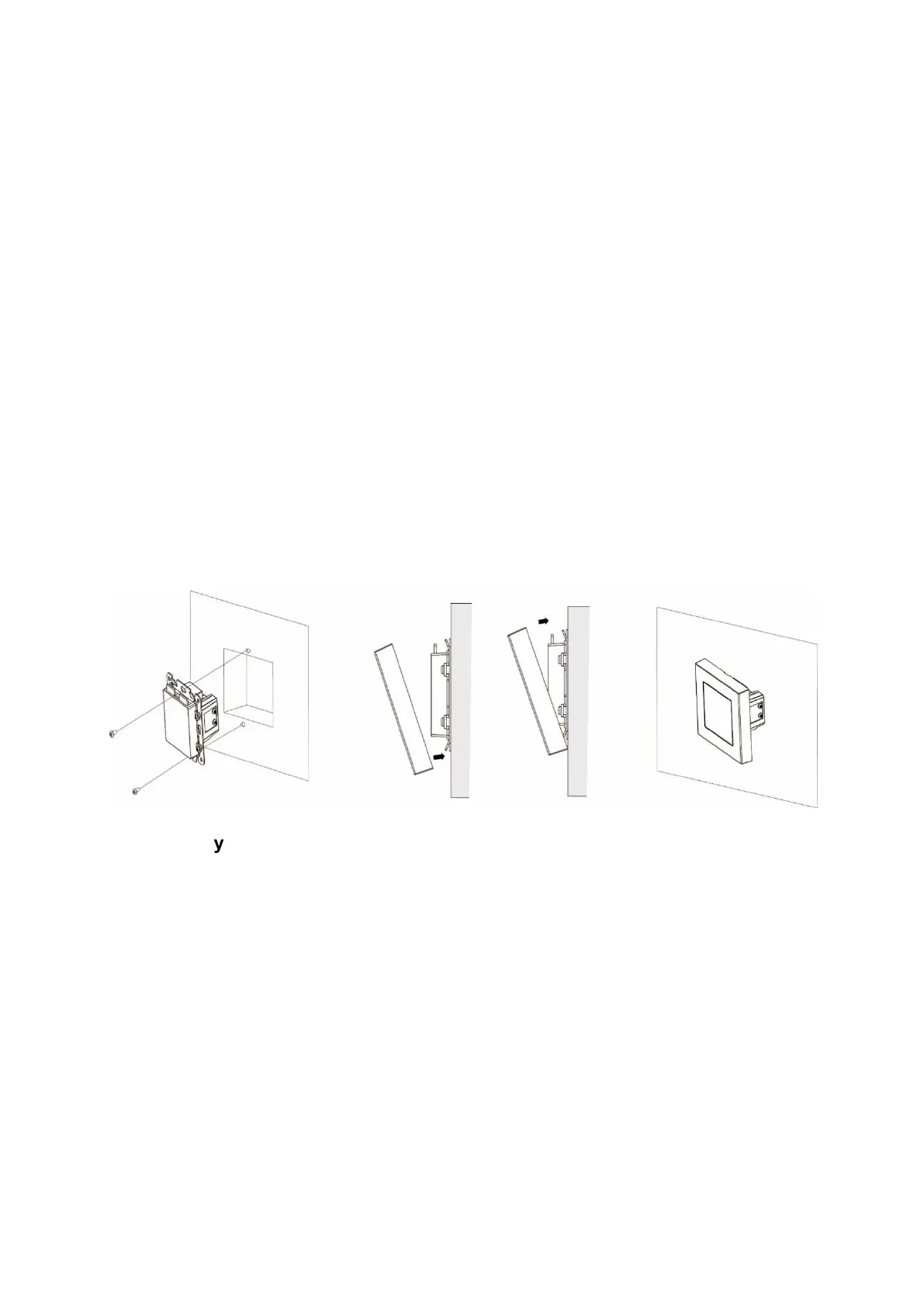
5. Place the light switch into the hole in your wall and fix the screws at the top and
at the bottom tightly with a Philipps screwdriver.
6. Press the cover of the light switch V2 onto the switch. First at the bottom, then at
the top.
Disassembly
Disassemble the light switch according to the following procedure:
Make sure that the related fuse is deactivated.
1. Carefully lever the cover off the base, using a slotted screwdriver and inserting it
in the small notch at the bottom of the switch cap.
2. Remove the cover.
3. Unscrew the switch’s base from the wall, using a Phillips screwdriver.
4. Remove the cables from the light switch.



 To Next Page