257
Range test:
1. Open the alarm panel menu “Sensors” “Range” and press “Start”.
2. Press the learn button.
3. The sensor and the signal strength should be indicated. The higher the indicated
number the better the reception (1-9).
Please note:
If the signal strength at the place of installation is below 4, we advise to use a ZigBee
repeater, since it is normal that the signal strength may fluctuate for 2-3 points, thus,
a signal loss is possible.
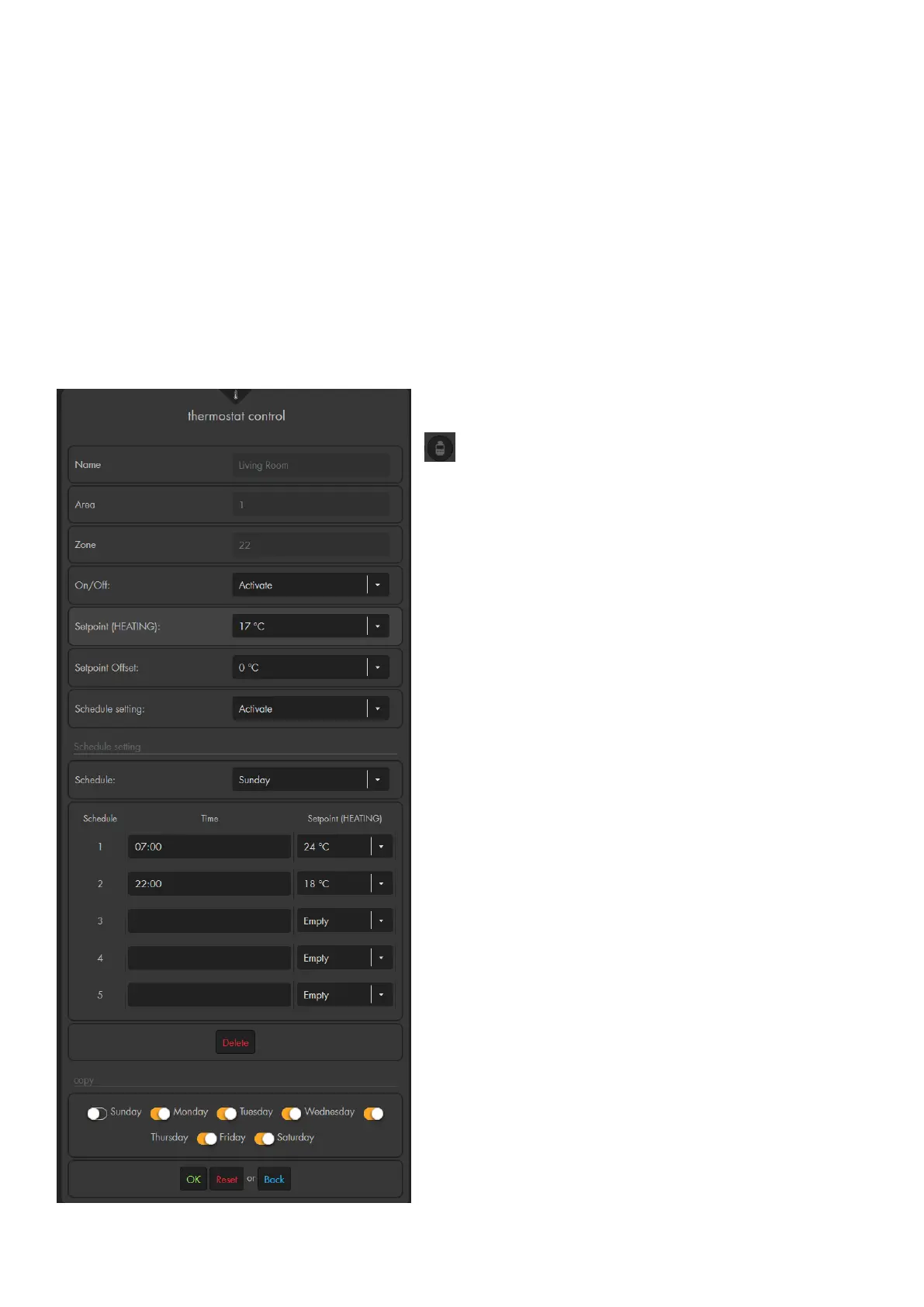
Thermostat control:
In the menu “Sensors” “List” “thermo control”
you can access the settings of each individual
radiator valve thermostat.
Name:
The name you chose for the radiator valve
thermostat.
Area:
The area to which the radiator valve
thermostat was added
Zone:
The zone to which the radiator valve
thermostat was added
On / Off:
Choose between Activate and Deactivate.
o Activate:
To transmit a setpoint temperature to the
radiator valve thermostat, set the control
to “Activate.”
o Deactivate:
If “Deactivate” is transmitted to the
radiator valve thermostat, the valve is
fully closed and the display of the heater
thermostat shows “Off.”
Setpoint (Heating):
Allows you to define a temperature for the
radiator. You can also see this temperature in
the display of the radiator valve thermostat.
Setpoint offset:
The radiator valve thermostat is often installed in
corners or under windowsills. Therefore, the
temperature measured by the radiator valve



 To Next Page