328
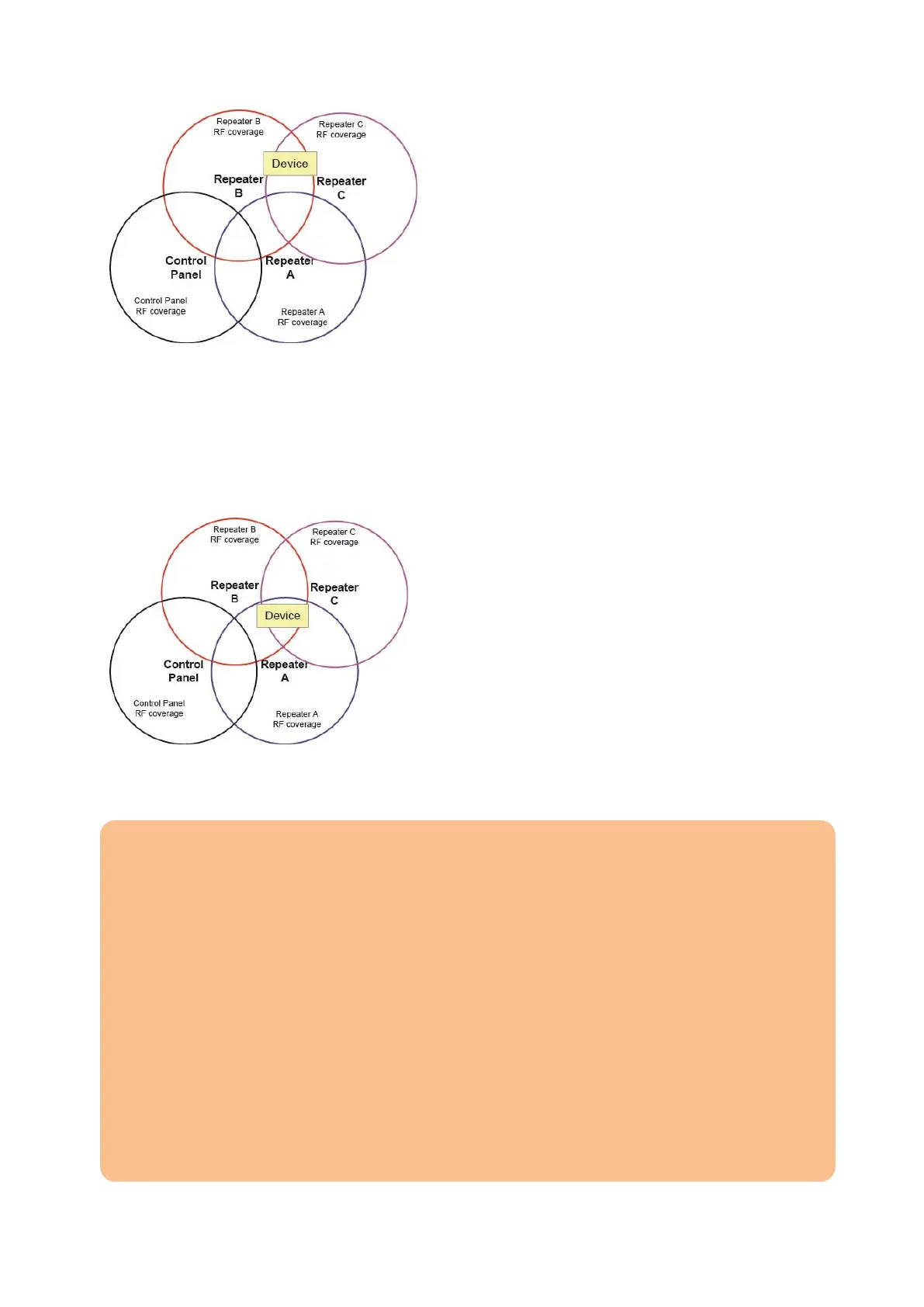
If a sensor is in the range of more than one wireless repeater V2, we advice you
to connect the sensor to the repeater which is closer to the alarm panel. In the
example above, you would add the sensor to repeater B.
The wireless repeater C can be added to B, A, or both.
Wireless repeater B should be added directly to the alarm panel.
Example 2:
In example 2, the sensor could be added to wireless repeater A, B, or C. Since
repeater A and B are closer to the alarm panel, the sensor should be added to
either repeater A or B.
Note:
The wireless repeater V2 can be connected to one alarm panel (area) and supports
a maximum of 80 sensors. If you try to add more than these 80, the alarm panel
will sound six short beeps.
You can add sensors of both areas to a single repeater.
You cannot connect ZigBee (2.4 GHz) devices to the wireless repeater V2.
The wireless repeater V2 is not compatible with the wireless repeater V1 and
cannot enhance the signal strength of the older repeater
Attention: As long as a sensor connected to the repeater is able to transmit its
signal strength directly to the alarm panel, this (weaker) signal is shown in the web
interface. You can test the proper function of the sensor by increasing the sensor’s
distance to the alarm panel and performing a range test. If the signal strength now
increases, the sensor transmits via the repeater. In case of an alarm, the sensor
will reach the alarm panel.



 To Next Page