72
Settings:
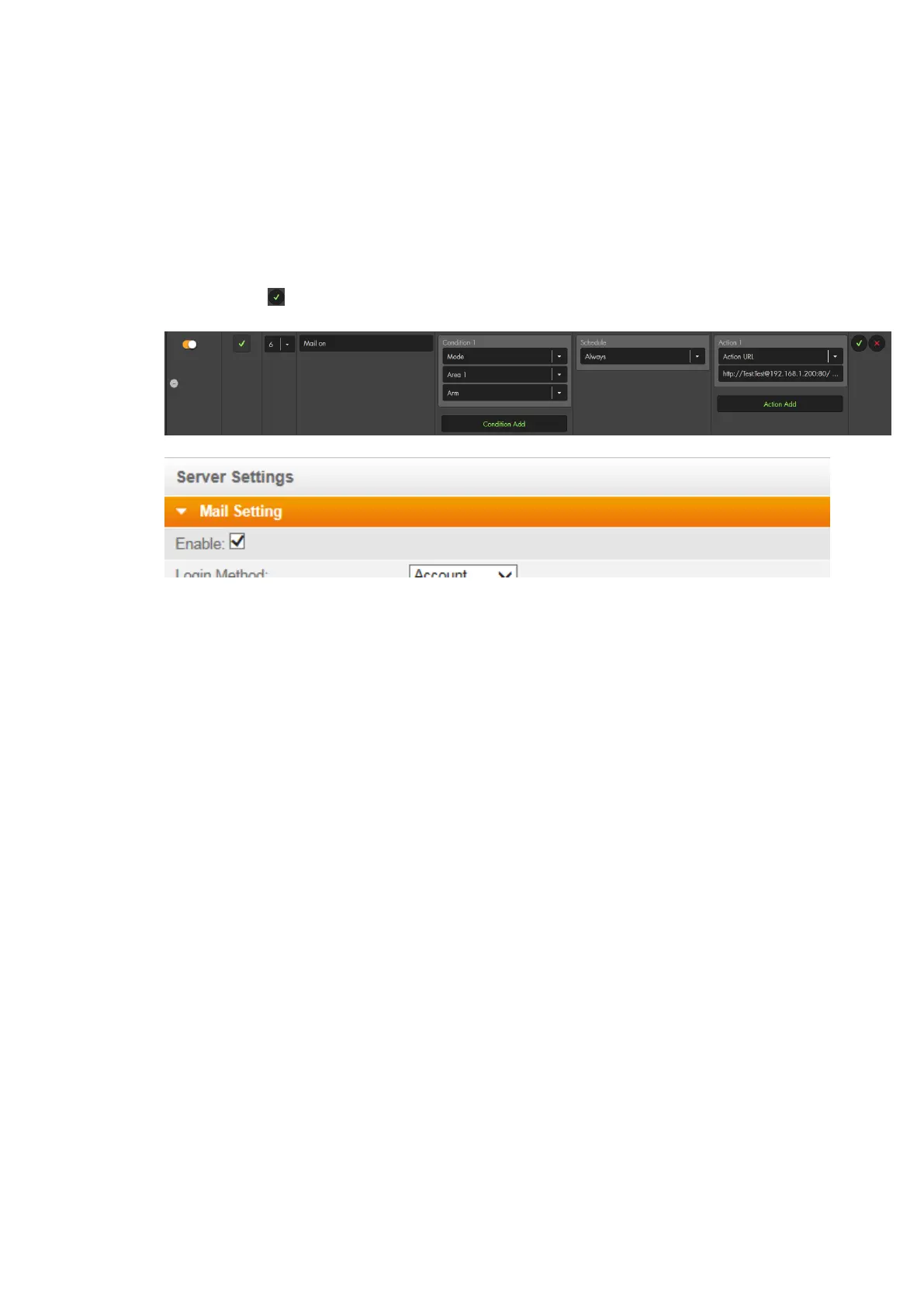
Create a new rule
Select “Condition” “Mode” “Area 1” “arm.”
Select “Schedule” “Always
Select “Action” “Action Url” enter the following command into the blank
below (without quotation marks):
„http://Test:Test@192.168.1.200:80/SetMail.cgi?Mail_Enable=1“
Click on the to the right of the rule.
Add the newly set-up rule to an activate profile for activation.
After you arm the alarm panel, the e-mail function of the camera is activated:
If you want to deactivate the e-mail function upon disarming of the alarm panel,
you need to create another home automation rule and use “condition” “disarm”
instead of “arm” and you need to change “Enable=1” (activates the e-mail
function) at the end of the CGI command to “Enable=0” (deactivates the e-mail
function).
5.2 – Activate/deactivate motion detection of a camera
Aim: The following example shows how to activate the motion detection of a LUPUSNET
HD IP camera (LE 9xx series) when arming the alarm panel.
The login information and IP address are identical to example 5.1. The CGI command to
activate the motion detection is “SetMotionDetect.cgi?md1_ena=1”.
“md1” refers to the motion detection area 1.
“ena=1” actives the motion detection.
“ena=0” would deactivate the motion detection.
In order to control more than one motion detection area at once, you need to combine
the commands using the “&” sign.
The complete syntax is:
http://username:password@IP-
address:Port/SetMotionDetect.cgi?md1_ena=1&md2_ena=1&md3_ena=1
Thus, with our test values:
http://Test:Test@192.168.1.200:80/SetMotionDetect.cgi?md1_ena=1&md2_ena=1&md3
_ena=1



 To Next Page