97
Activate siren strobe
Specify whether the LEDs of the siren are to flash after the acoustic alarm has ended
until the system is disarmed again.
Confirmation strobe
Specify, whether the siren is to flash for confirmation, when the alarm mode of the
alarm panel changes (Arm/ Home / Disarm).
Please note:
If you disable the “confirmation signal” in the siren settings above, the confirmation
strobe is also disables irrespective of this setting.
Exit strobe
Specify, whether the LEDs of the siren are to flash for confirmation during the delay
when leaving.
Entry strobe
Specify, whether the LEDs of the siren are to flash for confirmation during the delay
when entering.
Please note:
If you disable the “input” in the siren settings above, the entry and exit strobe is also
disables irrespective of these settings.
Trigger strobe
Specify whether the siren is to give a visual signal via the three LEDs in case of an
alarm. If activated, the external siren flashes continuously, until the acoustic alarm
has ended.
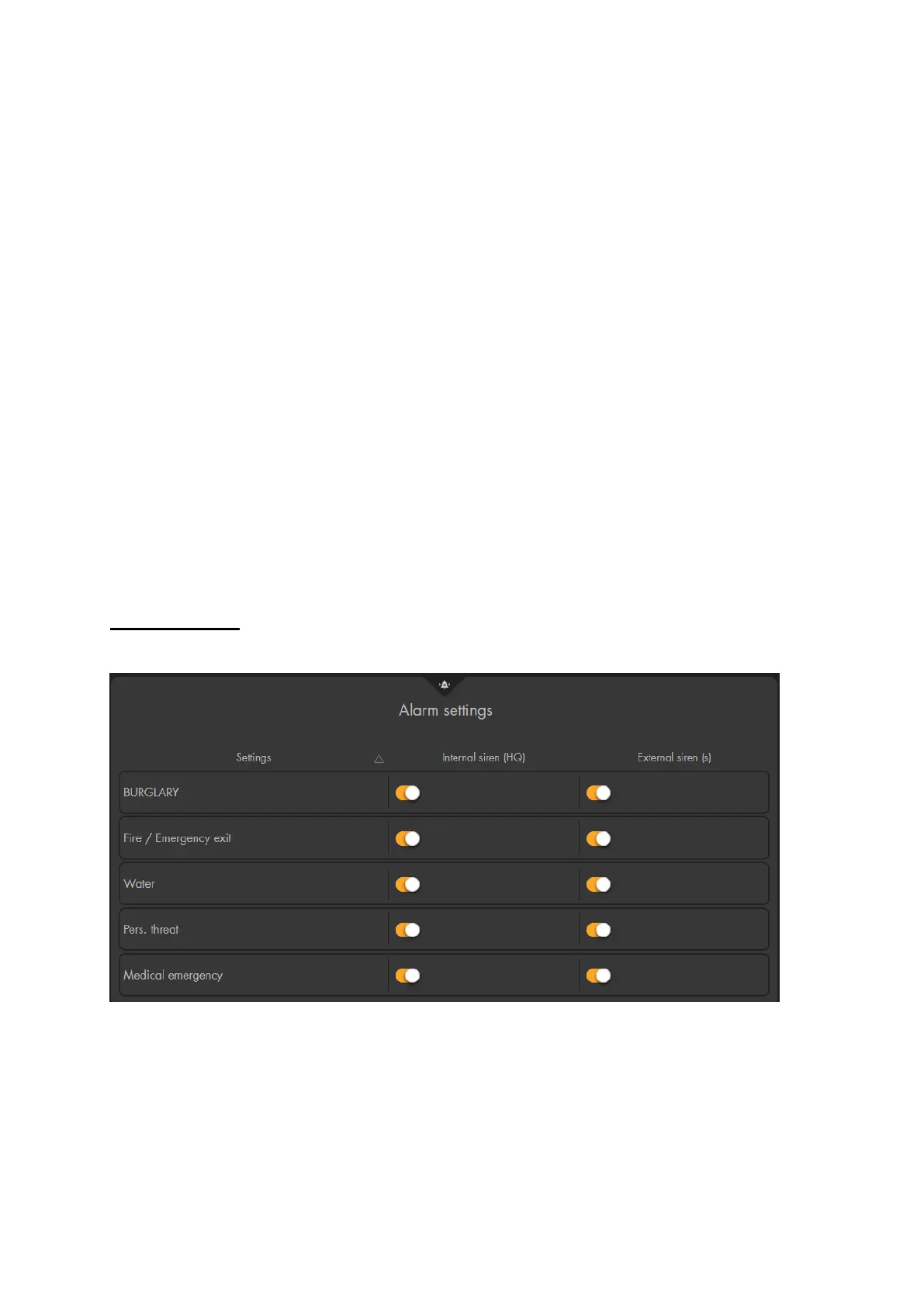
Alarm settings
In this menu you can define during which alarms the internal and the external sirens shall
sound an alarm.
Internal siren (alarm panel):
Allows you to set the cases in which the alarm panel’s internal siren is to be activated.
The following options are available for selection:
Burglary alarm (instant, delayed, follow)
Fire, heat, and smoke alarm



 To Next Page