215575 110 Revision B
%
&
$
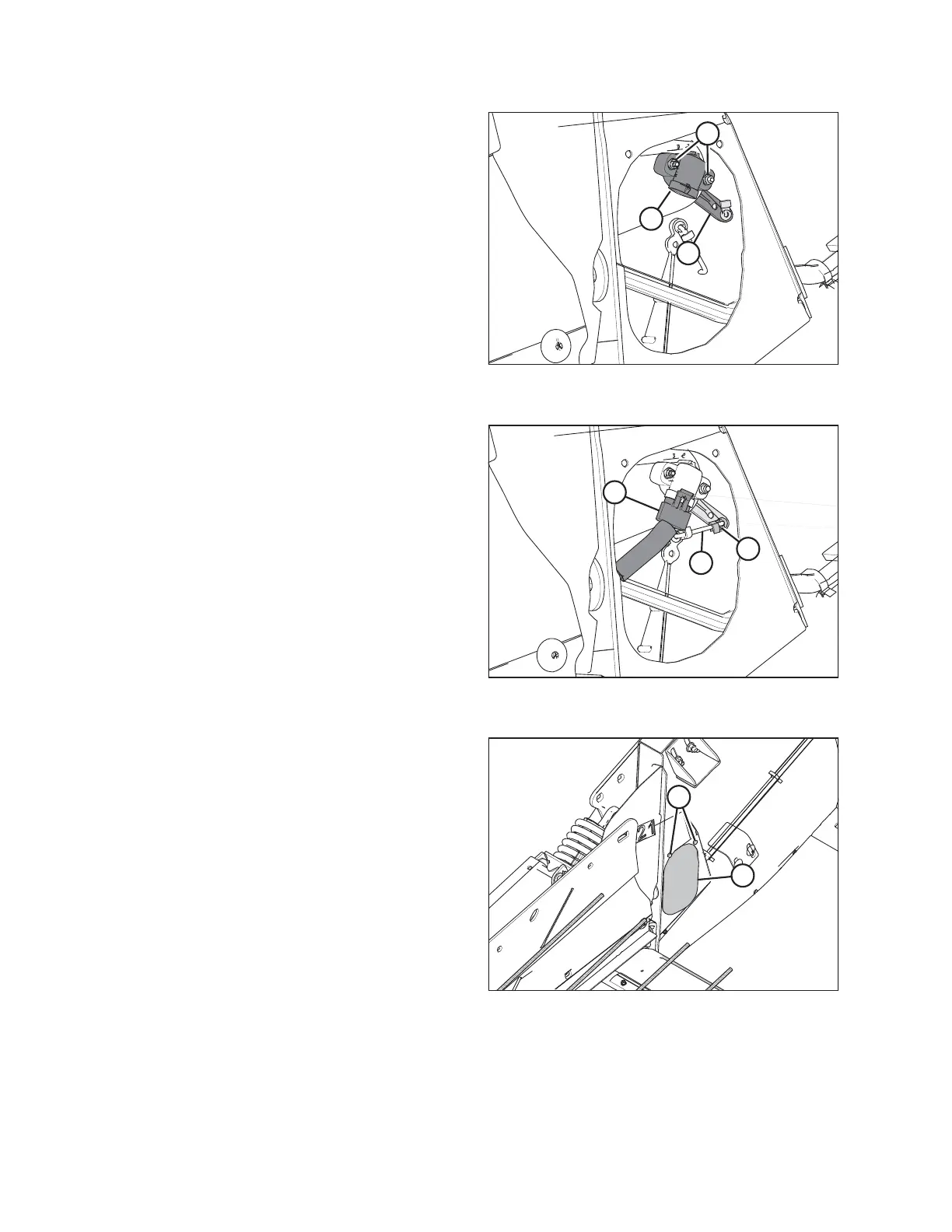
Figure 4.14: Header Height Sensor Assembly –
Right Side
4. Install control arm (C). Ensure that the flat side is facing
towards the header.
5. Install sensor (B). Install the bolts in their slots and secure
them with nuts (A).
$
%
&
Figure 4.15: Header Height Sensor Assembly –
Right Side
6. Slide linkage rod (C) into rod end clip (B). Secure the rod
end clip by pressing it onto linkage rod (C).
7. Connect wire harness (A).
$
%
Figure 4.16: Access Panel
8. Install access panel (B) and secure it with bolts (A).
NOTE:
The auger has been removed from the illustration for the
sake of clarity.
AUTO HEADER HEIGHT CONTROL



 To Next Page