215575 228 Revision B
$
%
&
'
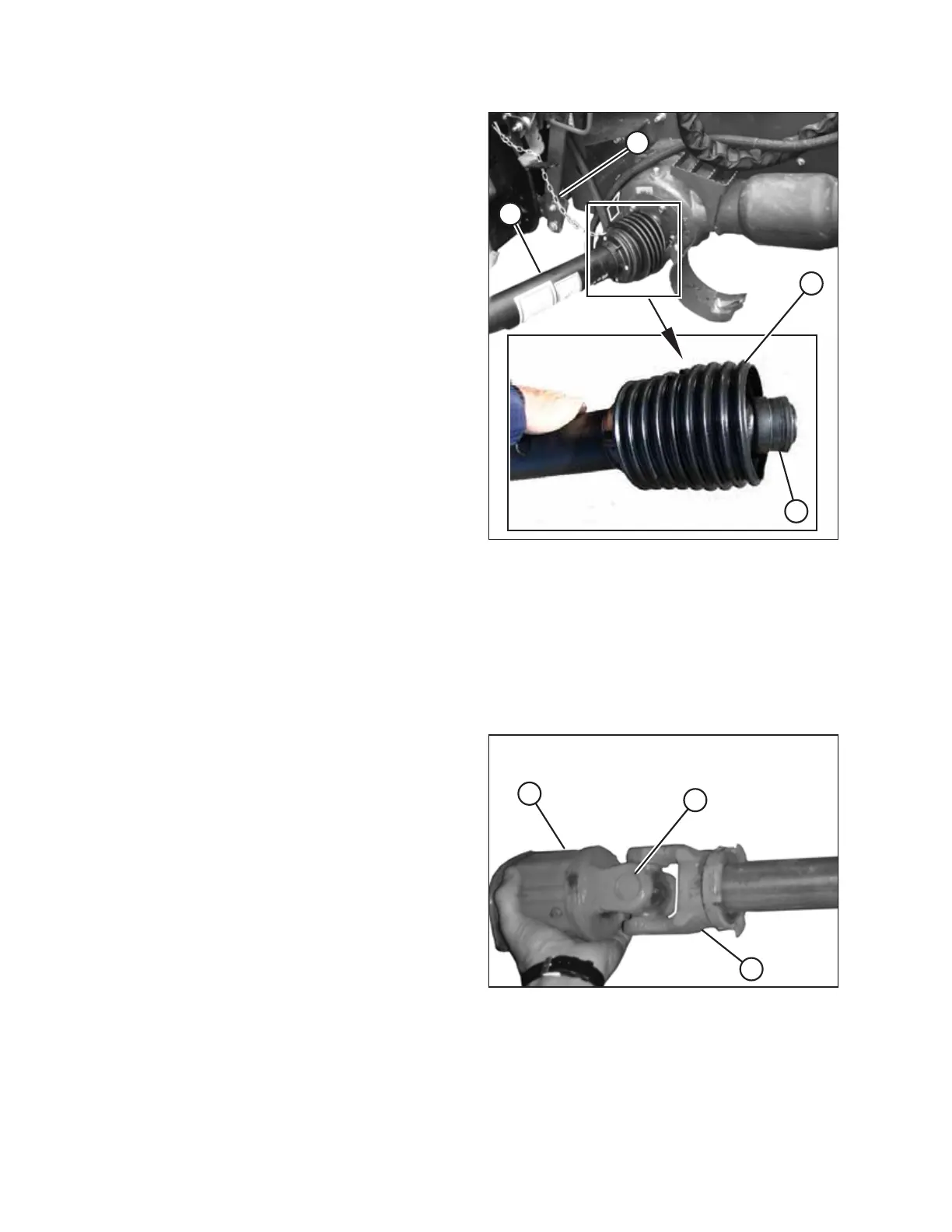
Figure 5.14: Driveline
8. Pull back guard (B) to expose collar (C) at the combine end
of driveline (D).
9. Pull back collar (C) and push driveline (D) onto the feeder
house shaft until the collar locks.
10. Attach tethers (A) to secure the driveline guard to the
header.
Replacing Driveline Clutch
Repair or replace the driveline clutch if it can no longer generate the necessary torque to drive the header. Refer to your
PW8 Pick-Up Header Parts Catalog for replacement part numbers.
1. Remove the driveline from the header. For instructions, refer to Removing Header Driveline, page 225.
2. Remove the driveline guard. For instructions, refer to Removing Driveline Guard, page 229.
$
%
&
Figure 5.15: Driveline Clutch
3. Remove cross and bearings (A) connecting clutch (B) to
driveline yoke (C).
4. Install new cross and bearings (A) and new clutch (B) onto
existing driveline yoke (C).
5. Reinstall the driveline guard. For instructions, refer to
Installing Driveline Guard, page 231.
6. Reinstall the driveline. For instructions, refer to Installing
Header Driveline, page 226.
MAINTENANCE AND SERVICING



 To Next Page