215575 117 Revision B
4.5 IDEAL
™™
Series Combines
To make your header’s auto header height control (AHHC) system compatible with IDEAL
™
combines, you must set your
combine’s header configuration options for the particular model of header, configure the reel speed settings, set up the
AHHC controls, and calibrate the AHHC system to ensure that it is working correctly.
4.5.1 Setting up the Header – IDEAL
™™
Series
Set these initial configuration options on your IDEAL
™
combine when setting up the auto header height control (AHHC)
system.
NOTE:
Changes may have been made to the combine controls or the display since this document was published. For instructions,
refer to the combine operator’s manual for updated information.
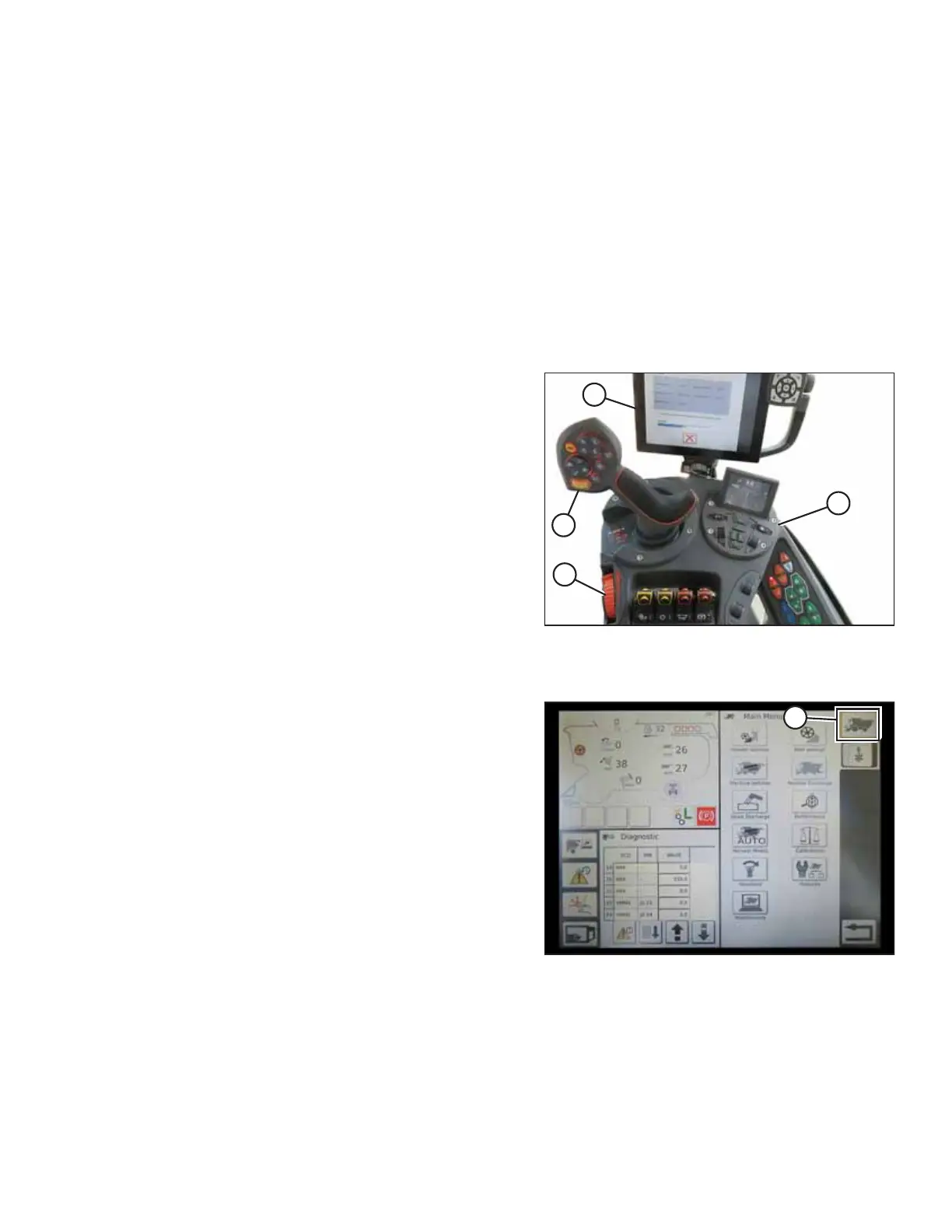
Figure 4.26: IDEAL
™™
Series Operator Station
A - Tyton Terminal B - Control Handle
C - Throttle D - Header Control Cluster
AGCO Tyton terminal (A) is used to set up and manage a
MacDon pick-up header on an IDEAL
™
series combine. Use the
touch screen display to select the desired item on the page.
Figure 4.27: Combine Icon on Home Page
1. On the top right of the home page, touch COMBINE
icon (A). The COMBINE MAIN MENU opens.
AUTO HEADER HEIGHT CONTROL



 To Next Page