215575 254 Revision B
5.6.3 Replacing Auger Finger Holder
Periodically check the auger for damaged or severely worn finger holders. Replace broken parts as soon as possible.
DANGER
To avoid bodily injury or death from unexpected start-up or fall of a raised machine, always stop engine and remove
key before leaving the operator’s seat, and always engage safety props before going under the machine for any reason.
1. Raise the hold-down fully, and engage the lift cylinder safety props.
2. Shut down the combine, and remove the key from the ignition.
%
$
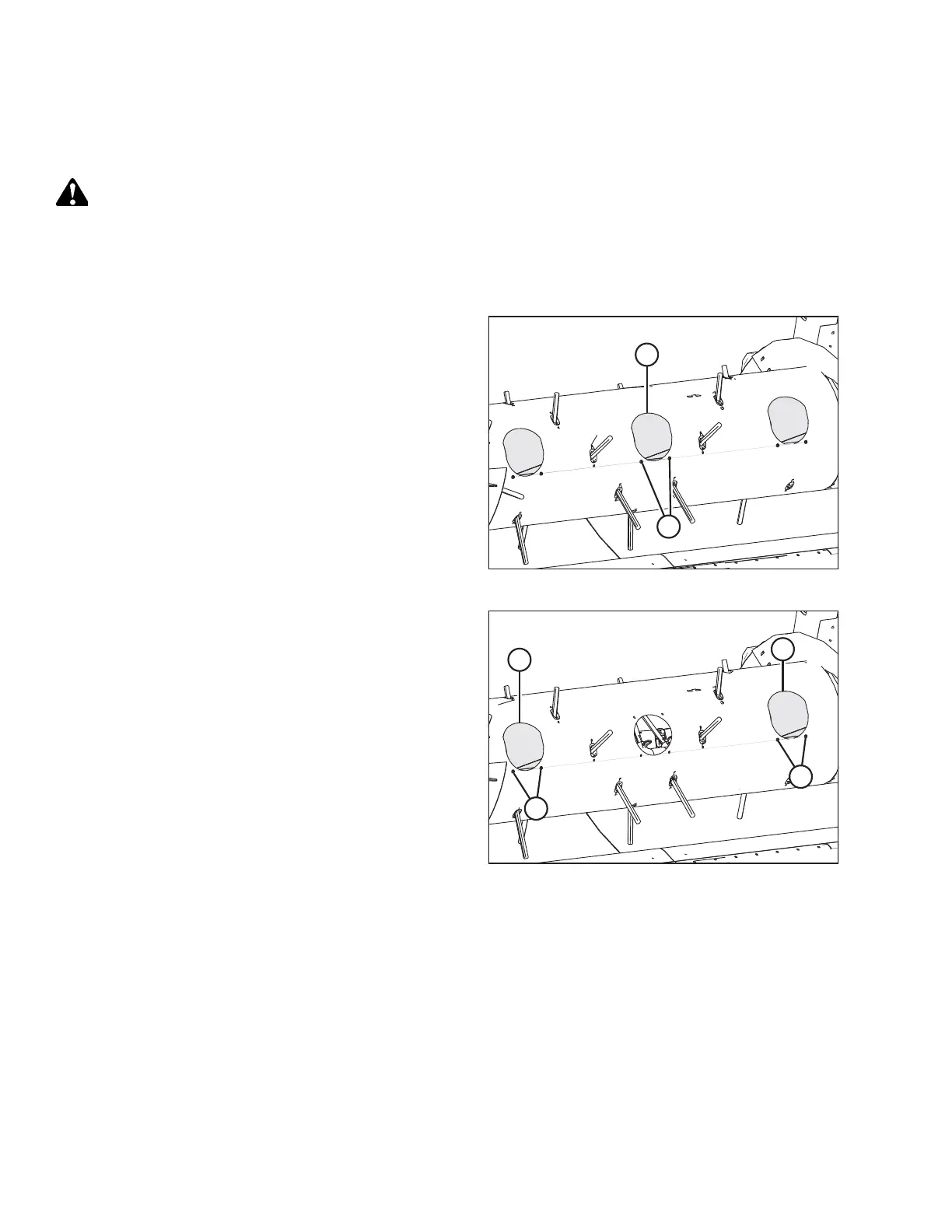
Figure 5.78: Center Access Cover
3. Remove two screws (A) and remove center access
cover (B).
%
'
$
&
Figure 5.79: Left and Right Access Covers
4. If the finger holder requiring replacement is located on
the right side of the auger: remove two screws (A) and
remove right access cover (B).
5. If the finger holder requiring replacement is located on
the left side of the auger: remove two screws (C) and
remove left access cover (D).
MAINTENANCE AND SERVICING



 To Next Page