215575 233 Revision B
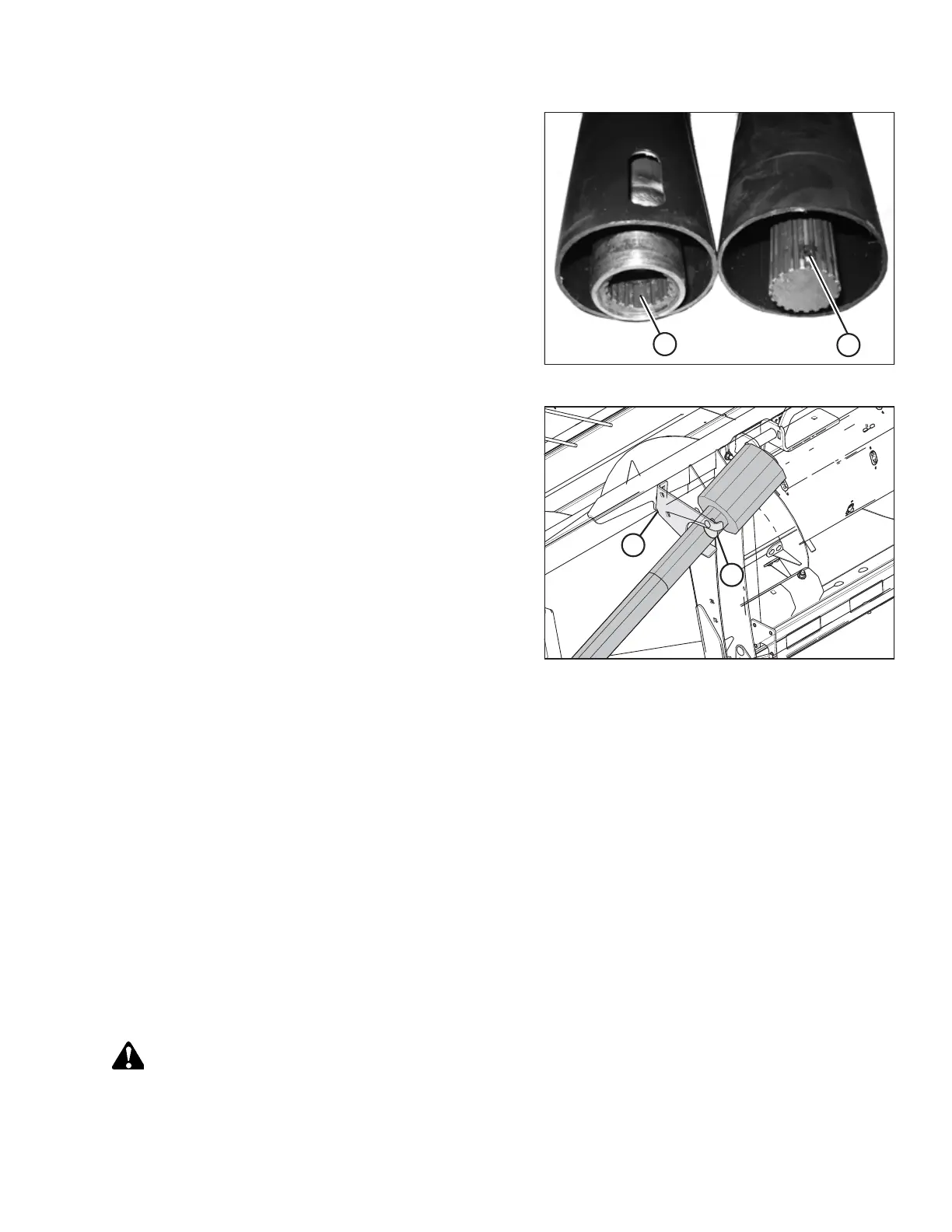
Figure 5.25: Driveline Splines
5. Reassemble the driveline.
NOTE:
The splines are keyed to ensure the proper alignment of
the universal joints. Align weld (A) with missing spline (B)
when reassembling the driveline.
NOTE:
If a spline weld is missing, the driveshaft should be
replaced. Excessive vibration may occur if the universal
joints are not in phase.
Figure 5.26: Combine End of Driveline in Storage
Position
6. Slide the driveline into hook (A) on the header and rotate
disc (B) to secure the driveline OR connect the driveline to
the combine.
7. Attach the tethers (not shown) to the header.
Cleaning Driveline Splined Shaft
Keeping the driveline’s splined shaft clean will extend the service life of this part.
1. Remove the driveline guard. For instructions, refer to Removing Driveline Guard, page 229.
2. Clean the internal and external splines.
3. Install the driveline guard. For instructions, refer to Installing Driveline Guard, page 231.
5.5.3 Draper Drives
The two hydraulic drive motors on the draper assembly do not require any maintenance. If repairs are required (other than
replacing motor seal kits), the motors should be removed and serviced by your Dealer.
Removing Front Hydraulic Motor
Ensure that the connections to the front hydraulic motor are kept completely clean while the motor is removed.
WARNING
To avoid bodily injury or death from unexpected startup of machine, always stop the engine and remove the key from
the ignition before leaving the operator’s seat for any reason.
MAINTENANCE AND SERVICING



 To Next Page