215575 130 Revision B
$
%
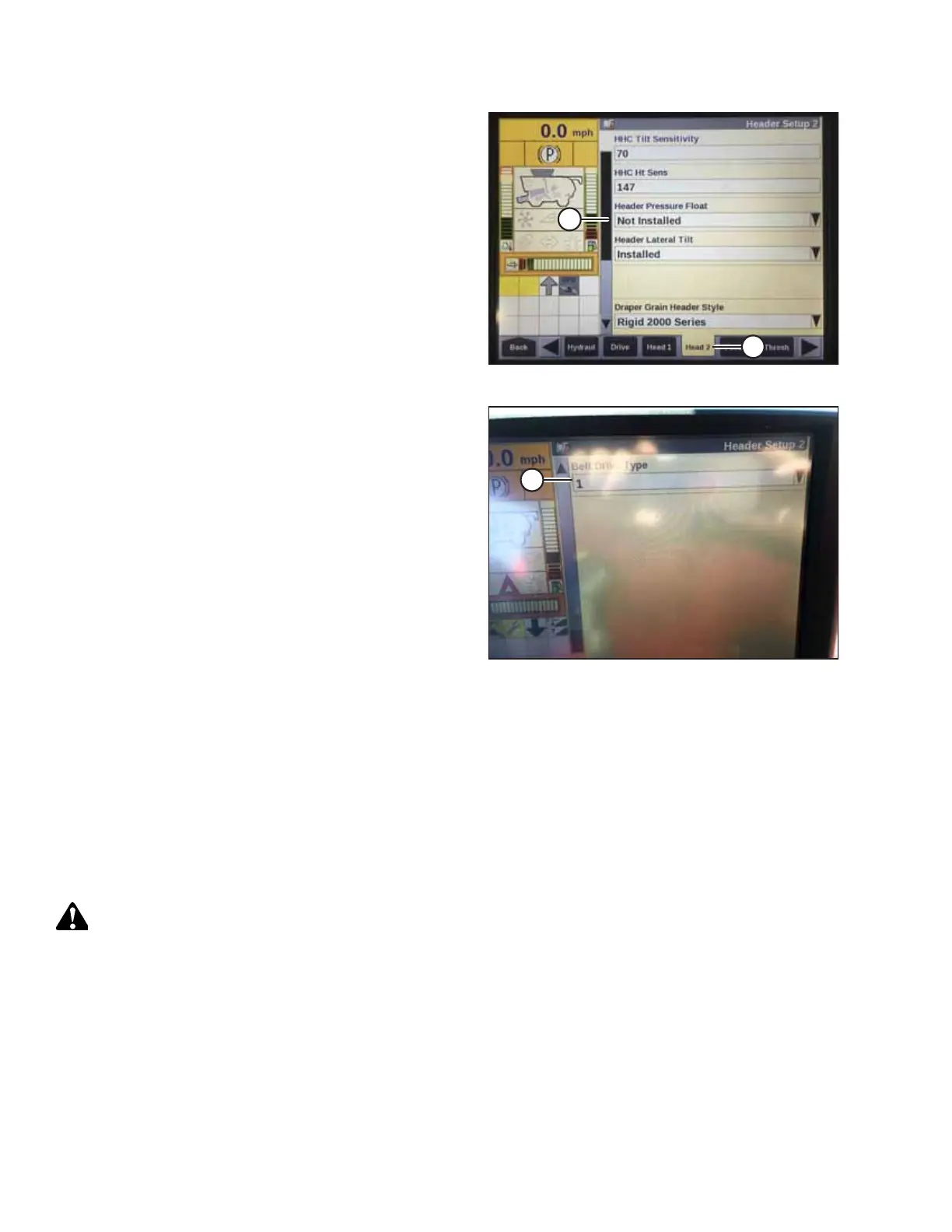
Figure 4.54: Case IH Combine Display
4. Select HEAD 2 tab (A). The HEADER SETUP 2 page appears.
5. From HEADER PRESSURE FLOAT menu (B), select NOT
INSTALLED.
$
Figure 4.55: Case IH Combine Display
6. From BELT DRIVE TYPE menu (A), select
• 1 - for most pick-up headers
• 2 - for 4.9 m (16 ft.) Rake-Up pick-up headers
• 3 - for SwathMaster pick-up headers
NOTE:
Selecting the proper belt drive optimizes the auto-belt to
ground speed setting.
4.6.2 Checking Voltage Range from Combine Cab (Case IH 5130/6130/7130;
5140/6140/7140)
To ensure that the auto header height control (AHHC) system on your header works correctly with your Case IH 5, 6, and 7
(Midrange) series combine, the output voltage from the header height control sensors must be verified.
NOTE:
Changes may have been made to combine controls or display since this document was published. Refer to combine
operator’s manual for updates.
DANGER
Check to be sure all bystanders have cleared the area.
1. Raise the header until the header wheels are 150 mm (6 in.) above the ground.
AUTO HEADER HEIGHT CONTROL



 To Next Page