215575 193 Revision B
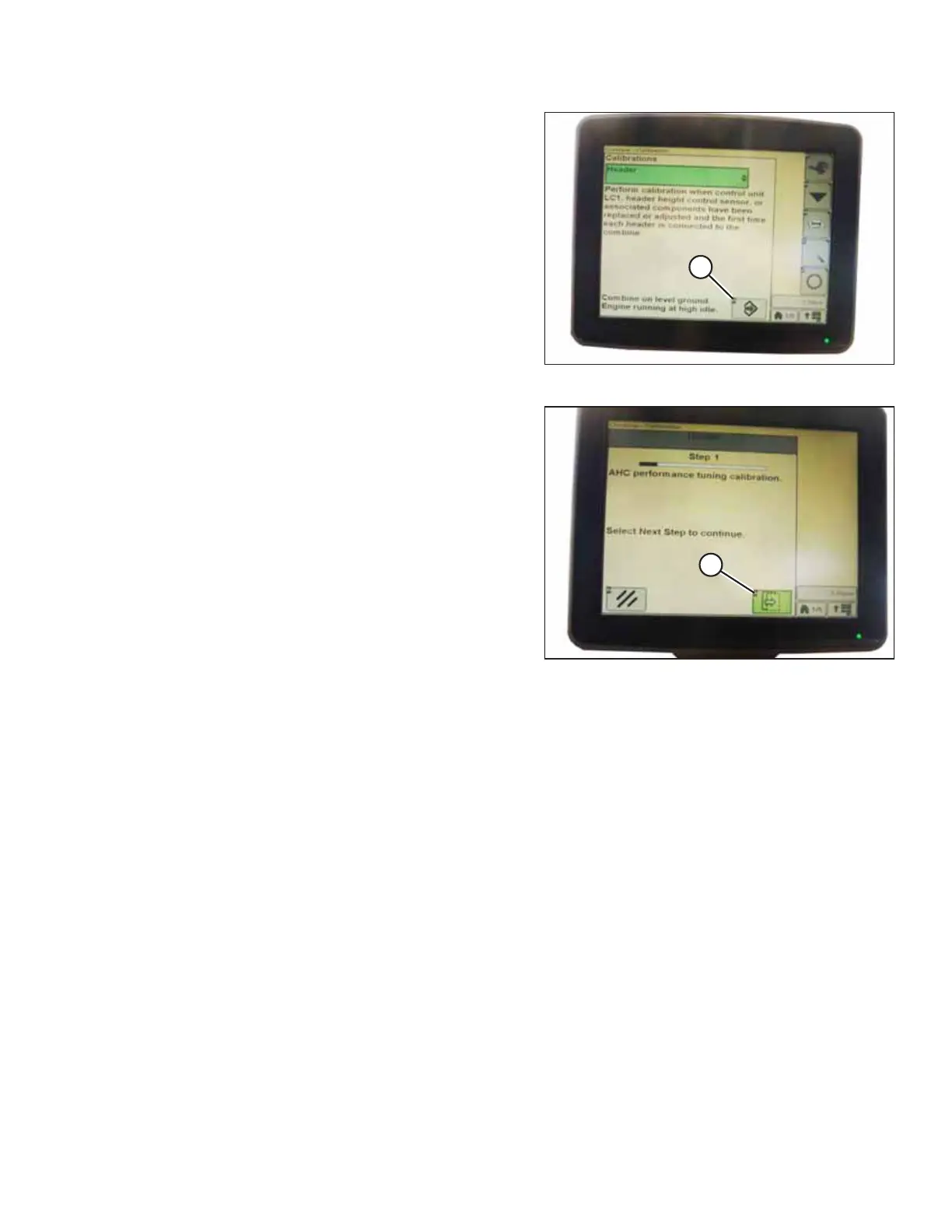
Figure 4.182: John Deere Combine Display
5. Press icon (A) with either FEEDER HOUSE SPEED or HEADER
selected. The icon will turn green.
NOTE:
The feeder house speed calibration procedure must be
done before the header calibration procedure.
Figure 4.183: John Deere Combine Display
6. Click button (A) and instructions will appear on the screen
to guide you through the remaining calibration steps.
NOTE:
If an error code appears during calibration, the voltage
output of one or both height sensors are out of the proper
range. It will be necessary to adjust the height sensors. For
instructions, refer to 4.4.2 Adjusting Header Height Sensor
Voltage Range – Left Side, page 114 and 4.4.3 Adjusting
Header Height Sensor Voltage Range – Right Side, page
114.
4.13.4 Setting Sensitivity of Auto Header Height Control (John Deere S and T Series)
Setting the sensitivity (sometimes called “dead-band adjustment”) of the auto header height control (AHHC) system on a
John Deere S or T series combine affects how quickly the AHHC system changes the height of the header.
NOTE:
Changes may have been made to the combine controls or the display since this document was published. Refer to the
combine operator’s manual for updated information.
AUTO HEADER HEIGHT CONTROL



 To Next Page