215575 212 Revision B
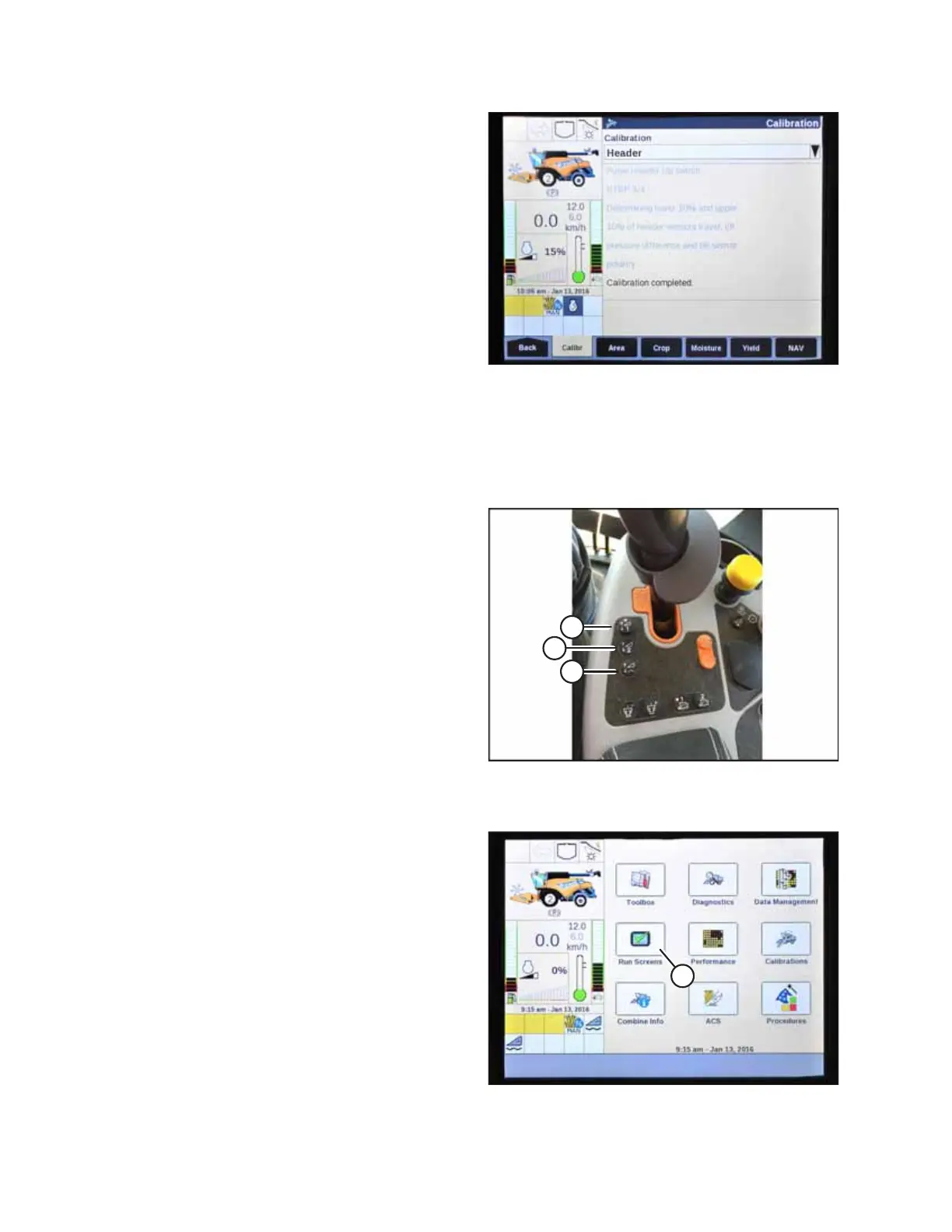
Figure 4.223: New Holland Combine Display
5. When all calibration steps have been completed, the
CALIBRATION COMPLETED message will be displayed on the
screen.
NOTE:
If the float was adjusted to a heavier setting to complete
ground the calibration procedure, remember to adjust it
back to the recommended operating setting after the
calibration procedure is completed.
4.15.4 Setting Auto Height (New Holland CR Series)
You will need to configure both preset cutting heights on your New Holland CR series combine (of model year 2015 or later
[6.80, 6.90, 7.90, 8.90, 9.90, and 10.90]) to use the auto header height control (AHHC) system with your header.
$
%
&
Figure 4.224: New Holland Combine Controls
The console has two buttons used for auto height presets. The
toggle switch used on previous models for auto height presets is
now configured as shown at right. MacDon headers require only
buttons (A) and (B). Button (C) does not need to be configured.
1. Engage the separator and the header.
$
Figure 4.225: New Holland Combine Display
2. Select RUN SCREENS (A) on the main page.
AUTO HEADER HEIGHT CONTROL



 To Next Page