215575 274 Revision B
Replacing Drive Roller Bearing on Right Side of Rear Deck
The drive roller bearing on the right side of the rear deck is a non-greaseable type. You may wish to replace the bushing at
the same time.
WARNING
To avoid bodily injury or death from unexpected startup of machine, always stop the engine and remove the key from
the ignition before leaving the operator’s seat for any reason.
1. Lower the hold-down fully.
2. Lower the header to the ground until the two float springs are loose.
3. Stop the engine, and remove the key from the ignition.
4. Fully release the tension on the draper belt.
$
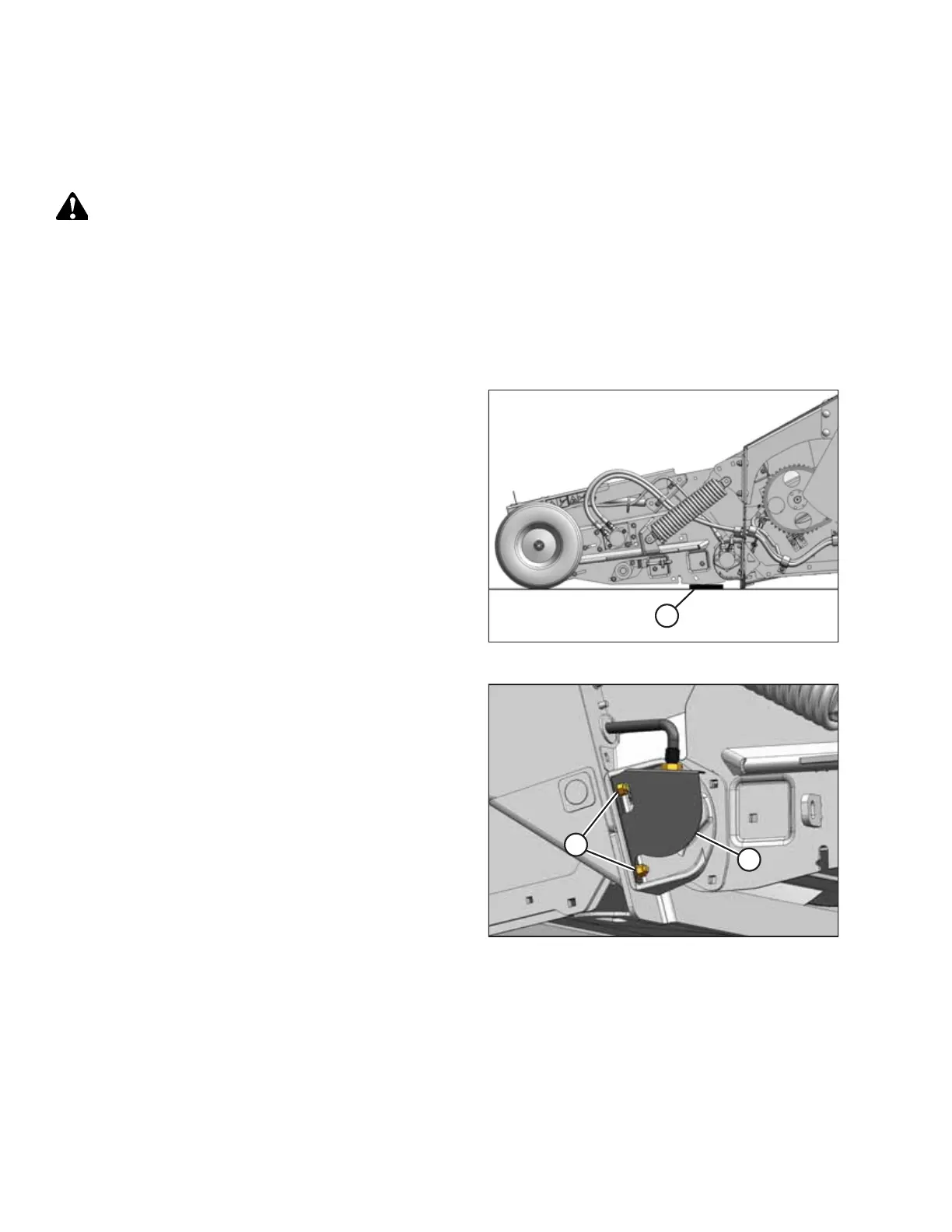
Figure 5.124: Wooden Block
5. Support the deck at both ends by placing a wooden
block (e.g. wooden block [A]) under the frame close to the
bearing.
6. Check that the float springs are loose.
7. Remove the right endshield. For instructions, refer to 3.3.5
Removing Right Endshield, page 30.
$
%
Figure 5.125: Right Rear Deck
8. Loosen nuts (A) on bearing support (B) on the right side of
the header. Remove the draper speed sensor assembly, and
move it clear of the work area.
MAINTENANCE AND SERVICING



 To Next Page