215575 38 Revision B
3.10 Header Attachment and Detachment
The process to attach the pick-up header to, and detach it from, a combine depends on the make and model of the
machine.
This section provides instructions for attaching/detaching the PW8 Pick-Up Header to/from the combines listed in Table
3.2, page 38.
Table 3.2 Attaching/Detaching PW8 Header to/from Combine
Combine Refer to
AGCO IDEAL™ 3.10.1 AGCO IDEAL
™
, page 38
Challenger®, Gleaner®, and Massey
Ferguson®
3.10.3 Challenger®, Gleaner®, and Massey Ferguson®, page 50
Case IH
3.10.2 Case IH, page 44
John Deere 60, 70, and S Series 3.10.4 John Deere 60, 70, S, and T Series, page 58
New Holland CR and CX
3.10.5 New Holland CR/CX Series Combine, page 64
Versatile 3.10.6 Versatile, page 70
3.10.1 AGCO IDEAL
™™
This section provides instructions for attaching/detaching the pick-up header to/from AGCO IDEAL
™
combines.
This includes the following combines:
• Massey Ferguson® 7, 8, and 9 Series
• Fendt IDEAL™ 7, 8, and 9 Series
Attaching Header to IDEAL
™
Series Combine
Attach the header to the combine to be able to operate the header using the combine operator’s console.
DANGER
To avoid injury or death from unexpected start-up of the machine, always stop the engine and remove the key from
the ignition before leaving the operator’s seat for any reason.
DANGER
Check to be sure all bystanders have cleared the area.
$
%
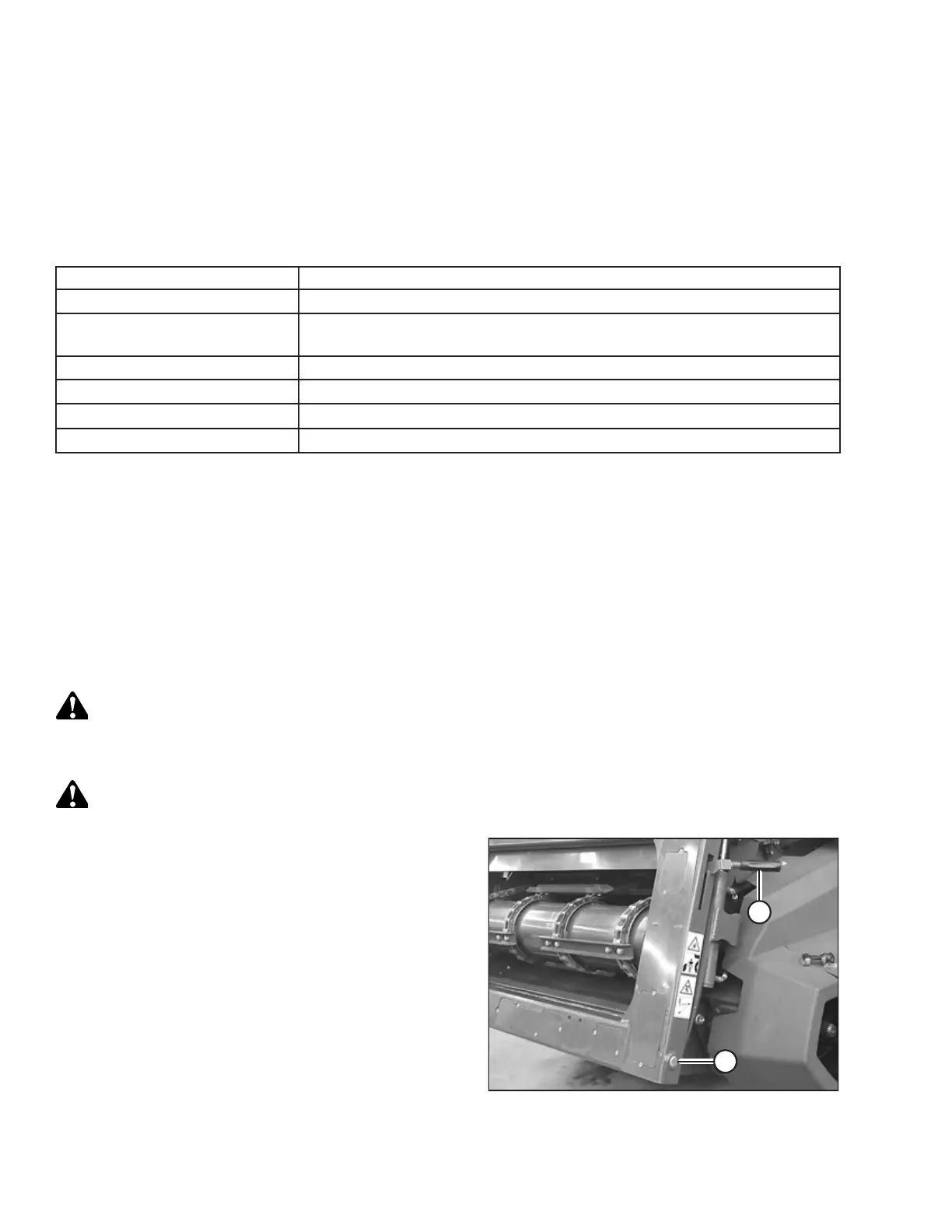
Figure 3.19: IDEAL
™™
Feeder House
1. Pull lever (A) up to retract pins (B) at the base of the
feeder house.
2. Start the engine.
OPERATION



 To Next Page