215575 126 Revision B
$
%
&
'
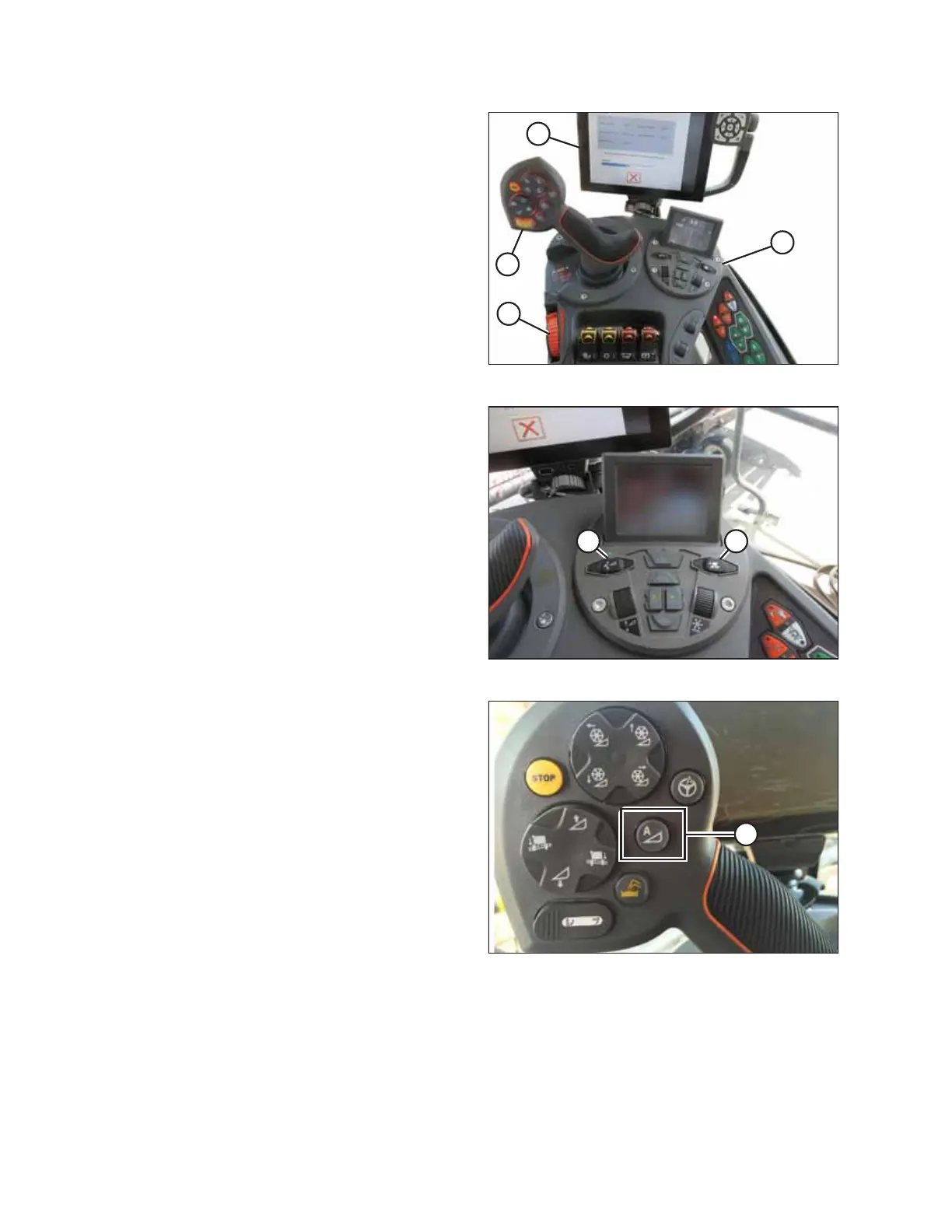
Figure 4.45: IDEAL
™™
Operator Station
The following are used to operate the auto header height
control (AHHC) functions:
• Tyton terminal (A)
• Control handle (B)
• Throttle (C)
• Header control cluster (D)
Refer to the combine operator’s manual to familiarize yourself
with the combine’s controls.
% $
Figure 4.46: Header Control Cluster
1. With the header running, set the lateral tilt to MANUAL by
pressing switch (A). The light above the switch
should be off.
2. Engage the AHHC by pressing switch (B). The light above
the switch should be on.
$
Figure 4.47: AHHC on Control Handle
3. Press AHHC control switch (A) on the control handle to
engage the AHHC. The header will move to the configured
setpoint position.
AUTO HEADER HEIGHT CONTROL



 To Next Page