215575 148 Revision B
$
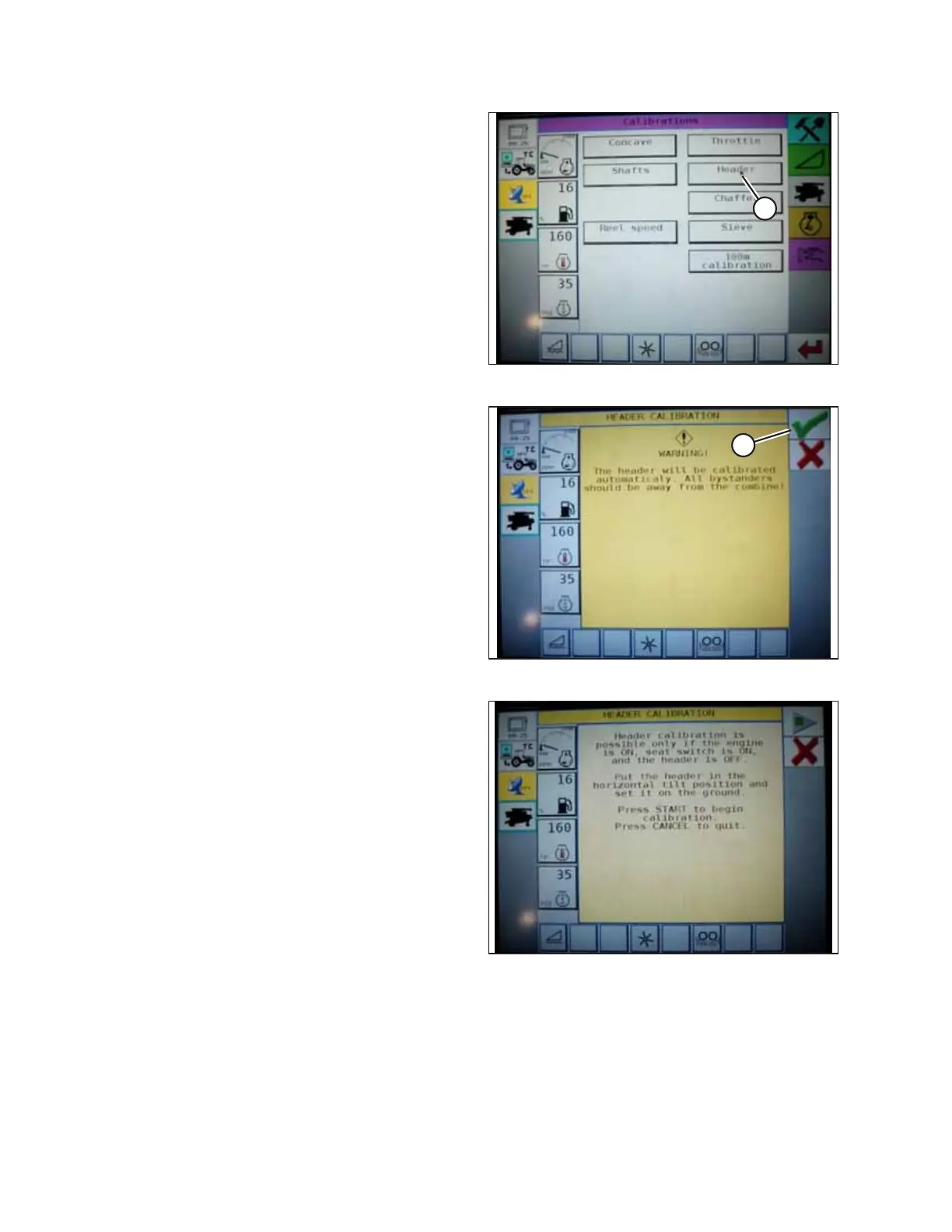
Figure 4.94: Challenger
®®
Combine Display
3. Select HEADER button (A). The HEADER CALIBRATION page
displays a warning.
$
Figure 4.95: Challenger
®®
Combine Display
4. Read the warning message, and then press green check
mark button (A).
Figure 4.96: Challenger
®®
Combine Display
5. Follow the on-screen prompts to complete the calibration
procedure.
NOTE:
The calibration procedure can be canceled at any time by
pressing the cancel button in bottom right corner of page.
While the header calibration procedure is running, it can
also be canceled by using the up, down, tilt right, or tilt left
buttons on the control handle.
NOTE:
If the combine does not have the header tilt function
installed or if it is inoperable, you may receive warnings
during calibration. Press the green check mark if these
warnings appear. This will not affect AHHC calibration.
AUTO HEADER HEIGHT CONTROL



 To Next Page