215575 150 Revision B
$
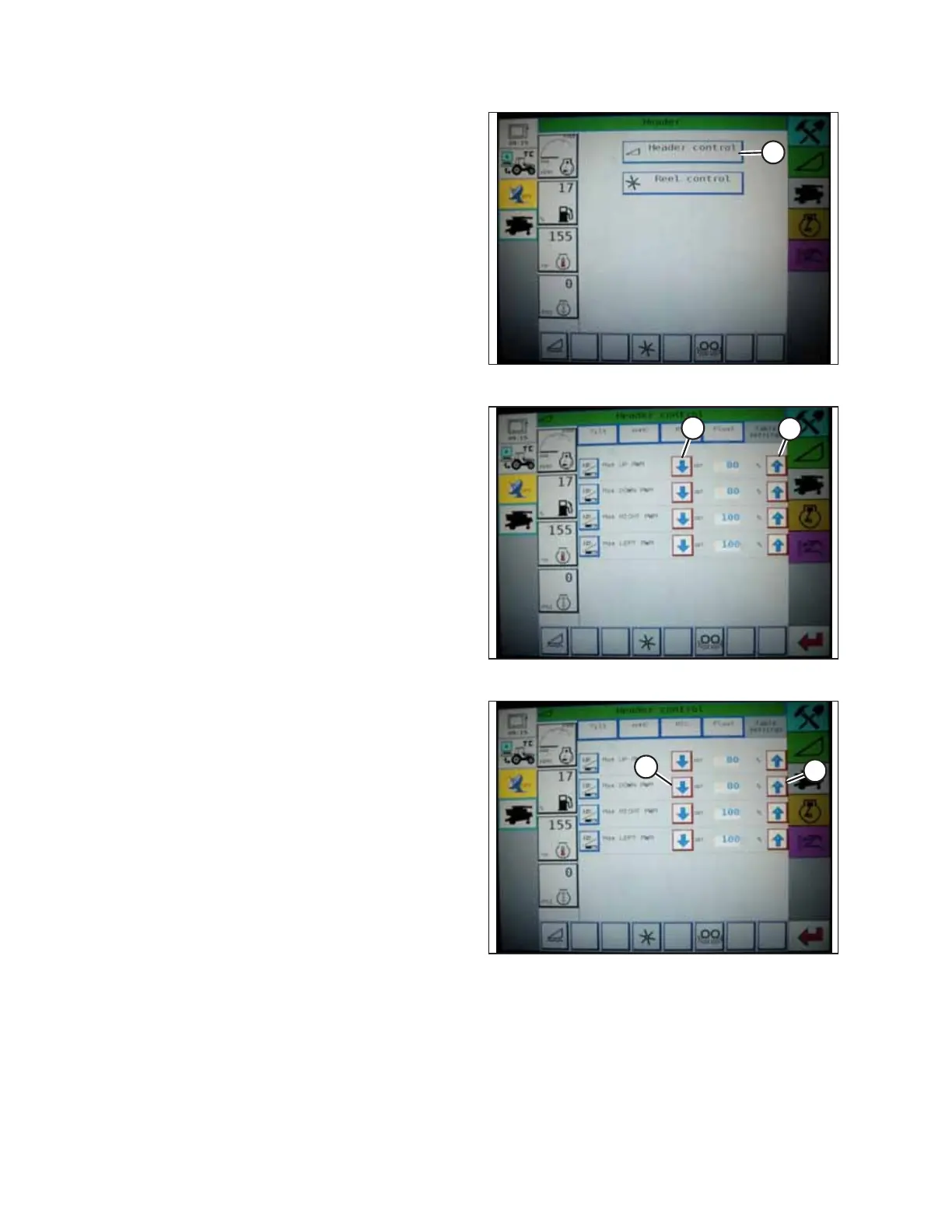
Figure 4.99: Challenger
®®
Combine Display
2. Press HEADER CONTROL (A). The HEADER CONTROL page
appears.
$
%
Figure 4.100: Challenger
®®
Combine Display
3. Go to the TABLE SETTINGS tab.
4. Press up arrow (A) on MAX UP PWM to increase the
percentage number and thereby increase the speed at
which the header rises; press down arrow (B) on MAX UP
PWM to decrease percentage number and thereby
decrease the speed at which the header rises.
$
%
Figure 4.101: Challenger
®®
Combine Display
5. Press the up arrow (A) on the MAX DOWN PWM setting to
increase the percentage number and thereby increase the
speed at which the header falls; press the down arrow (B)
on MAX DOWN PWM to decrease the percentage number
and thereby decrease the speed at which the header falls.
AUTO HEADER HEIGHT CONTROL



 To Next Page