215575 166 Revision B
$
&
&
%
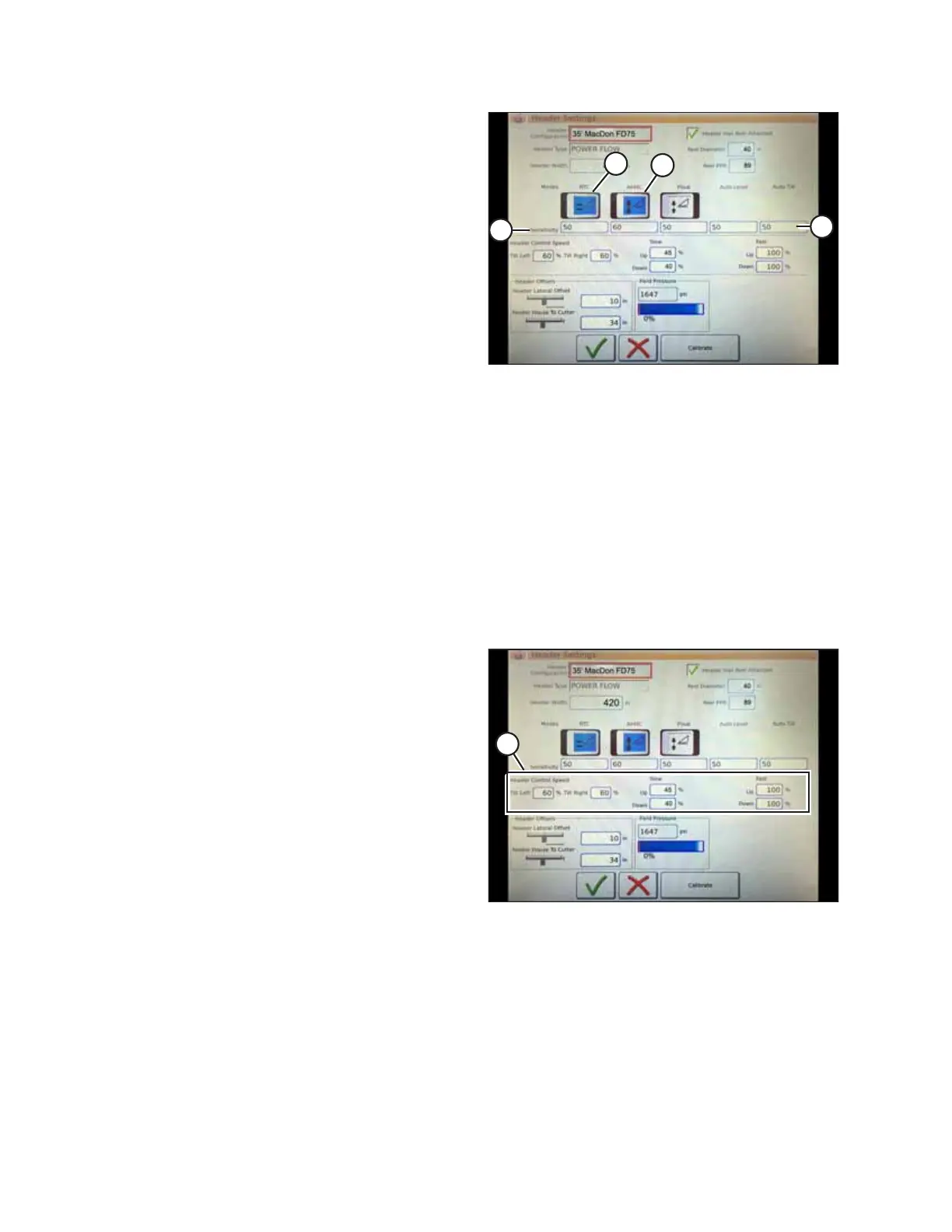
Figure 4.124: Automatic Controls and Sensitivity
Settings
1. Automatic Control Functions: There are toggle (OFF/ON)
switches on the HEADER SETTINGS page for automatic
height control functions. For MacDon headers, ensure that
the following functions are enabled:
• RTC (return to cut) (A)
• AHHC (automatic header height control) (B)
All other switches should be disabled (i.e. not highlighted).
2. Sensitivity setting (C) controls how responsive a control
(RTC or AHHC) is to a given change in sensor feedback. The
setting fields are located directly below the toggle switches.
To enter a new sensitivity setting, touch the setting field
below the specific toggle switch, and enter a new value
using the on-screen keyboard.
• If the combine does not change feeder house position
quickly enough when in Auto Mode, increase the
sensitivity.
• If the combine hunts for a position in Auto Mode,
decrease the sensitivity.
NOTE:
The recommended sensitivity settings for MacDon
headers are:
• 50 for RTC (A)
• 60 for AHHC (B)
$
Figure 4.125: Header Speed Control Settings
3. Header Speed: The header tilt and raise/lower speed can
be adjusted in HEADER CONTROL SPEED area (A) of the
HEADER SETTINGS page.
• The tilt left and right function is a lateral tilt of the
combine faceplate.
• The header up and down function is a two-stage button
with slow speed on the first detent and fast on the
second.
NOTE:
The recommended header control speed settings for
MacDon headers are:
• Slow: 45 up/40 down
• Fast: 100 up/100 down
AUTO HEADER HEIGHT CONTROL



 To Next Page