215575 188 Revision B
$
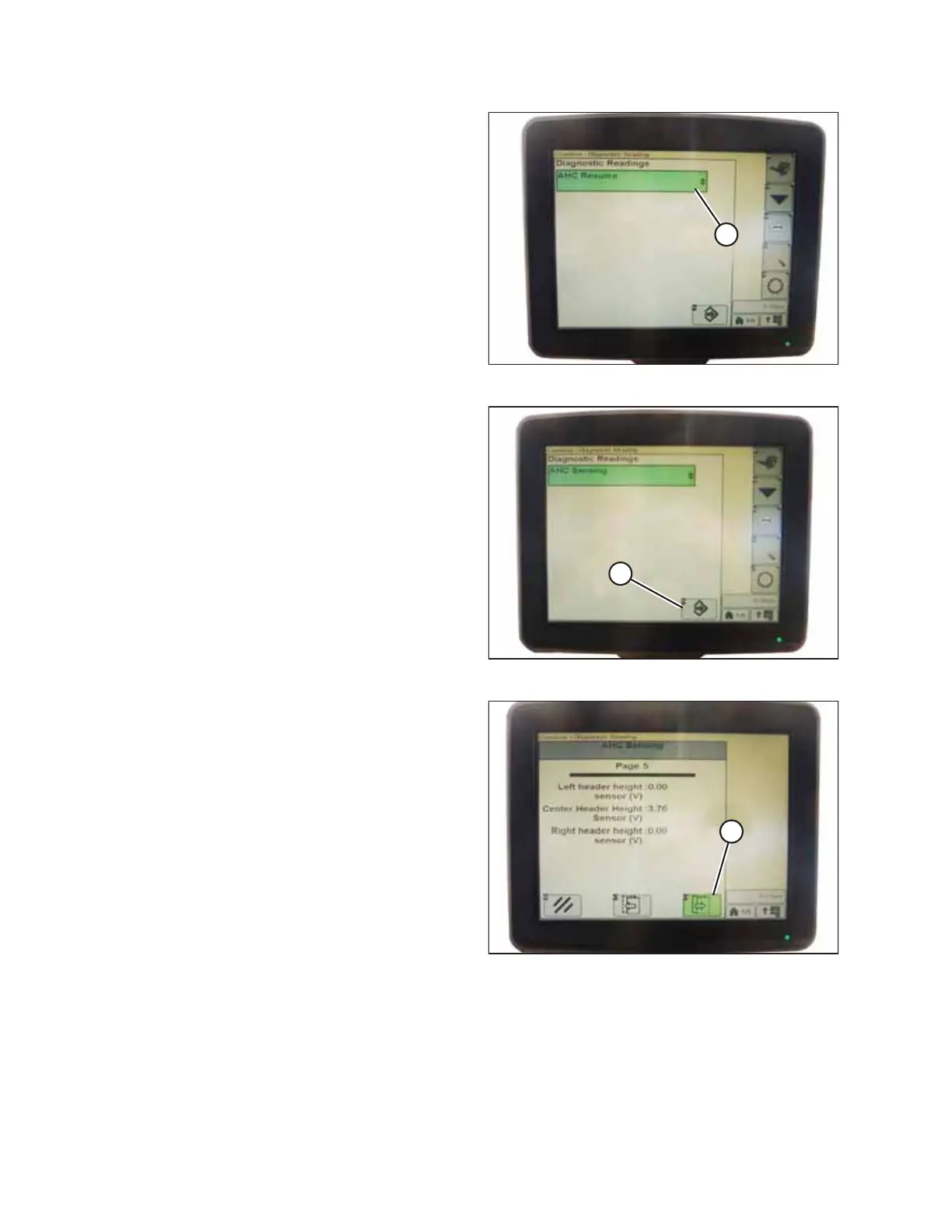
Figure 4.169: John Deere Combine Display
4. Select AHHC RESUME (A). A list of calibration options
appears.
$
Figure 4.170: John Deere Combine Display
5. Select the AHHC SENSING option.
6. Press icon (A) resembling an arrow in a box. The AHHC
SENSING menu appears and five pages of information are
displayed.
$
Figure 4.171: John Deere Combine Display
7. Press icon (A) until it reads Page 5 near the top of the page.
The following sensor readings appear:
• LEFT HEADER HEIGHT
• CENTER HEADER HEIGHT
• RIGHT HEADER HEIGHT
8. Start the combine and fully lower the feeder house to the ground.
NOTE:
You may need to hold the HEADER DOWN switch for a few seconds to ensure that the feeder house is fully lowered.
9. Check the height sensor reading on the monitor.
AUTO HEADER HEIGHT CONTROL



 To Next Page