215575 286 Revision B
$
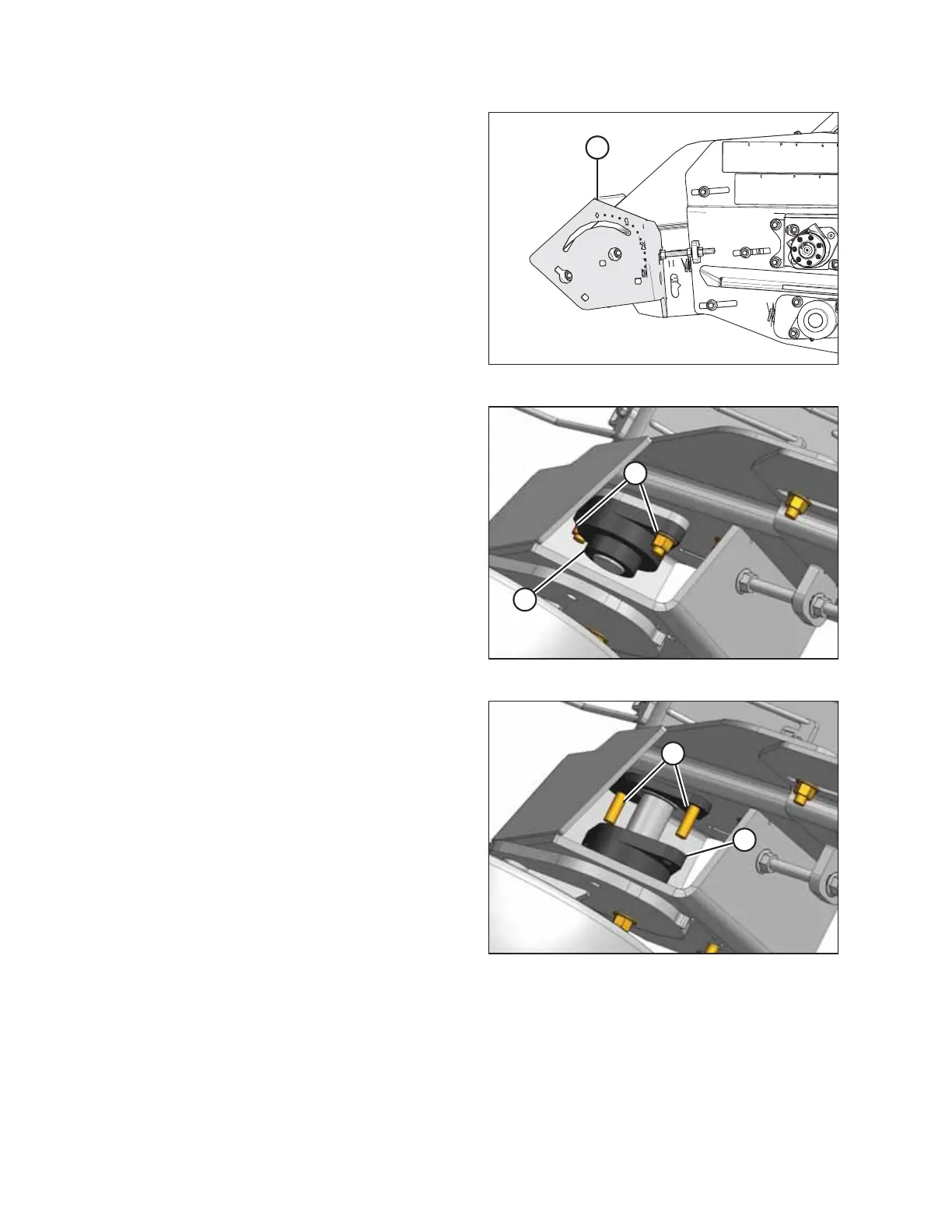
Figure 5.152: Left Wheel Support
4. Locate the left front draper deck idler bearing under left
wheel support (A).
$
%
Figure 5.153: Left Front Deck Idler Bearing
5. Loosen the set screw in lock collar (A). Rotate lock collar (A)
counterclockwise using a hammer and punch to loosen it.
Remove the collar.
NOTE:
Rotate the lock collar clockwise when removing the right
front deck idler bearing.
6. Remove two nuts from bolts (B). Leave bolts (B) in place
between the bearing and the frame.
$
%
Figure 5.154: Left Front Deck – Right Side Opposite
7. Pull bearing assembly (A) off of the roller shaft and remove
it from the frame.
8. Place new bearing assembly (A) onto the roller shaft and
over bolts (B).
9. Position the bearing against the frame.
MAINTENANCE AND SERVICING



 To Next Page