2-2 LICENSE AND USER ACCOUNT
GGS-000547-01E iPASOLINK EX Advanced: SET NETWORK AND SYSTEM PROVISIONING
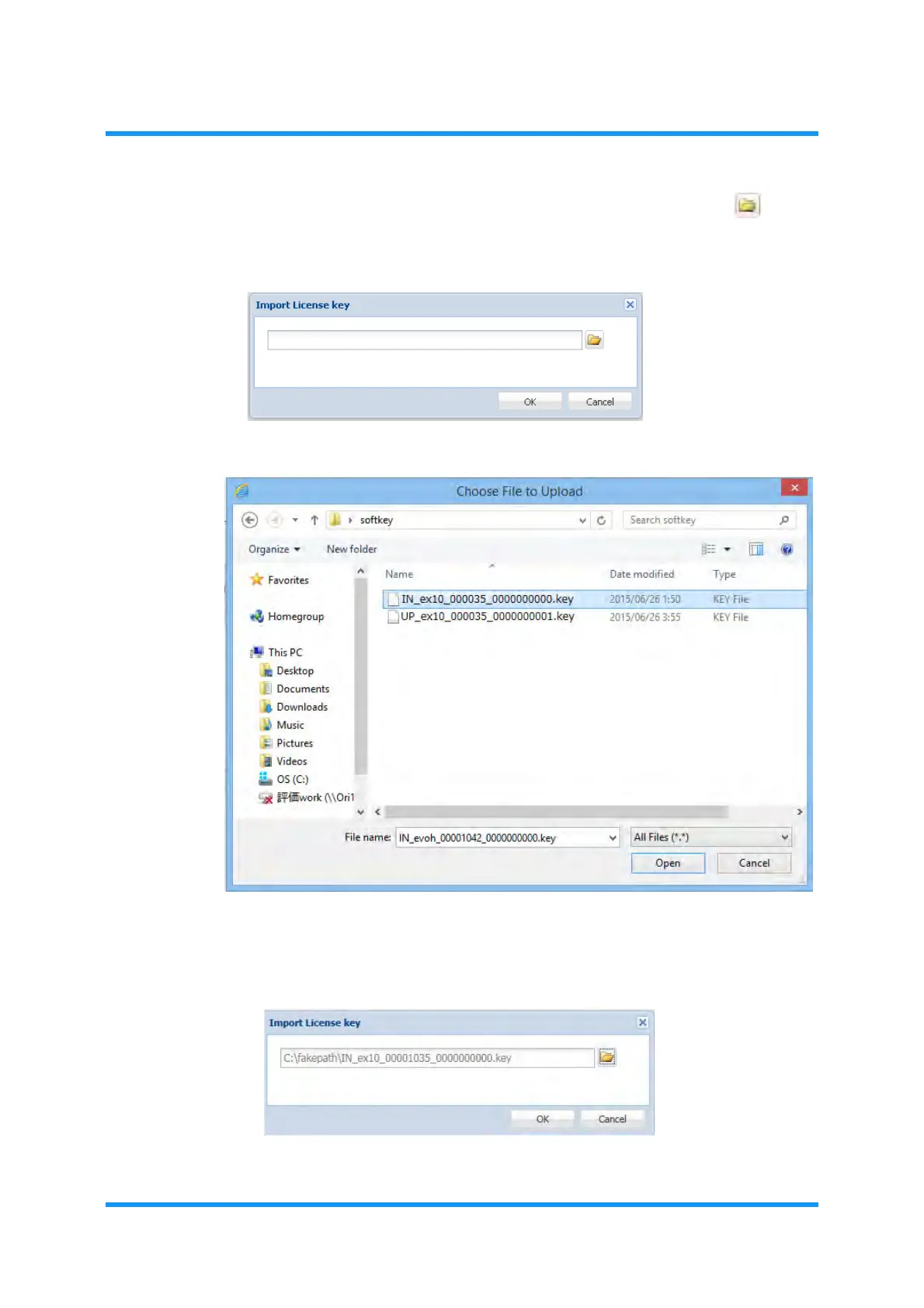
4. File selection window for Import License key appears. Click the button,
and select a target file:
Figure 2-2 Import License key Option Window
Figure 2-3 Choose File to Upload Option Window
5. Import License key option window displays the selected file name. Confirm
the file name, then click the
OK button to proceed.
Figure 2-4 Import License key Option Window (selected)



 To Next Page