Set ETH Function 8-177
iPASOLINK EX Advanced: SET NETWORK AND SYSTEM PROVISIONING GGS-000547-01E
8.11.2 Profile List Tab
8.11.2.1 Add Profile List
Procedure 8-54
1. Launch and log in to WebLCT.
2. In the MENU frame on the left, expand Provisioning, then its submenu expand
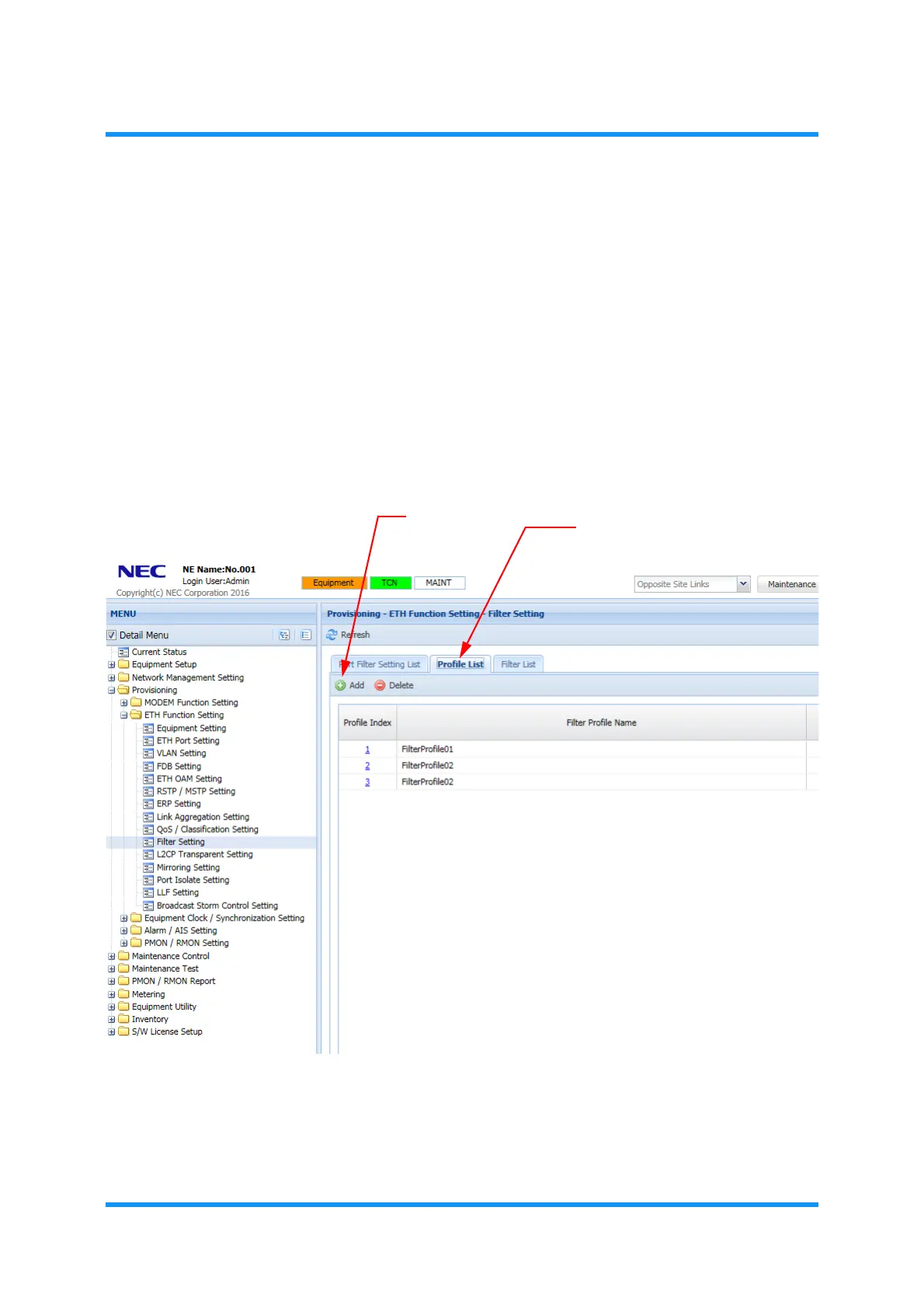
ETH Function Setting to select Filter Setting. The Filter Setting window
appears.
3. In the Profile List tabbed page, click the Add tool button:
Figure 8-245 Filter Setting Window — Profile List Tab
Add Filter Profile
option window appears.
Add tool button
Profile List tab



 To Next Page