EasyManua.ls Logo

NEC iPASOLINK EX Advanced - P1 Port

NEC iPASOLINK EX Advanced
793 pages
Print Icon
To Next Page IconTo Next Page
To Previous Page IconTo Previous Page
Loading...
CONNECT CABLES 5-17
iPASOLINK EX Advanced: INSTALLATION GGS-000546-01E
5.7.3 P1 Port
Indication: DCN (PoE)
Connector Type: RJ-45
NOTE: Use 4-pair shielded cable of CAT5e or higher. The cable should be
shielded to keep operating in conformity with EMC standards.
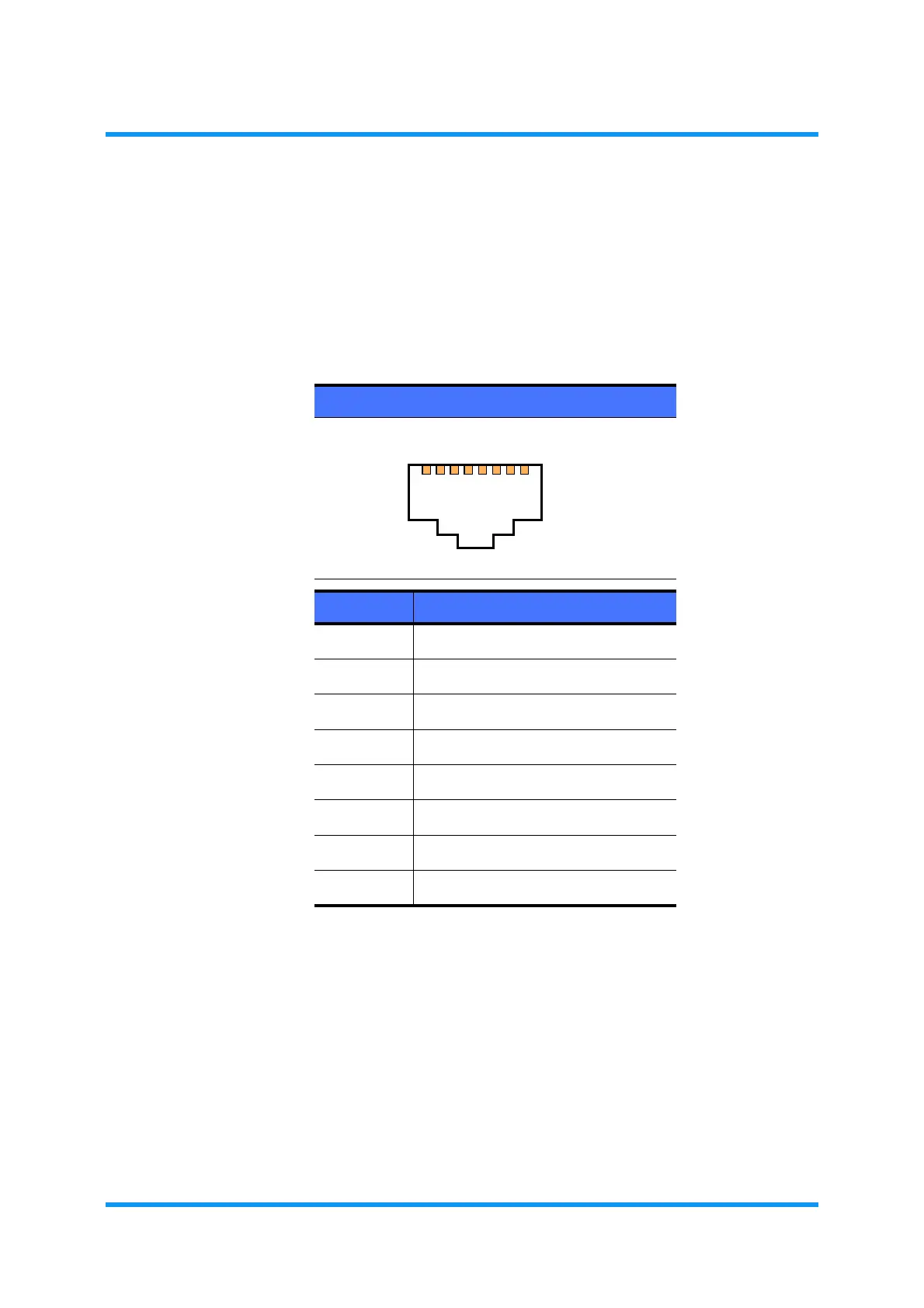
Table 5-3 Pin Assignment of DCN (PoE) Port
RJ-45
PIN No. PoE++ ASSIGNMENT
1 DA+ / Positive V
PD
, Negative V
PD
2 DA / Positive V
PD
, Negative V
PD
3 DB+ / Positive V
PD
, Negative V
PD
4 DC+ / Positive V
PD
, Negative V
PD
5 DC / Positive V
PD
, Negative V
PD
6 DB / Positive V
PD
, Negative V
PD
7 DD+ / Positive V
PD
, Negative V
PD
8 DD / Positive V
PD
, Negative V
PD
1
2
34
56
7
8

Table of Contents