5-76 NETWORK MANAGEMENT
GGS-000547-01E iPASOLINK EX Advanced: SET NETWORK AND SYSTEM PROVISIONING
5.8.3.4 Release IP Address Forcibly
Procedure 5-28
1.
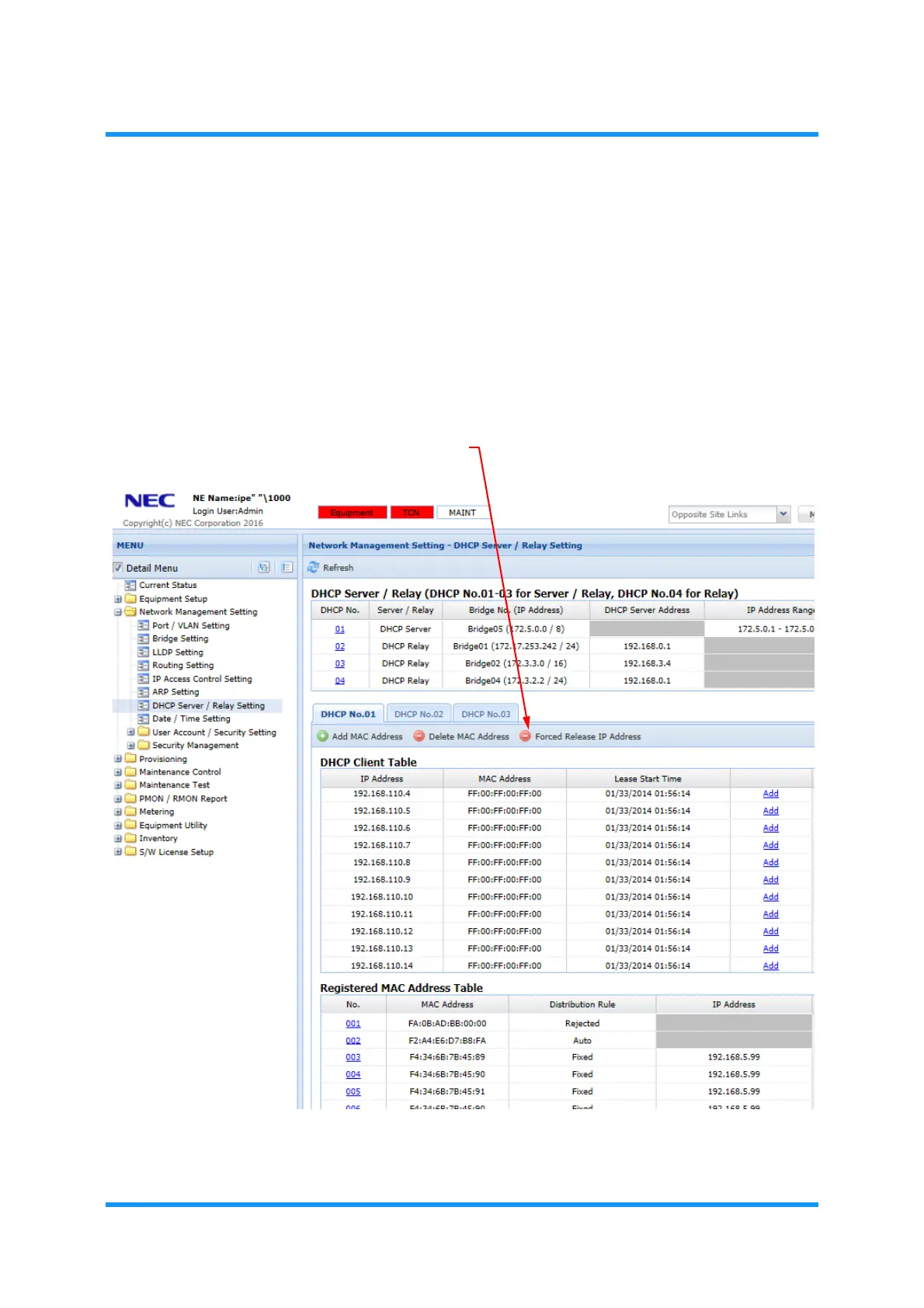
In the WebLCT menu frame, expand Network Management Setting to select
DHCP Server/Relay Setting.
2. The DHCP Server/Relay Setting window appears. Click Forced Release IP
Address tool button.
Figure 5-114 DHCP Server/Relay Setting Window
The Modify MAC Address option window appears.
Forced Release IP Address tool button


 To Next Page