9-10 Set Equipment Clock and Synchronization
GGS-000547-01E iPASOLINK EX Advanced: SET NETWORK AND SYSTEM PROVISIONING
9.2.2 Add/Modify PTP Logical Interface
NOTE: The maximum number of the Logical Interfaces to register differ depending
on the specified PTP Message Rate value. Contact NEC for the further
information.
Procedure 9-3
1. Launch and log in to WebLCT.
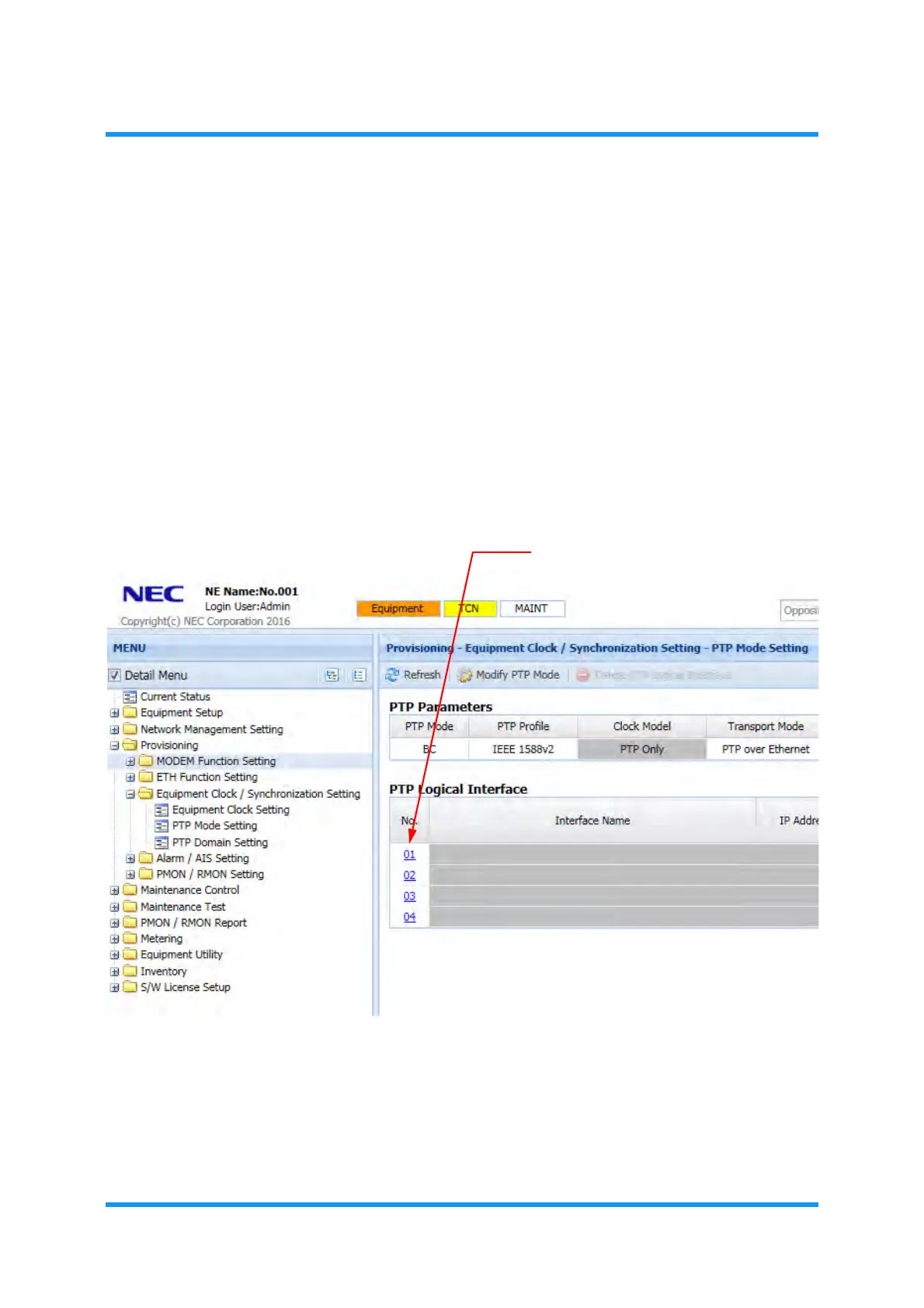
2. In the MENU frame on the left, expand Provisioning, then its submenu
Equipment Clock/Synchronization Setting to select PTP Mode Setting. The
PTP Mode Setting window appears.
3. Click the reference number in the PTP Logical Interface option box:
Figure 9-12 PTP Mode Setting Window
PTP Logical Interface Setting
option window of the selected number appears.



 To Next Page