8-134 Set ETH Function
GGS-000547-01E iPASOLINK EX Advanced: SET NETWORK AND SYSTEM PROVISIONING
8.10.1.4 Specify Attributes of Port Based QoS Mode
Procedure 8-40
1. Launch and log in to WebLCT.
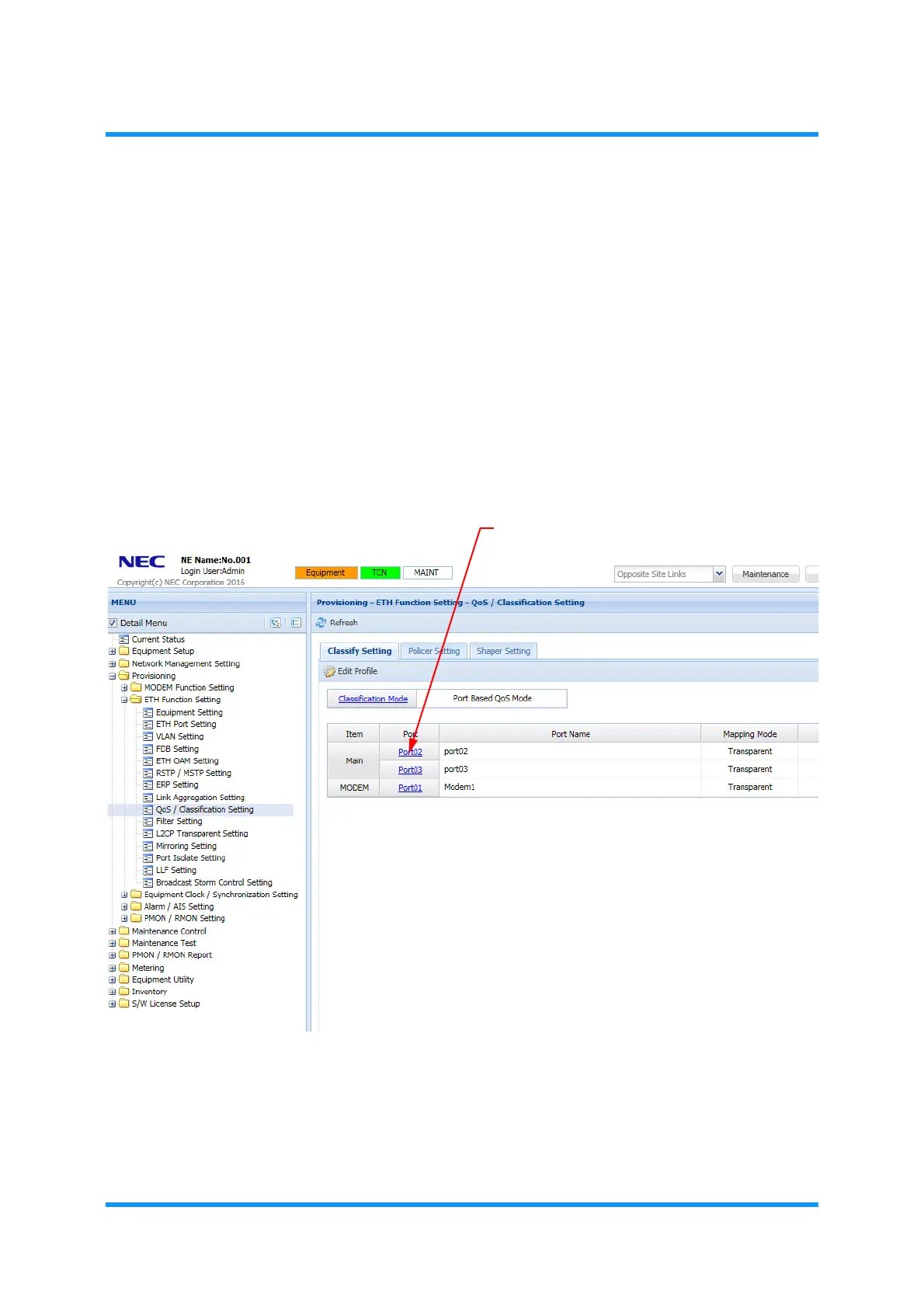
2. In the MENU frame on the left, expand Provisioning, then its submenu ETH
Function Setting
to select QoS/Classification Setting. The QoS/
Classification Setting
window appears.
3. Verify that the Classification Mode indicates Port Based QoS Mode.
To change the mode, proceed with 8.10.1 Classify Setting Tab.
4.
Click the link in the Port fields of the target object.
Figure 8-184 QoS/Classification Setting Window
The Select Mapping Mode option window appears.


 To Next Page