ROUTINE MAINTENANCE 3-5
iPASOLINK EX Advanced: OPERATION & MAINTENANCE GGS-000548-01E
3.3 Performance Monitoring
The Performance Monitoring (PM) is used to identify and isolate the problem if
occurred at a particular line or path. This function also monitors the quality of lines
and paths. All Performance Monitoring parameters are collected every minute and
accumulated to 15-minute and 24-hour (1 day) statistics.
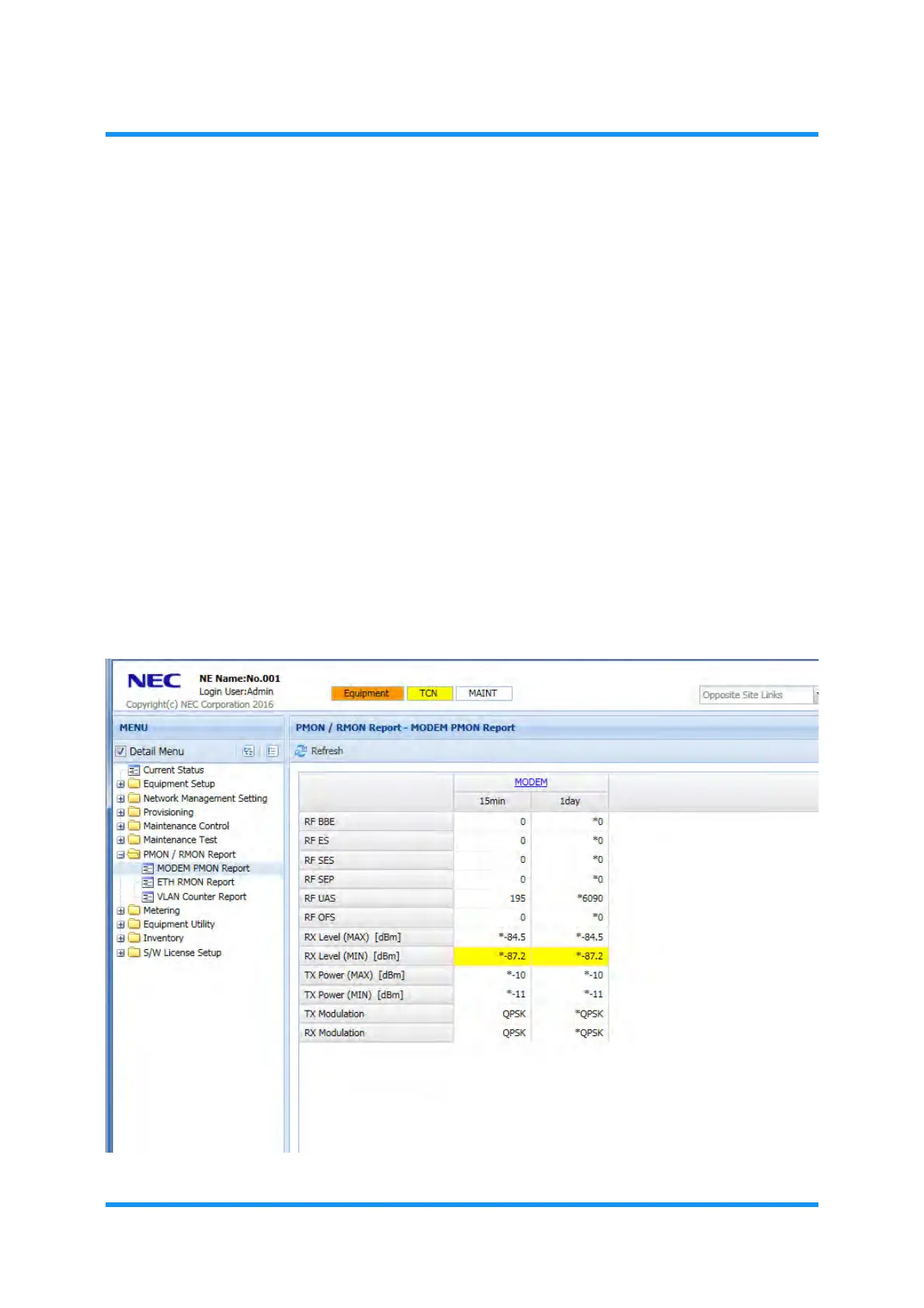
Red-colored field indicates the value of TCN report.
Yellow-colored field indicates that the system is in the Maintenance Mode.
A value with an asterisk (*) is invalid, which could not appropriately be
obtained due to the failed condition (alarm), etc.
3.3.1 View PM Reports
Procedure 3-1
1. Launch and log in to WebLCT.
2. In the
MENU frame on the left, expand PMON/RMON Report to select the
desired object. Example below selects MODEM PMON Report.
Figure 3-4 PMON/RMON Report — MODEM PMON Report Window



 To Next Page