3-4 ROUTINE MAINTENANCE
GGS-000548-01E IPASOLINK EX ADVANCED: OPERATION & MAINTENANCE
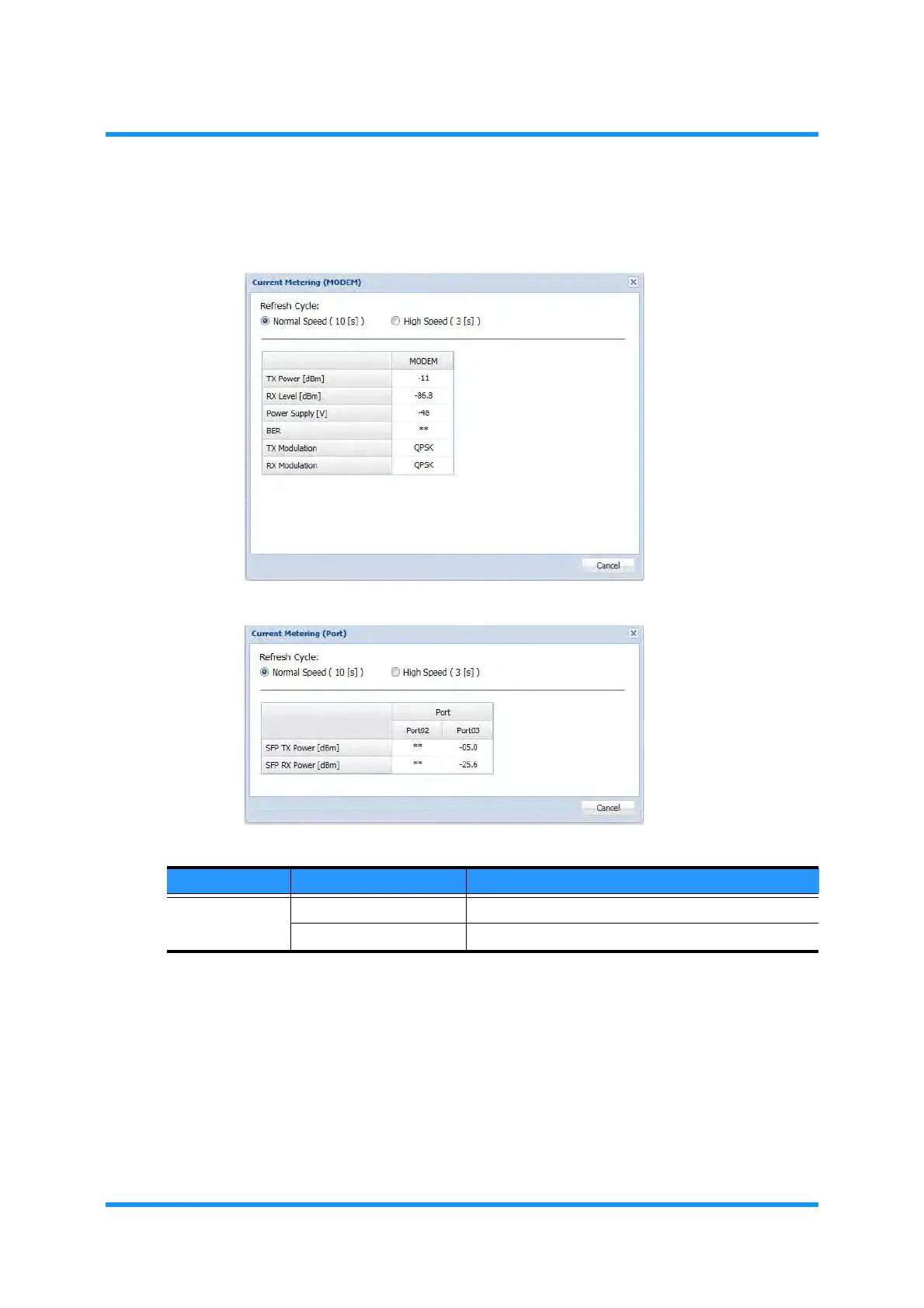
4. Click the Normal Speed / High Speed radio button provided for the Refresh
Cycle
option to specify the period of retrieving data:
Figure 3-2 Current Metering Option Window (MODEM)
Figure 3-3 Current Metering Option Window (SFP)
NOTES:
1.
If a parameter indicates the abnormal value, check the Current Status and the
performance monitor (Current/History PMON/RMON Report), and operate the
loopback test to isolate the alarmed sections from the normal sections.
2. RX LEVEL varies depending on the received RF signal level.
3. Power Supply voltage varies depending on the length of cable.
5. Click the Cancel button on the option window.
This step ends the procedure.
Table 3-1 Current Metering Parameter
Parameter Value Description
Refresh Cycle Normal Speed (10sec) Refreshes measured value every 10 seconds.
High Speed (3sec) Refreshes measured values every 3 seconds.



 To Next Page