4-104 CONTROL ITEMS
GGS-000548-01E iPASOLINK EX Advanced: Operation & Maintenance
4.9.5 Log Clear Function
Event Logs, PMON Logs, and RMON Logs that are no longer necessary can be
removed from the system storage.
Procedure 4-32
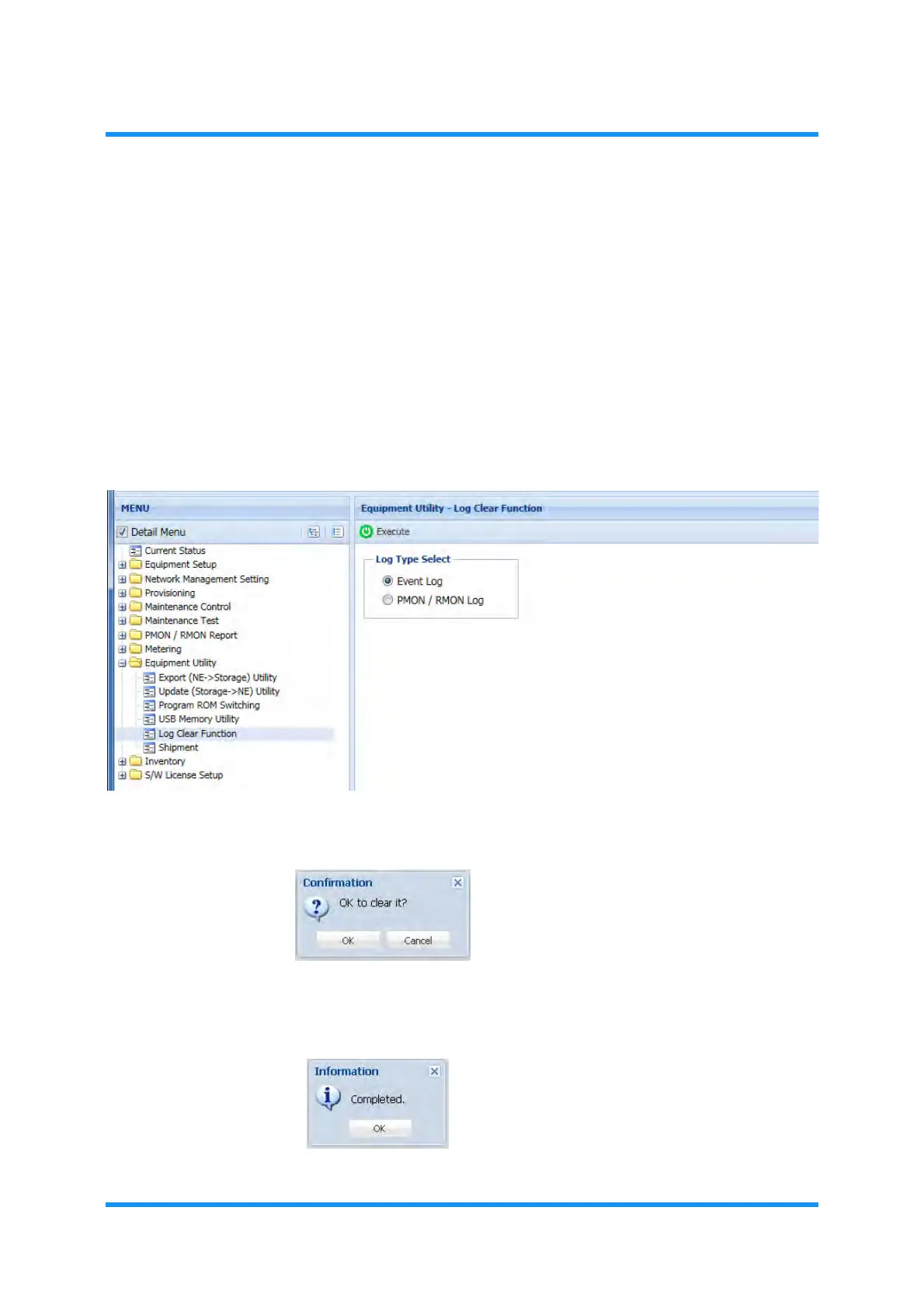
1. In the MENU frame on the left, expand the Equipment Utility to select Log
Clear Function
. The Log Clear Function window appears.
2. Select the log type (Event Log or PMON/RMON Log) by clicking its radio
button.
Figure 4-177 USB Memory Utility Window
3. Confirmation dialog box appears. Click the OK button to proceed.
Figure 4-178 Confirmation Dialog Box
4. When completed, Information dialog box appears. Click the OK button to
proceed. This step ends the procedure.
Figure 4-179 Information Dialog Box



 To Next Page