SECURITY MANAGEMENT 3-43
iPASOLINK EX Advanced: SET NETWORK AND SYSTEM PROVISIONING GGS-000547-01E
3.9 FTP
Procedure 3-10
1. Launch and log in to WebLCT.
2. In the
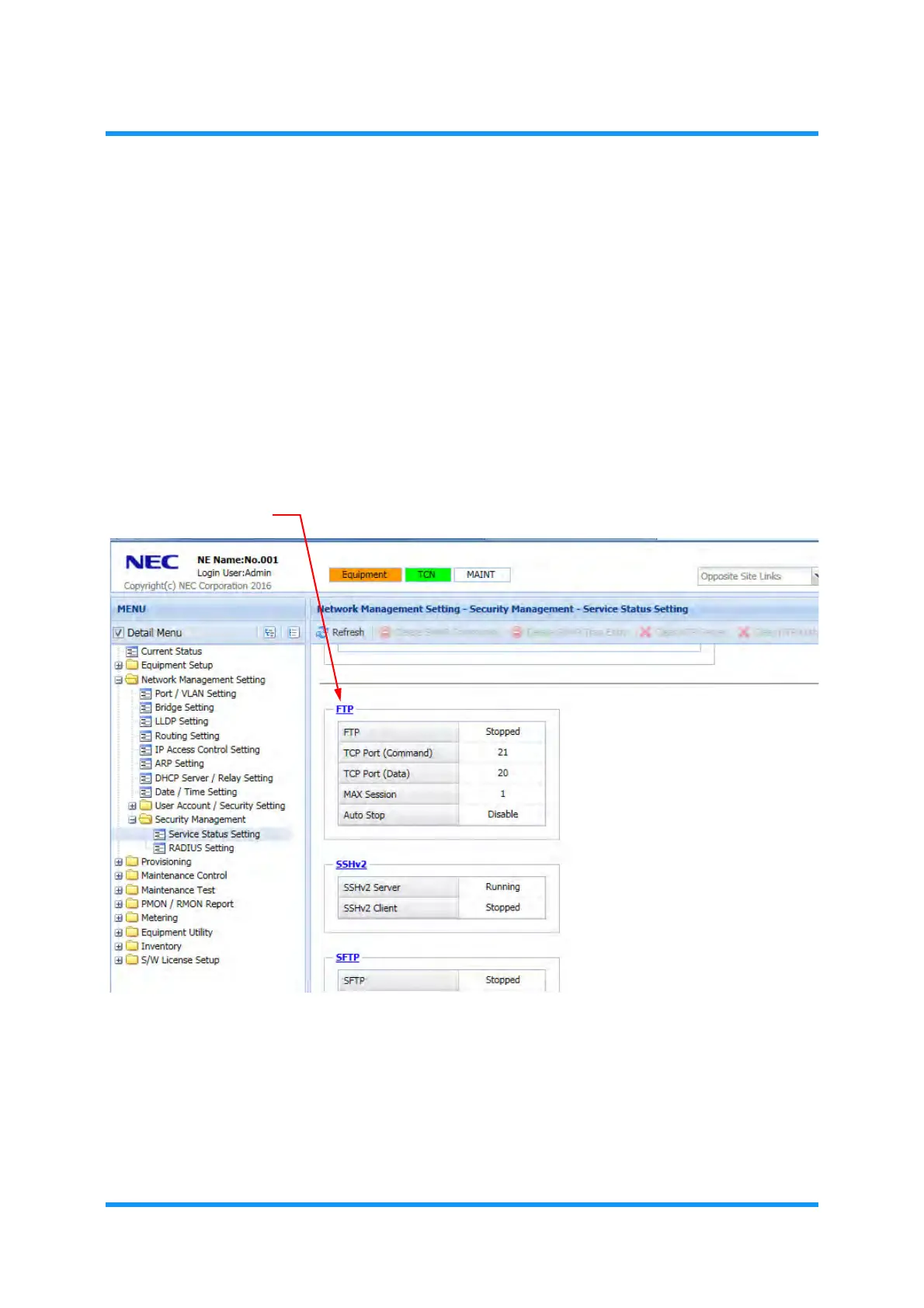
MENU frame on the left, expand Network Management Setting, then
its submenu
Security Management to select Service Status Setting. The
Service Status Setting window appears.
3. Scroll down the main window until FTP option appears.
4. Click the
FTP link.
Figure 3-51 Service Status Setting Window (FTP)
The FTP Setting option window appears.


 To Next Page