3-44 SECURITY MANAGEMENT
GGS-000547-01E iPASOLINK EX Advanced: SET NETWORK AND SYSTEM PROVISIONING
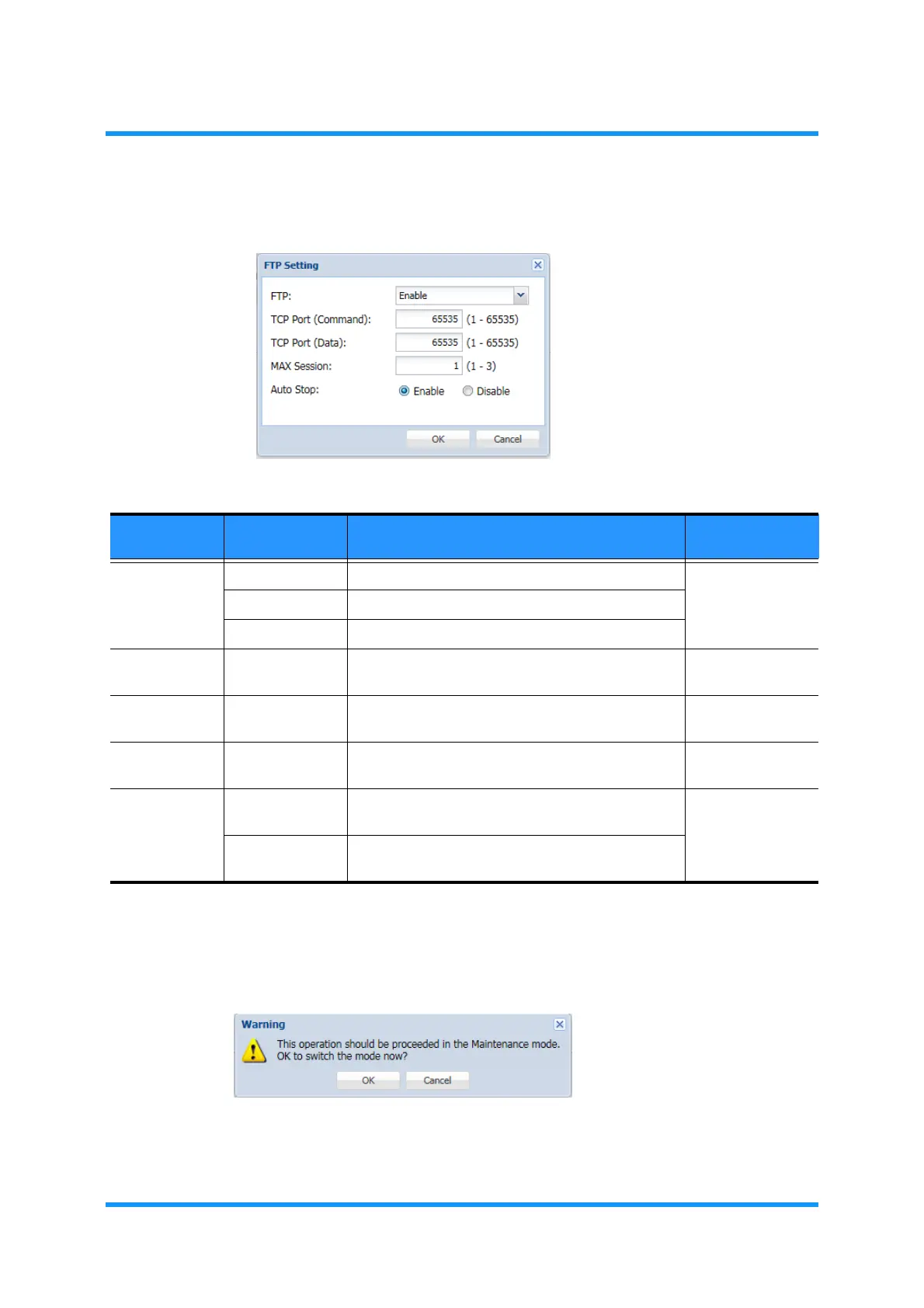
5. Assign the appropriate value to each parameter:
Figure 3-52 FTP Setting Option Window
6. Click the OK button when completed.
7.
Warning dialog box appears. Click the OK button to proceed.
Figure 3-53 Warning Dialog Box
Table 3-19 FTP Setting Parameters
Parameter Value Description Recommended
Value for PNMSj
FTP Always Enable FTP is always in service. Enable
(makes PNMSj
effective)
Enable Enable FTP service to open or to close on demand.
Disable Disables FTP service.
TCP Port
(Command)
1 to 65535 Set TCP Port of FTP Server (for incoming
commands). [default: 21]
21
TCP Port
(Data)
1 to 65535 Set TCP Port of FTP Server (for outgoing
commands) [default: 20]
20
MAX Session 1 to 3 Specify the maximum number of user sessions at a
time. [default: 1]
1
Auto Stop Enable Auto Stop disconnects a session automatically if no
operation is carried out for 90 seconds.
Enable
Disable FTP Server will not disconnect a session whether or
not a session has an operation.



 To Next Page