CONTROL ITEMS 4-3
iPASOLINK EX Advanced: OPERATION & MAINTENANCE GGS-000548-01E
4.2 Before Starting Maintenance Operation
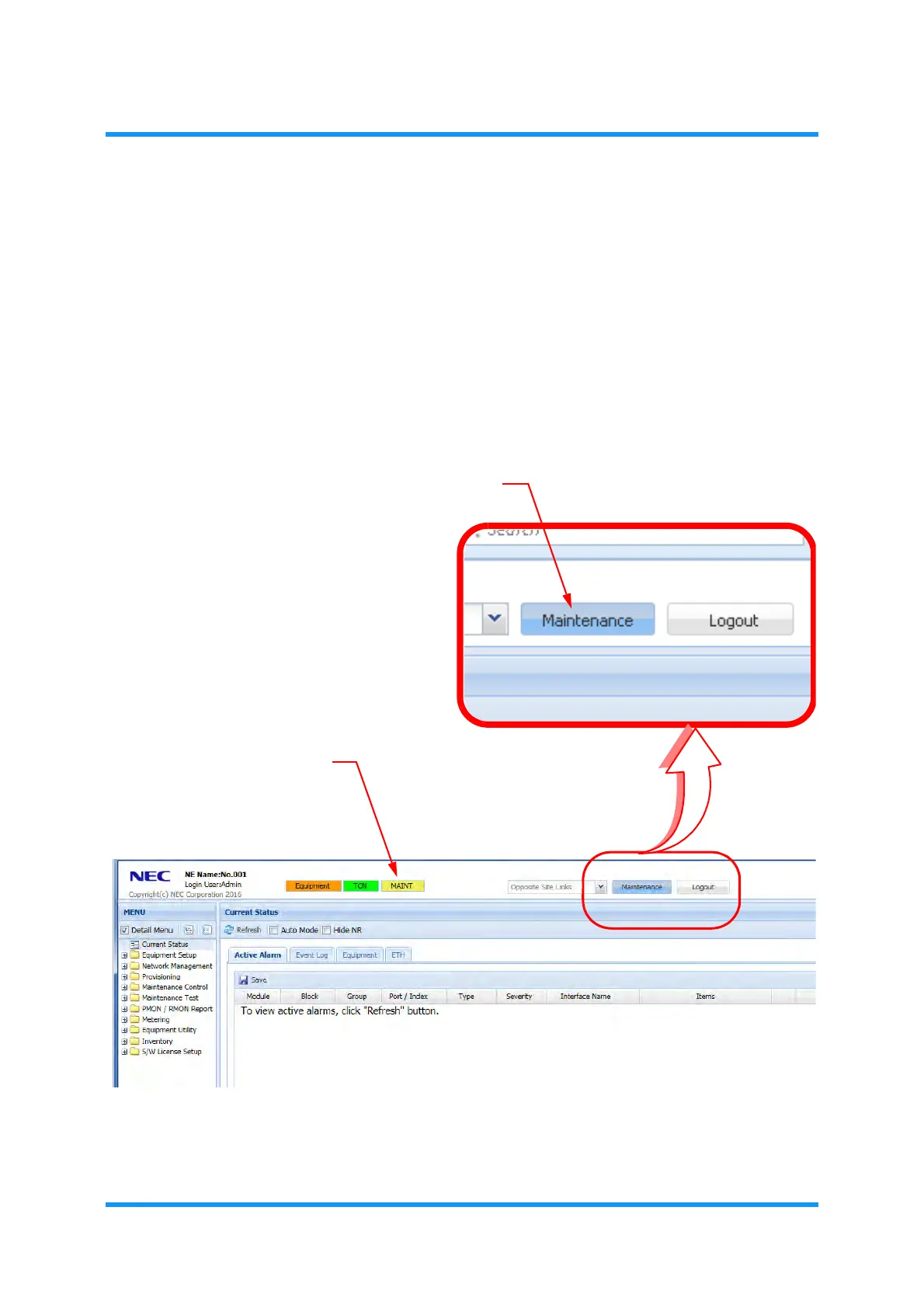
4.2.1 Change to Maintenance Mode (for WebLCT Operation)
Procedure 4-1
1. Launch the WebLCT. See the Operation manual for detailed steps.
2. Click the
Maintenance button on the tool bar of WebLCT window.
Figure 4-1 WebLCT Main Window
3. Confirm that the MAINT indication on the upper side of WebLCT window
turns orange. This step ends the procedure.
Maintenance button
MAINT indication



 To Next Page