NETWORK MANAGEMENT 5-9
iPASOLINK EX Advanced: SET NETWORK AND SYSTEM PROVISIONING GGS-000547-01E
5.2.3 Inband Management VLAN Setting
The procedure to set Inband Management VLAN differs according to the use of
VLAN mode on the user interfaces.
5.2.3.1 For VLAN Mode 802.1Q
Procedure 5-3
1.
Launch and log in to WebLCT.
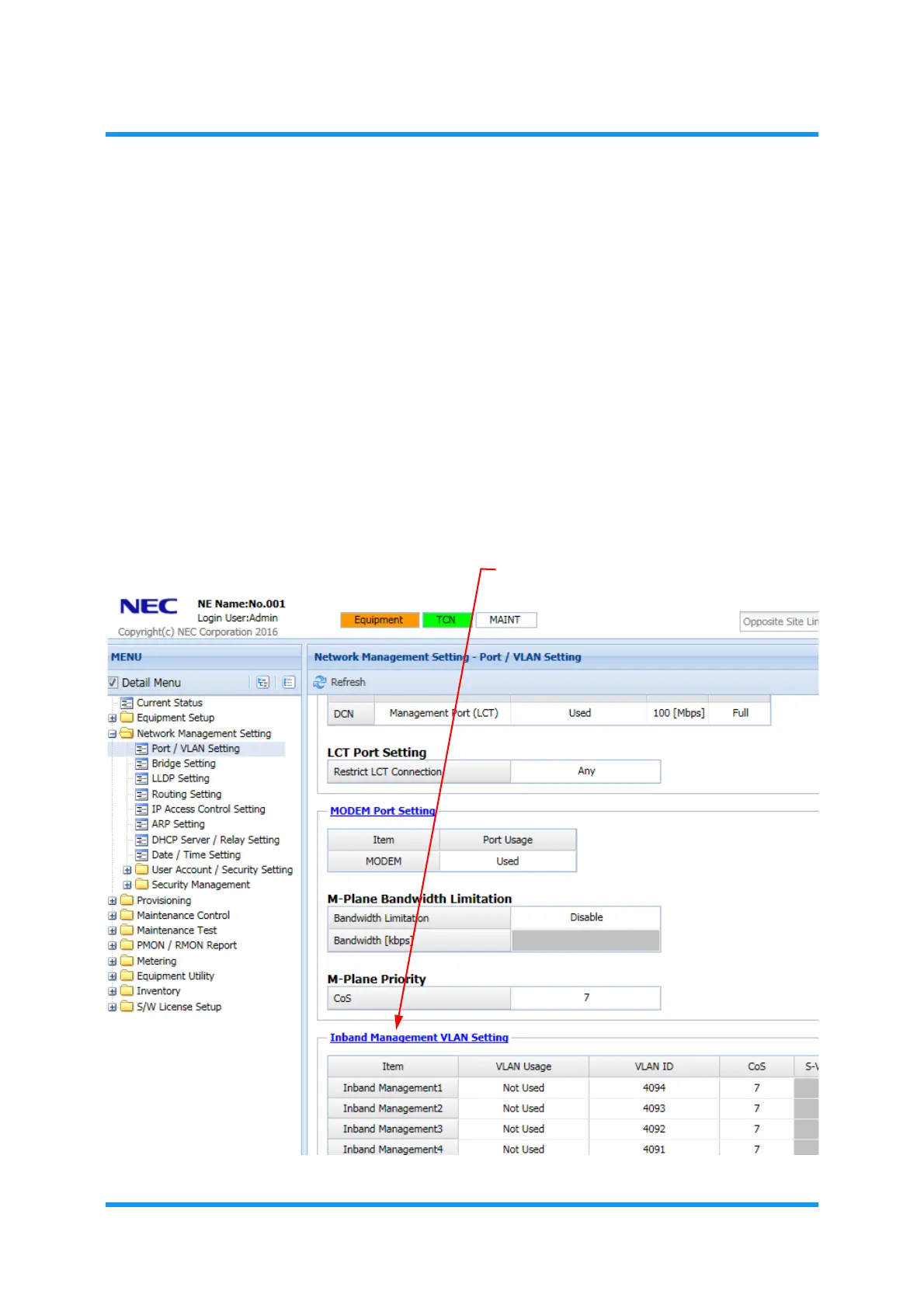
2. In the MENU frame on the left, expand Network Management Setting to select
Port/VLAN Setting. The Port/VLAN Setting window appears.
3. Click Inband Management VLAN Setting link.
Figure 5-11 Port/VLAN Setting Window
Inband Management VLAN Setting



 To Next Page