Assign PMON/RMON Settings 11-21
iPASOLINK EX Adanced: SET NETWORK AND SYSTEM PROVISIONING GGS-000547-01E
11.4.2 Shaper Group Counter Select
11.4.2.1 Add Shaper Group Counter
Procedure 11-8
1. Launch and log in to WebLCT.
2. In the MENU frame on the left, expand Provisioning, then its submenu PMON/
RMON Setting
to select VLAN Counter Setting. The VLAN Counter Setting
window appears.
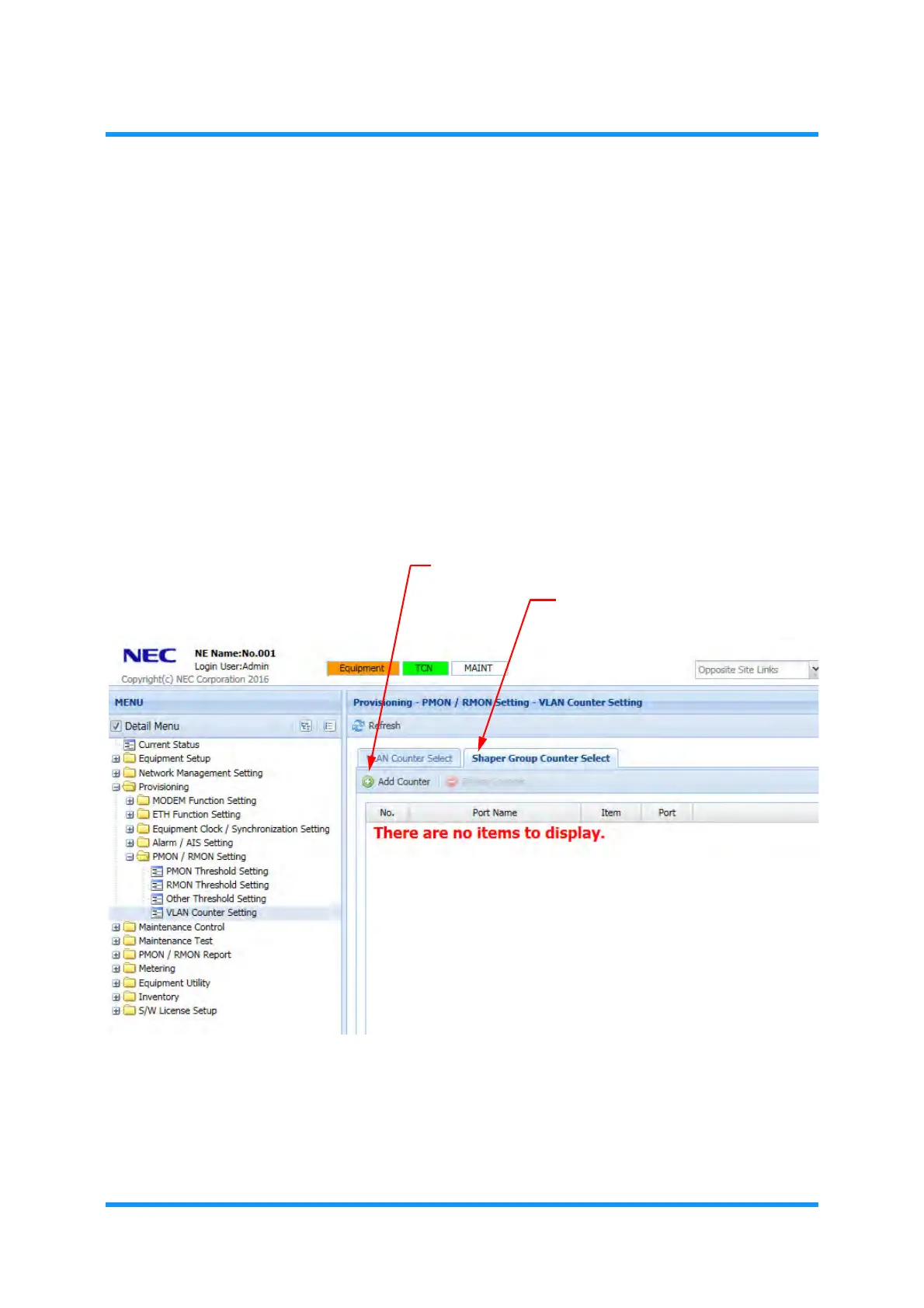
3. In the Shaper Group Counter Select tabbed page, click Add Counter tool
button:
Figure 11-30 VLAN Counter Setting Window — Shaper Group Counter Select
Tab
VLAN Counter Setting — Shaper Group Counter Select (Add)
option window
appears.
Shaper Group Counter Select tab
Add Counter tool button



 To Next Page