CONTROL ITEMS 4-57
iPASOLINK EX Advanced: OPERATION & MAINTENANCE GGS-000548-01E
4.8 Maintenance Test
Perform this procedure to measure the link quality of Ethernet traffic. Prior to
proceeding with the Maintenance Test, following should be considered:
NOTES: When performing this Maintenance Test for
ETH OAM DM/LM, proceed
with the followings (1 and 2) prior to starting the test:
1. Verify the connectivity in both directions between the equipment to carry out
the test and the target equipment to measure Delay/Loss using the ETH-CC
frames.
2. Execute the Loss Measurement and Delay Measurement with the
Transmission Count value 1 at the equipment to measure Delay/Loss
against the equipment to carry out the test.
Procedure 4-20
1. Click the Maintenance tool button on the tool bar of the WebLCT to put the
system into the Maintenance Mode. The
MAINT indicator on the tool bar
changes to orange.
2. In the
MENU frame on the left, expand the Maintenance Test to select ETH
OAM LB/LT/DM/LM Control
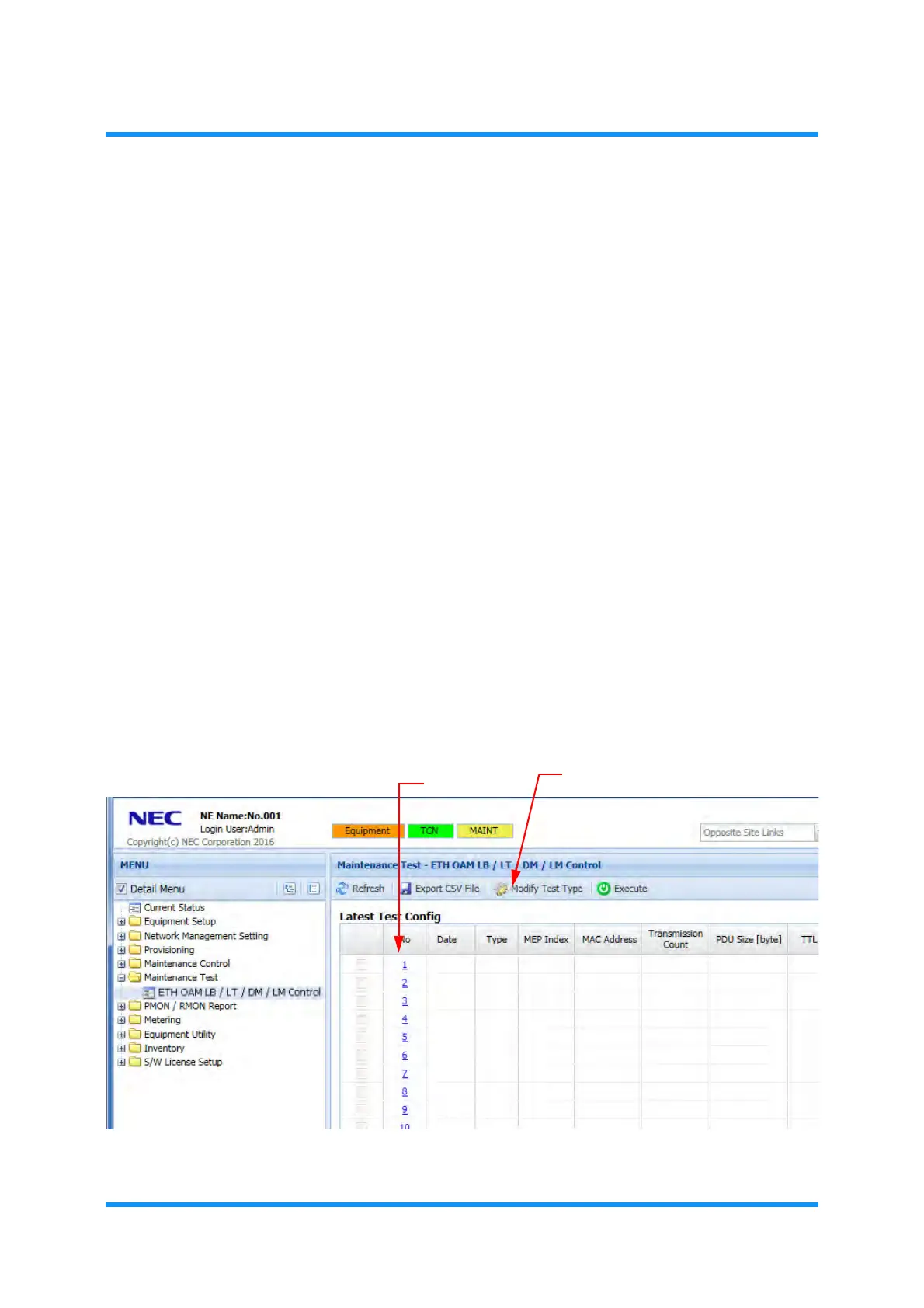
. The ETH OAM LB/LT/DM/LM Control window
appears.
3. Click the
Modify Test Type tool button, or select the desired Test No.
Figure 4-93 ETH OAM LB/LT/DM/LM Control Window
ETH OAM LB/LT/DM/LM Control
option window appears.
Modify Test Type button
Test No.



 To Next Page