CONTROL ITEMS 4-21
iPASOLINK EX Advanced: OPERATION & MAINTENANCE GGS-000548-01E
4.4.4 LAG Revert Control
This option is used to put the original Active ETH Port back in service manually
when recovered from the failure.
Procedure 4-7
1. Launch and log in to WebLCT.
2. Click the
Maintenance button on the top of the WebLCT window to switch the
state to the maintenance mode. See
4.2.1 Change to Maintenance Mode (for
WebLCT Operation)
for operating steps.
3. In the
MENU frame on the left, expand Maintenance Control, then its
submenu
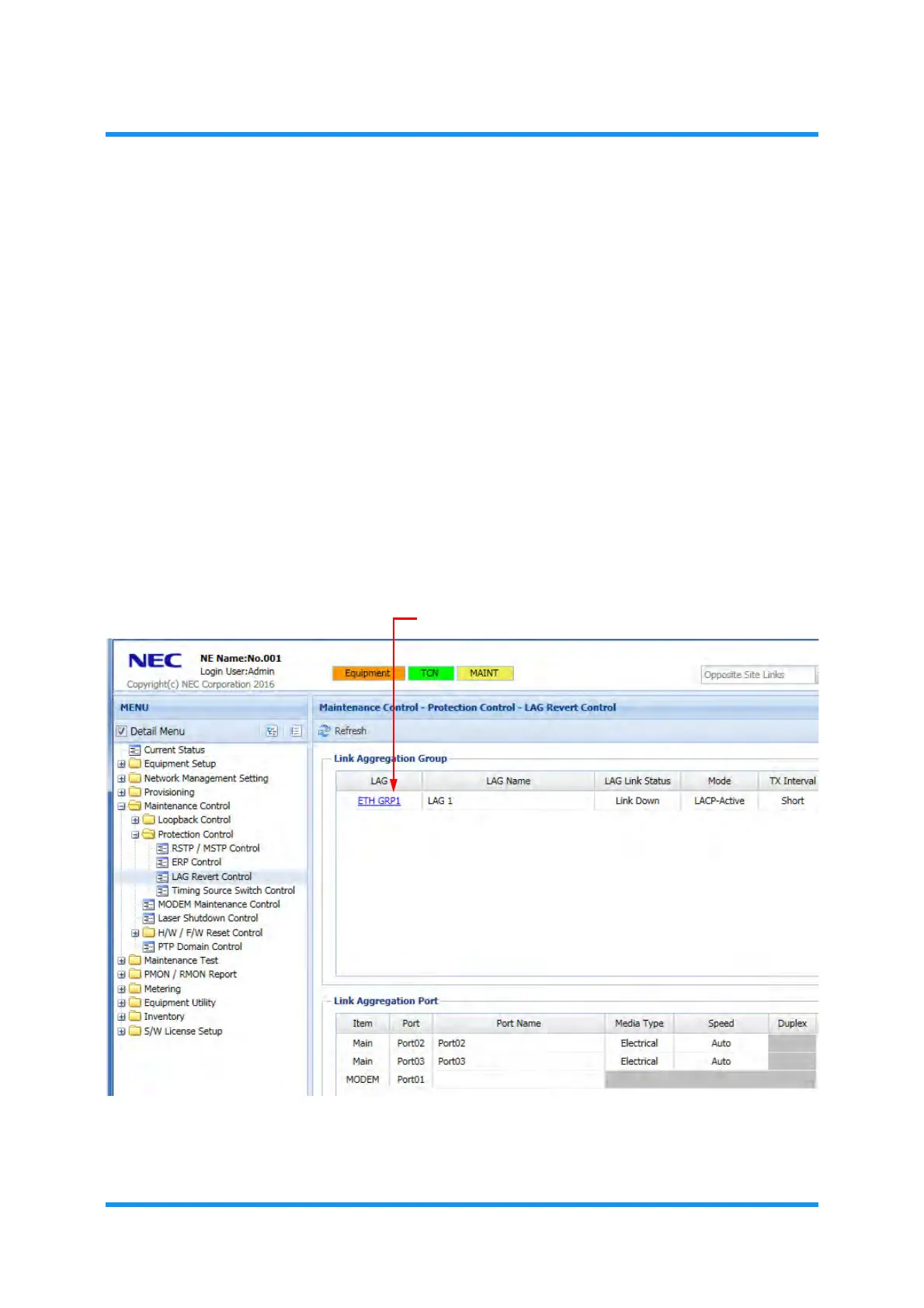
Protection Control to select LAG Revert Control. The LAG Revert
Control
window appears.
4. Click the target group from the
LAG column
Figure 4-29 LAG Revert Control
LAG Revert Control
option window appears.


 To Next Page