8-128 Set ETH Function
GGS-000547-01E iPASOLINK EX Advanced: SET NETWORK AND SYSTEM PROVISIONING
8.10.1.2 Edit Profile
Procedure 8-38
1. Launch and log in to WebLCT.
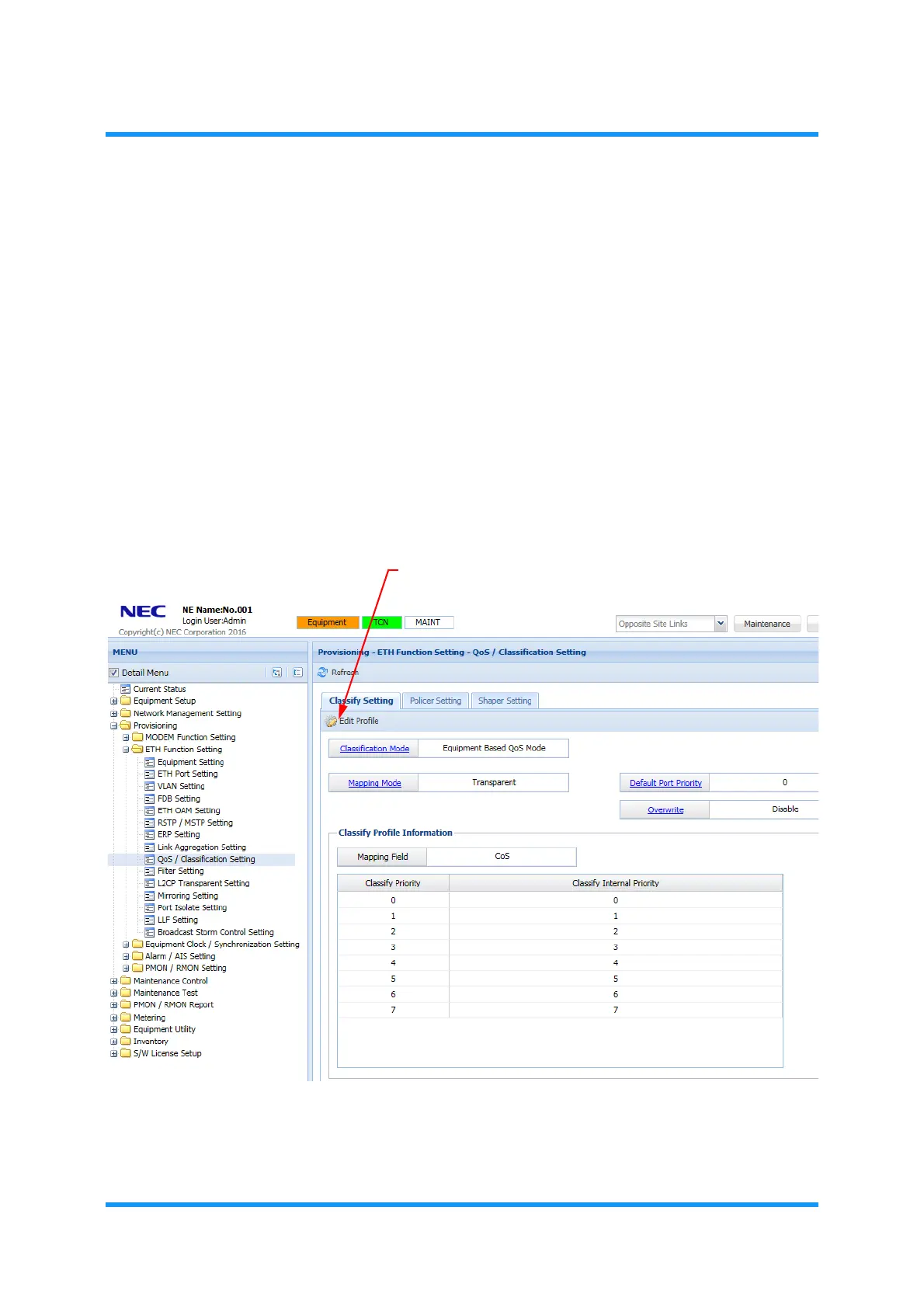
2. In the MENU frame on the left, expand Provisioning, then its submenu ETH
Function Setting
to select QoS/Classification Setting. The QoS/
Classification Setting
window appears.
3. Verify that the Classification Mode indicates Equipment Based QoS Mode.
To change the mode, proceed with 8.10.1 Classify Setting Tab.
4.
Click the Edit Profile tool button.
Clicking the Default Port Priority or Overwrite options opens the same option
window.
Figure 8-176 QoS/Classification Setting Window
The Edit Classification Profile option window appears.



 To Next Page