Set ETH Function 8-129
iPASOLINK EX Advanced: SET NETWORK AND SYSTEM PROVISIONING GGS-000547-01E
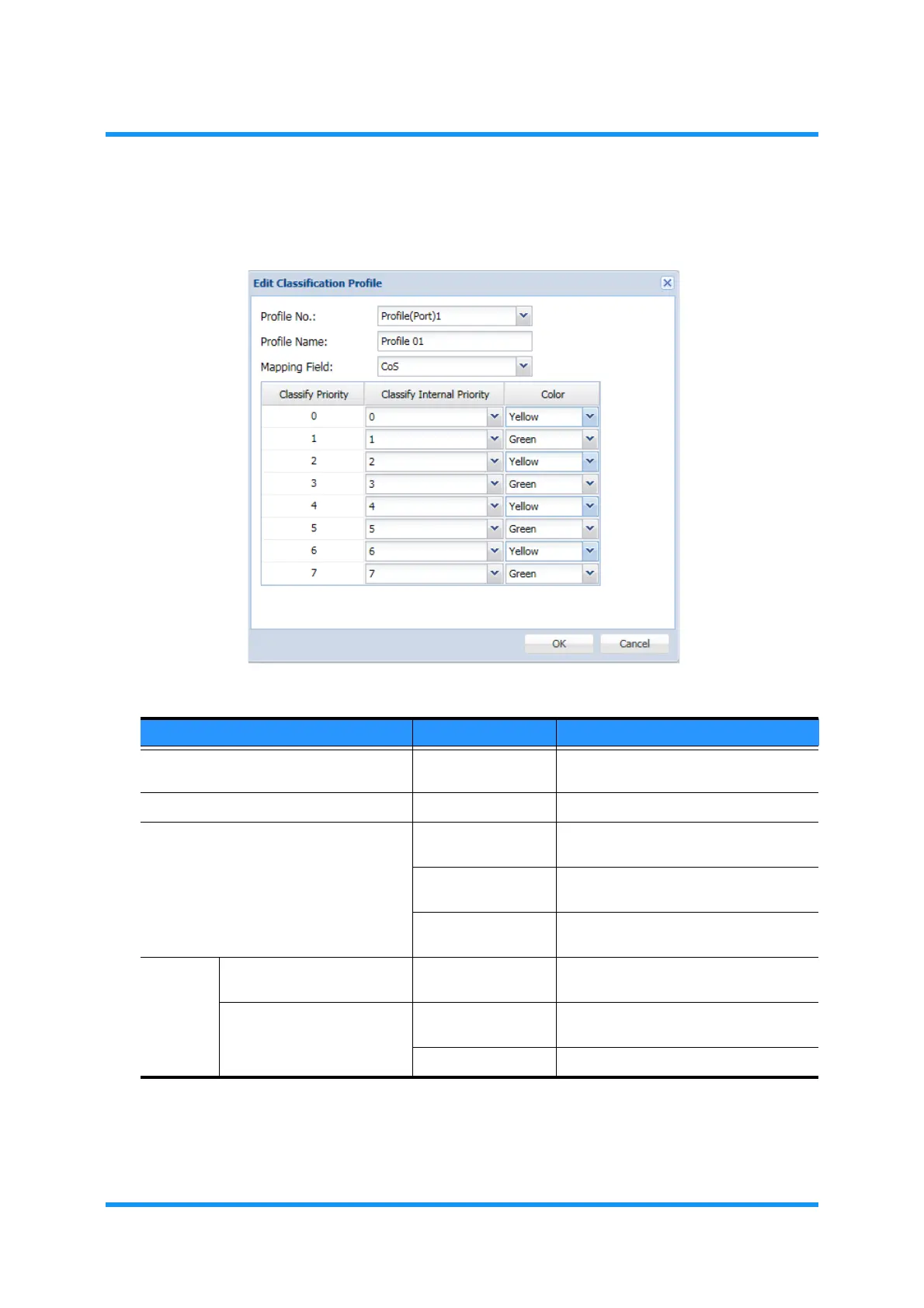
5. Edit Classification Profile option window appears. Specify parameters, then
click the
OK button:
Figure 8-177 Edit Classification Profile Option Window
Information dialog box appears.
Table 8-31 Edit Classification Profile Options
Parameter Value Description
Profile (available profile #) Indicates the registered profile #. Select
the profile to edit.
Profile Name (text field) Enter the profile name.
Mapping Field CoS Uses VLAN (CoS) of received frame for
Classification.
TC Uses MPLS (Traffic Class) of received
frame for Classification.
DSCP Uses IP Address (DSCP) of received
frame for Classification.
Classify
Priority
Classify Internal Priority 0 to 7 Specifies the priority of internal use
frames to map.
Color Green The priority is mapped to color green.
[default]
Yellow The priority is mapped to color yellow.



 To Next Page